Optix vs Cobot: Which Software is Better for Coworking Spaces
Comparing Cobot and Optix coworking software
July 11, 2025

TL;DR
Looking for the right coworking software for your budding business? Choosing between Optix and Cobot? Have we got the article for you.
In this article, we’ll dive into the key differences between Optix and Cobot when it comes to managing coworking and flex spaces. We’ll break down the pros and cons of each platform so that you have all of the information you need to choose the right software for your business.
Cobot is a coworking space management software started in 2010 in Germany, where they remain based out of today. The web-based platform includes a variety of popular coworking software features including automated billing and invoicing, analytics and reporting, multi-location management, and an event management system.
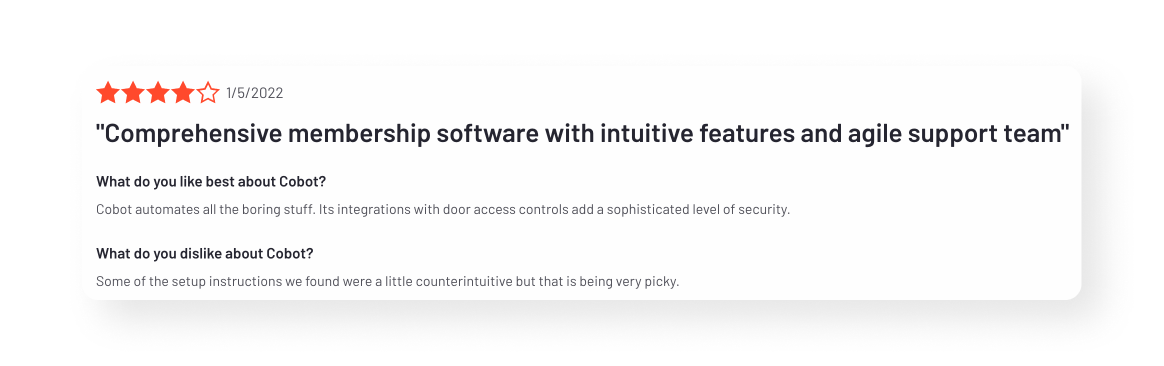
According to G2, the platform is used by hundreds of coworking spaces in over 90 countries. Here are some of the strengths reported by users:
Overall, users generally report enjoying the comprehensive features provided by Cobot, along with its strong integration profile.
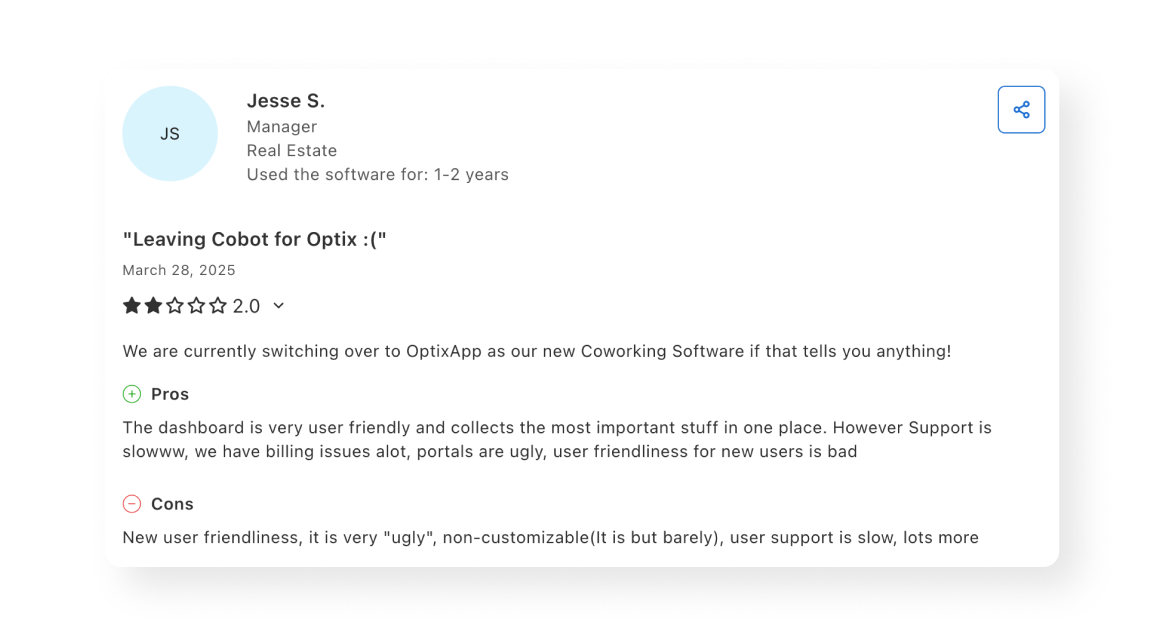
There are some challenges reported by Cobot users however. Here are some of the weaknesses of the platform to keep in mind:
While Cobot does many of the basics well, it isn’t always suitable for those looking for an elevated user experience or a modern interface for their community.
Given its strengths and limitations, Cobot is best suited for European-based coworking spaces with one location and a traditional coworking space business model.
While both platforms help busy coworking space owners and operators run their business, there are a few key differences between Optix and Cobot.
Being based in Germany, Cobot offers support hours based in a Central European Time zone. This can be tricky for those located in North America, especially for those in a Pacific Time zone who may be looking for immediate answers to their questions. Their support has mixed reviews with some users saying their support has been great, while others have mentioned they can be slow to respond.
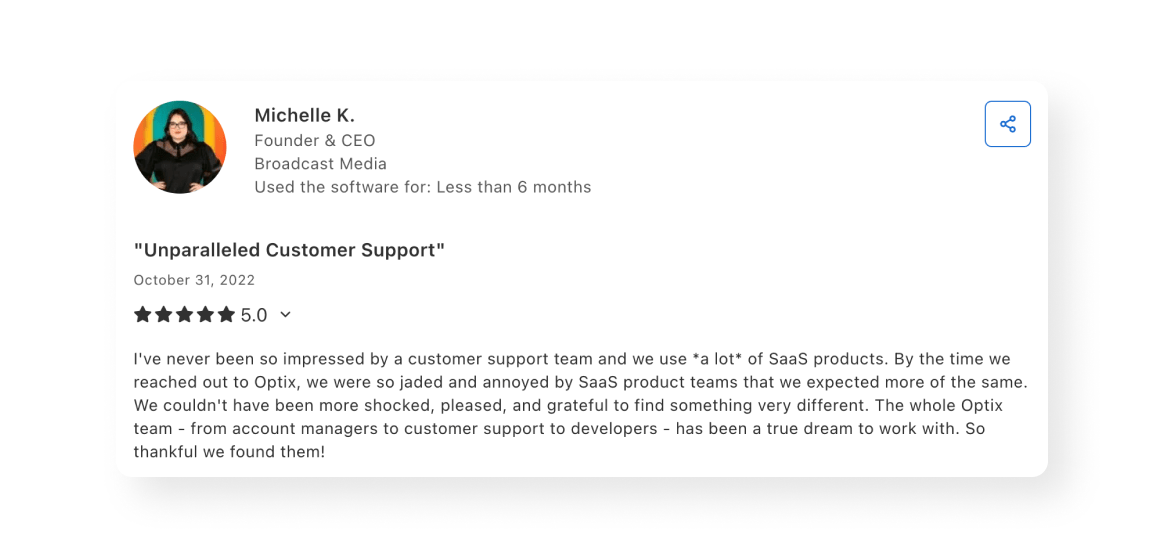
Optix is based out of Vancouver, Canada and operates in the Pacific Time zone. Being that their support team is located in North America, they may be better suited to serve North American based clients. They are also known for their exceptional customer support, offering white-glove onboarding, group onboarding, and in-app chat support during working hours.
Cobot is designed to serve operators of traditional coworking spaces. Though they serve this market well, the platform can be limiting for those who want to experiment with alternative business models or selling different goods and services. For Elizabeth who was operating a coworking and childcare space, she often ran into limitations in terms of how she was able to sell her goods and services with Cobot.
One of the unique things about Optix is it is designed to serve a wide variety of coworking space niches and flex spaces including coworking and childcare space, shared kitchens, coworking spaces for creatives, micro-gyms, and more. It’s one of the primary reasons why Elizabeth from OneSpace switched from Cobot to Optix.
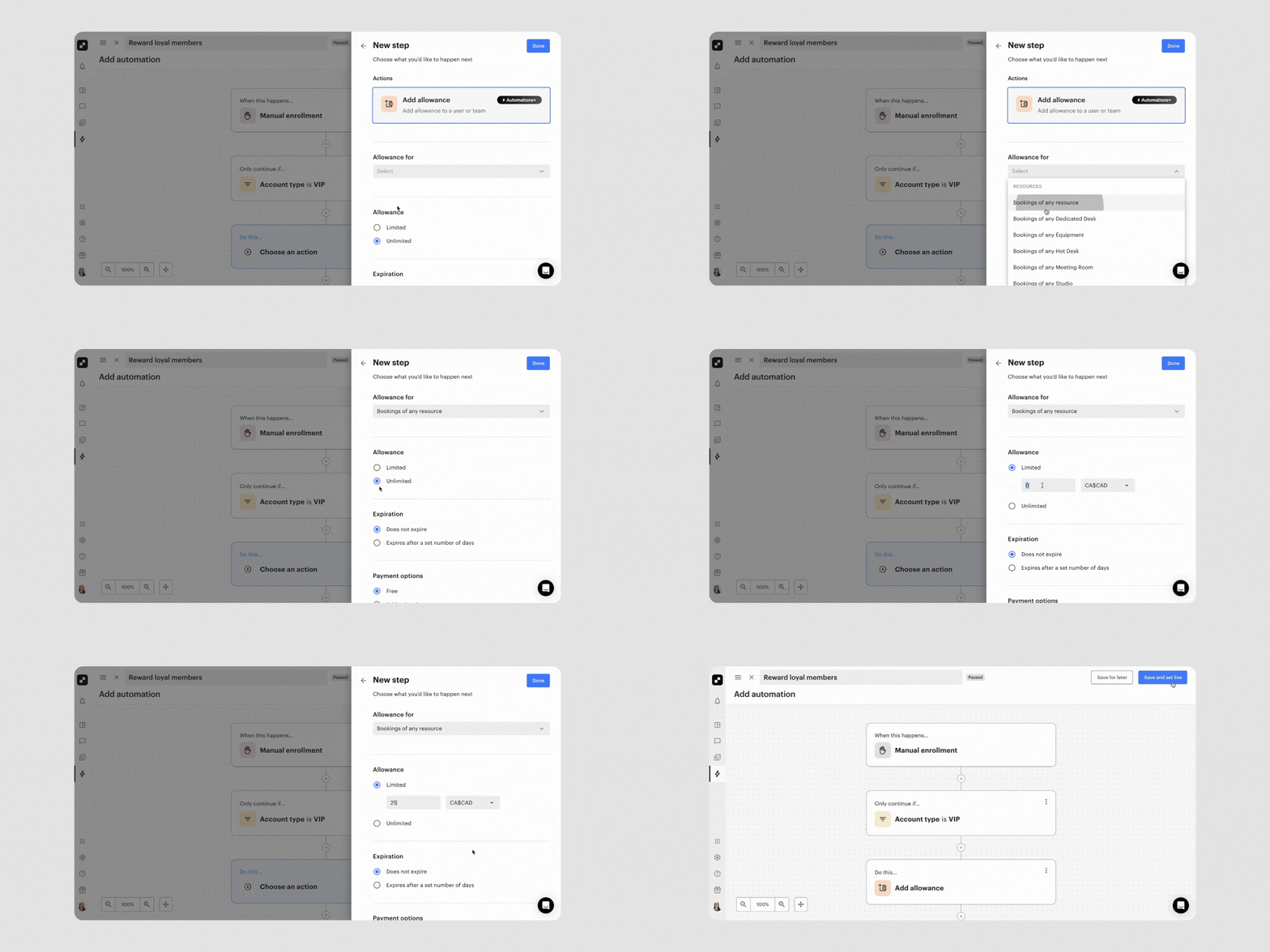
While Cobot offers some automation capabilities including automated billing, invoicing, and booking, Optix offers a suite of automation capabilities that are unlike anything else seen in the coworking software industry. This is because Optix offers end-to-end automation, allowing users to automate every part of the member journey from lead acquisition to expansion.
These capabilities are unique to Optix, and allow operators like Adam to run three coworking space locations with just one employee using Automations in Optix.
Cobot has a heavy focus on the backend admin work of running a coworking space. Most of their focus is on the development of the dashboard that admin uses. As a result, they haven’t spent as much time developing the member side of the application and they are one of the only coworking software platforms today that don’t include a mobile application.
This was another reason why Elizabeth migrated away from Cobot. She didn’t like the experience members had to take to book a desk or meeting room by opening a web portal on their mobile device. She chose Optix for the sleek White-labeled App and seamless user experience for members.
“Our old system was clunky. So clunky. You're a mom and you got a million things on the go, and then you're logging in on your phone into a browser and opening up this teeny tiny window. It was just ridiculous.”
Many online reviews mention that Cobot is an easy-to-use tool with an intuitive interface. One area where it falls short however is in the look and feel and design of the platform. Elizabeth described it as “clunky”.
As the #1 rated coworking software in user experience, Optix includes a streamlined interface, an easy-to-use application, and an experience that most users report as being well-designed and modern.
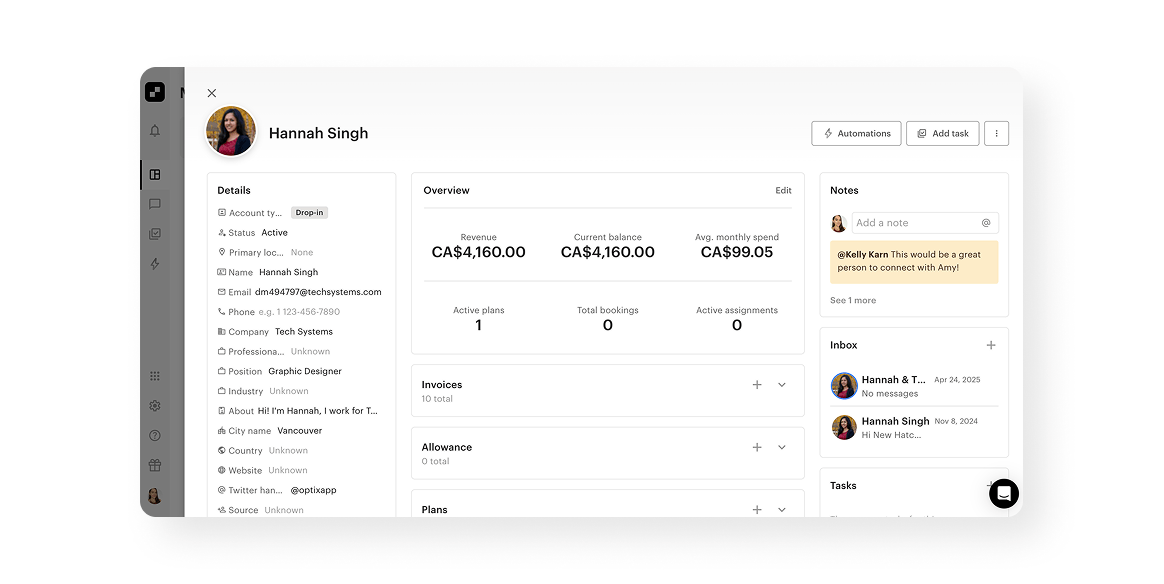
Cobot is best suited for European-based operators of traditional coworking space models who want a simple backend solution to streamline their operations. Optix is best suited for coworking and flex space operators who prioritize automation, a mobile-first experience, and creating an exceptional member-driven experience.
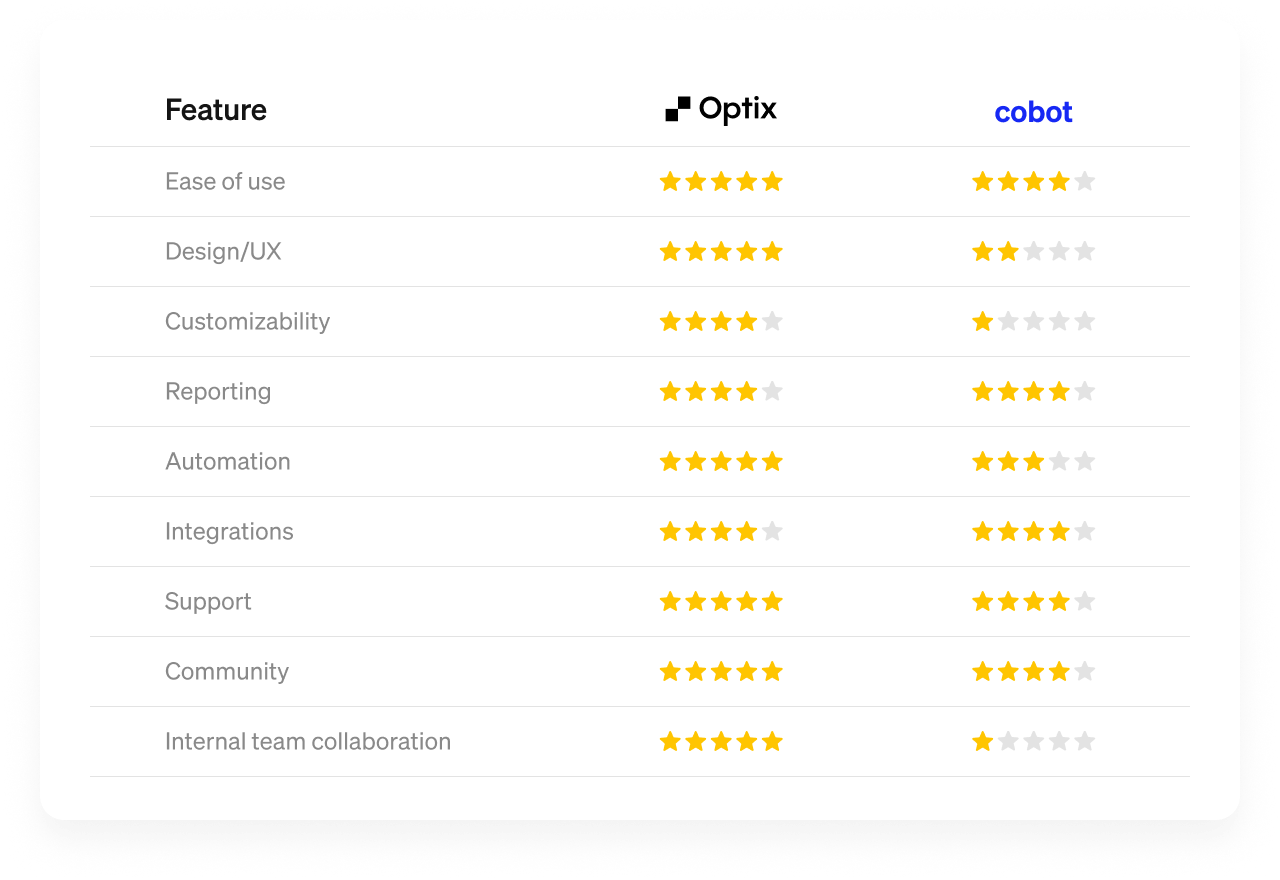
When it comes to coworking software, both Cobot and Optix are great choices. Cobot has a number of basic features for operators, as well as strong integrations and good support for European-based customers. Optix has exceptional automation capabilities, the best user experience in the industry, and community engagement features baked in.
No matter what you’re looking for for your coworking or flex space, Optix has what you need to grow a successful coworking or flex space business.

Optix, the Coworking Automation Platform, gives members a white-labeled app carrying your own brand, which is why Elizabeth moved her coworking and childcare space across. Cobot is one of the only coworking platforms without a member mobile app, so your members book desks and rooms through a web portal on their phone.
Optix automates the whole member journey from lead acquisition to expansion, and operators report an average 53% reduction in time spent on manual tasks. Adam Hyman, founder of KoWorks, runs three coworking locations with one employee. Cobot automates billing, invoicing and booking, covering the basics well, but does not extend to wider workflows like lead nurturing or tour follow-ups.
Optix is based in Vancouver and works Pacific Time, so North American operators reach support inside their own hours, with white-glove onboarding on select plans. Cobot works Central European Time from Germany, which suits European operators, and serves coworking spaces in over 90 countries.
Optix is built to serve coworking niches and flex spaces, including coworking with childcare, shared kitchens, creative spaces and micro-gyms, so you can sell the goods and services your model actually needs. Cobot is designed for traditional coworking, which can limit operators experimenting with alternative business models.
Optix migrates your members, teams, membership plans, custom member data and, if you are on Stripe, their stored cards, with members keeping the same plans and billing dates. Your members stay on Cobot until launch day, so they see no downtime. Most operators are live within 4 to 8 weeks, with a dedicated migration specialist at no extra cost.