What’s New in Optix: August 2025
Learn about what we've added to the Optix platform in August 2025
August 29, 2025
This month was all about making your operations easier (something we’re very passionate about at Optix!). From a faster way to follow up with invoices automatically to a clearer and more reliable document signing flow, these updates help you get paid on time while making your operations run even smoother.
Let’s take a look at what we’ve added to Optix in August 2025!
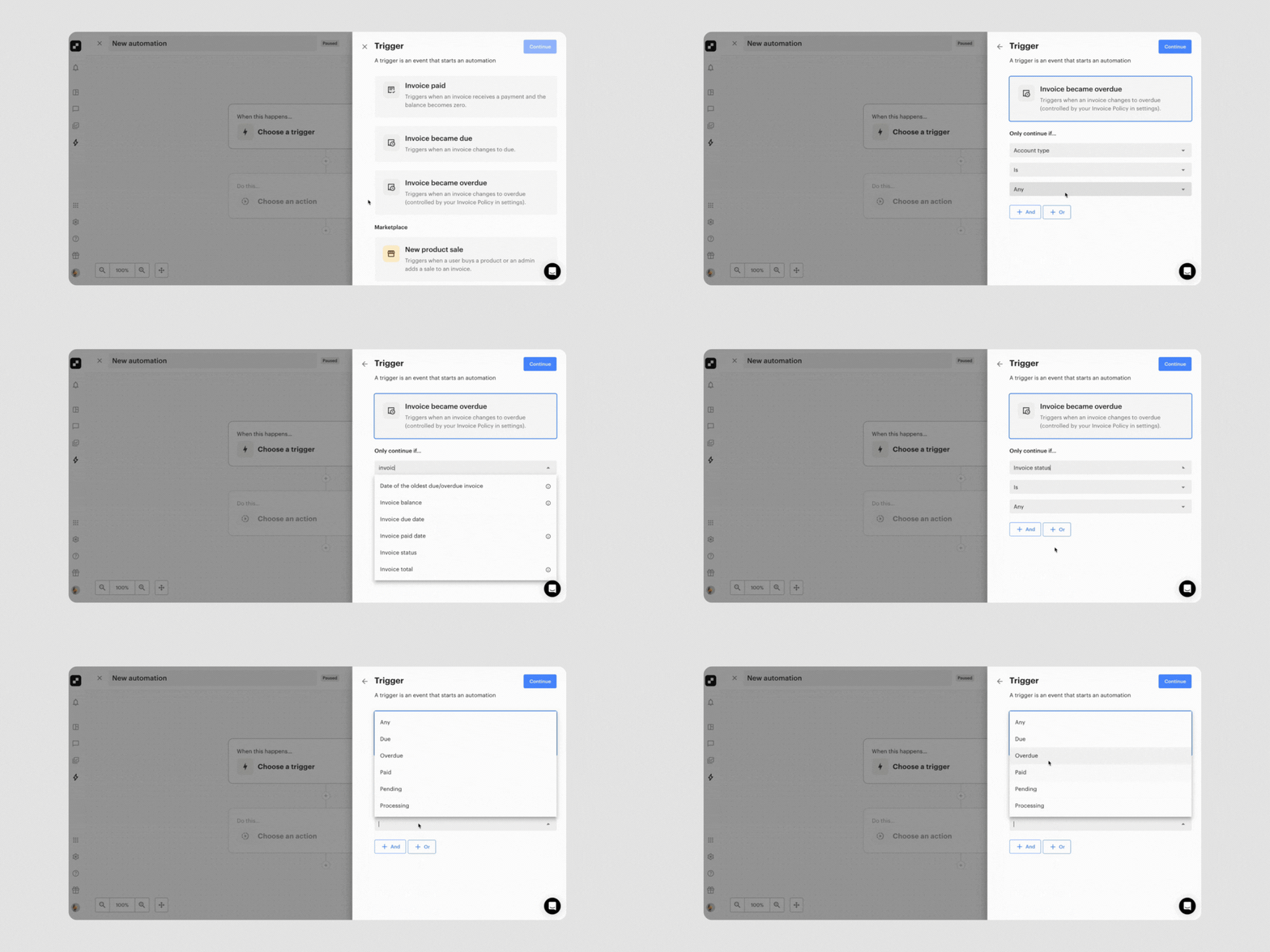
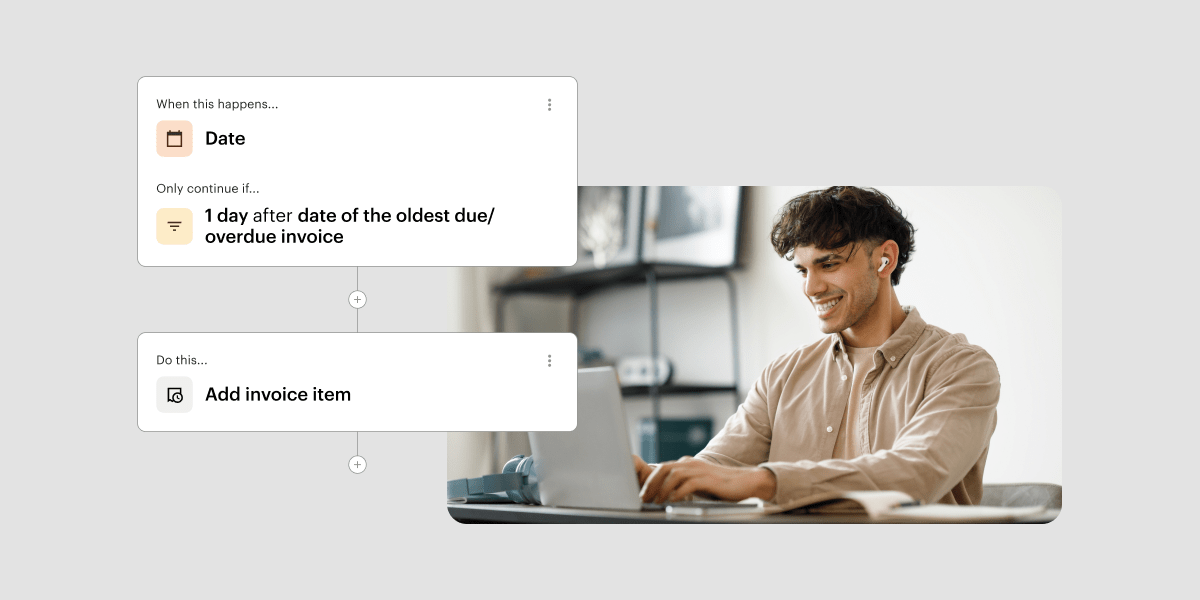
Managing your internal invoice processes just got a lot easier! This month, we introduced more invoicing triggers and actions to Automations to make it easy to automate your most time-consuming financial processes. This includes:
These updates make it easier than ever to improve cash flow with timely follow-ups, add late fees to the late invoice, and reduce admin time spent monitoring accounts receivable.
Learn more about invoicing triggers in Automations
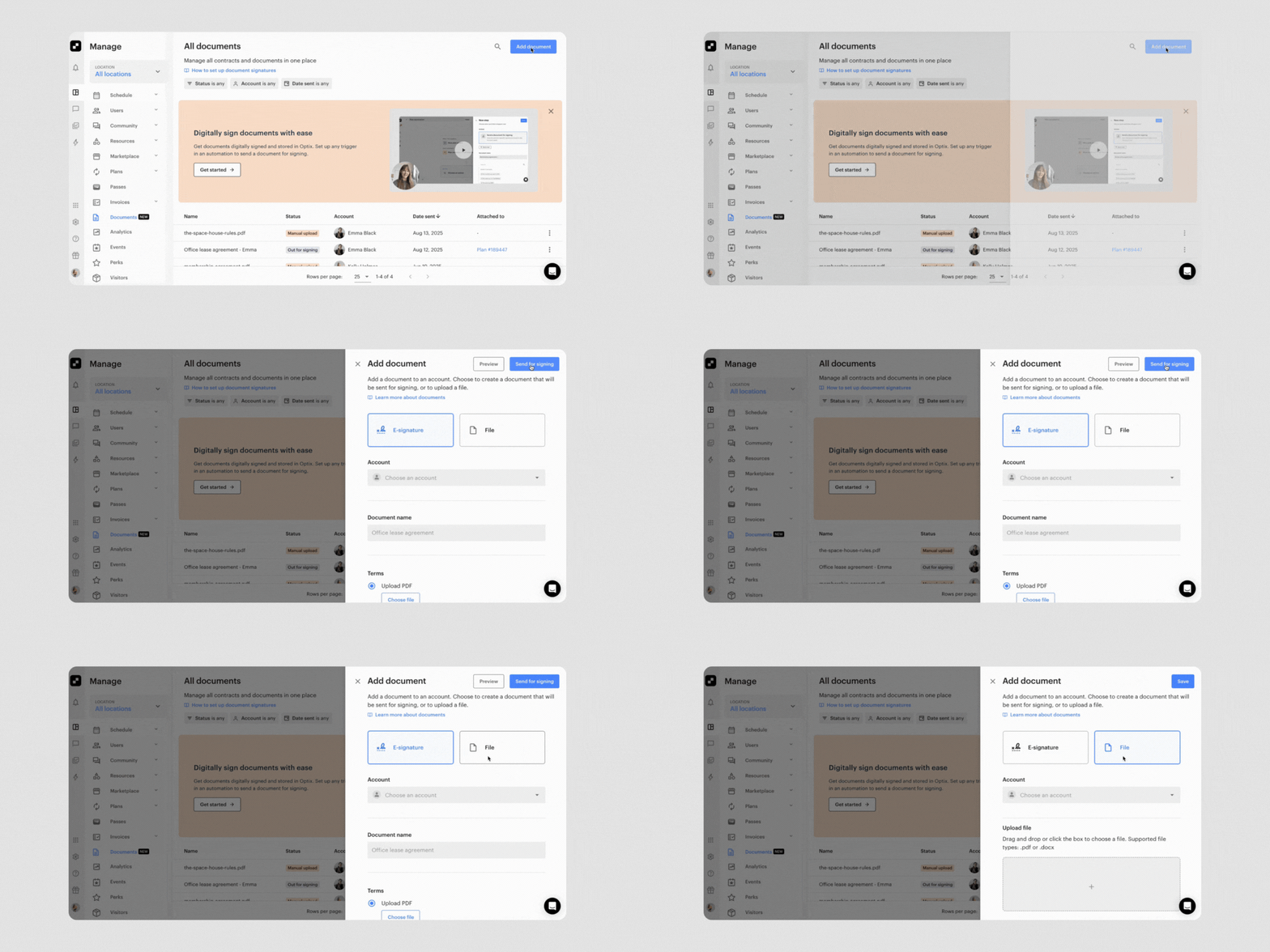
In June, we announced Document Signing and Document Storage in Optix, a highly requested set of features that makes it easy to manage documents like contracts directly in Optix. Now, we’ve made it even better with a set of enhancements.
For one-off document uploads, you can now manually add documents directly from the Documents page without building an automation. This streamlines managing your document library and makes the process smoother for individual document needs.
You can now preview the document before you send it to confirm exactly what your signer will see. This improvement helps ensure you’re sending the right document with the right context, reducing potential confusion.
If someone needs a nudge, the Resend action now reuses the same submission and link, which preserves signer progress and keeps your audit trail tidy. This prevents duplicate records and maintains a cleaner workflow when follow-ups are needed.
A new “Include Assignment Details” toggle lets you pull in dates, price, and resource information so signers know exactly what they are agreeing to. This added context helps create a clearer, more reliable signing experience for your team and members by reducing back-and-forth communication.
Learn more about Document Storage and Document signing
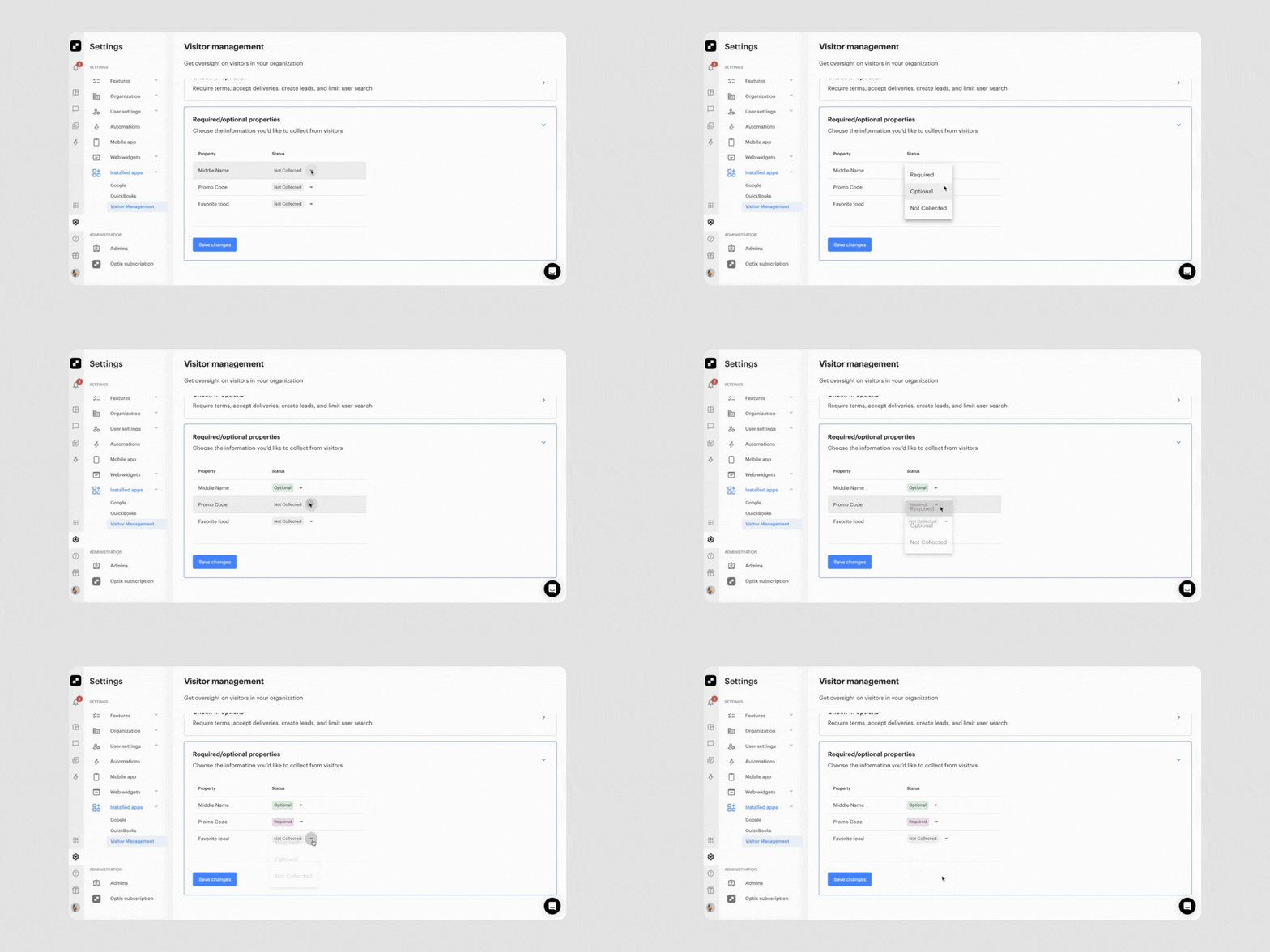
You can now customize exactly which fields visitors see and which ones they must fill out on the Visitor Management app. Want to speed up check-ins during busy events? Skip the email field. Need company details for weekday business visits? Make it required. Your visitors get through faster, and you get cleaner, more relevant data to use directly in Optix.
You can then use this information to tailor follow-up messages based on how someone checked in, what they were visiting for, and other details you’ve collected—turning every visitor interaction into a potential business opportunity.
Learn more about the Visitor Management app
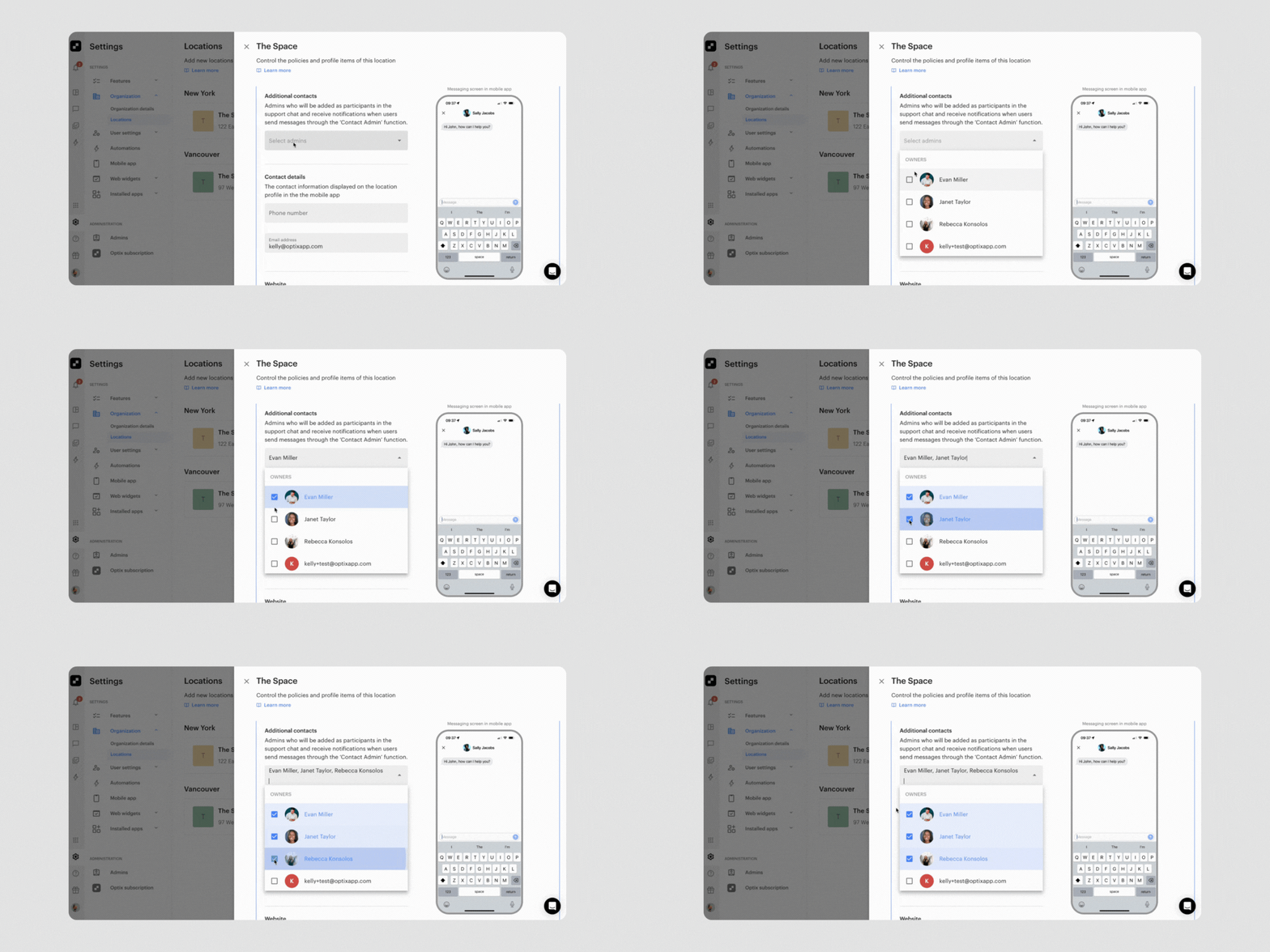
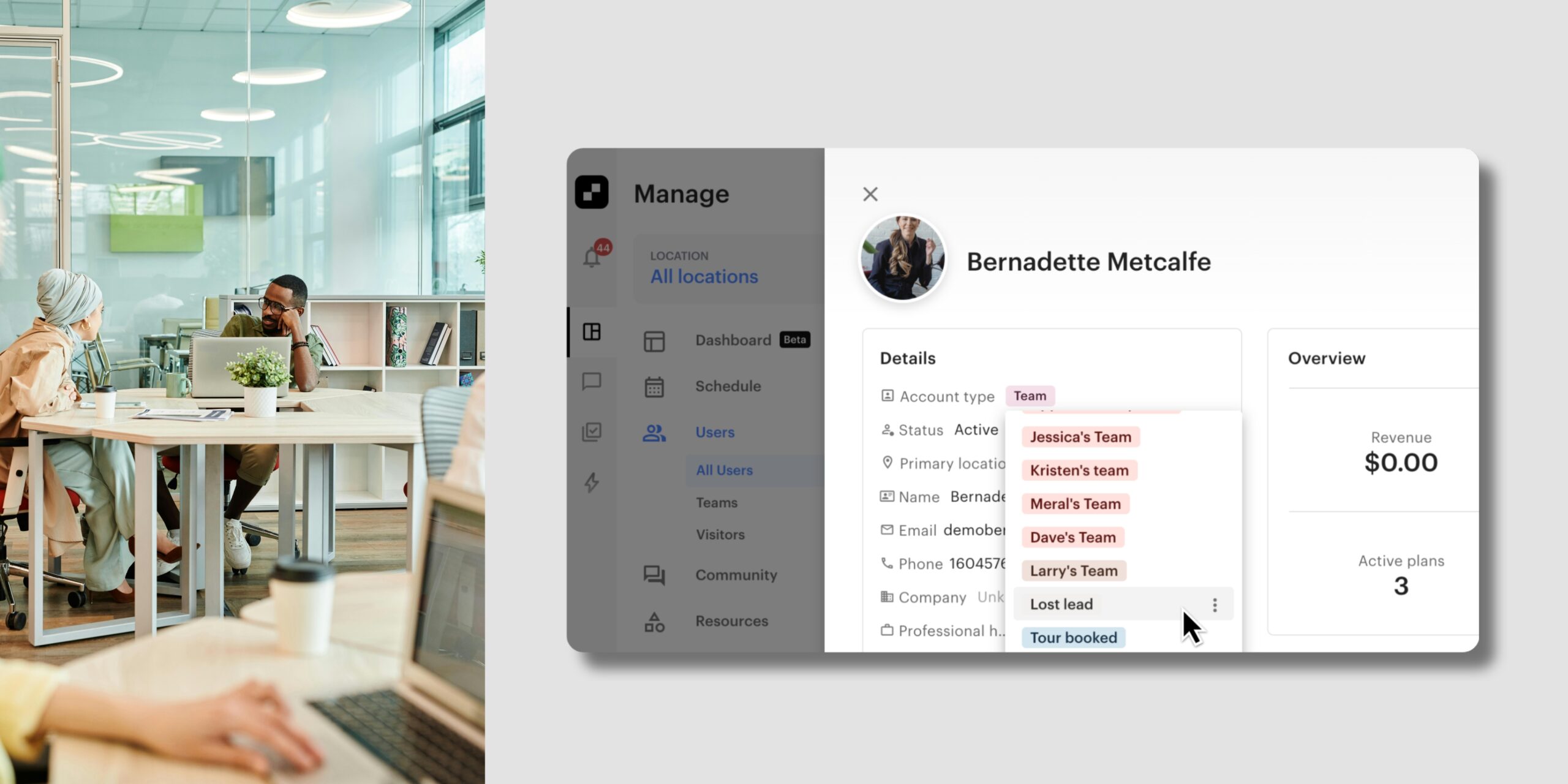
Support Chat just got a facelift! Now when members need help, they can now get faster responses and better support coverage with the ability to contact multiple admins at once.
You have the option to set as many “additional contacts” as you want in Optix. This means all of these admins will get notified when someone reaches out via the Contact Admin button in the app. So if one admin is busy or unavailable, others can step in immediately.
No more messages sitting unanswered because they went to someone who’s out of office, and no more time wasted manually adding the right people to conversations after the fact—the system handles it all automatically.
We can’t wait to bring you more features to help improve your member experience and help you succeed with Optix.
Subscribe to our newsletter to be the first to know about new features.