What’s New in Optix: October 2025
Learn about what we've added to the Optix platform in October 2025
November 2, 2025
October brings more ways to customize, automate, and convert with Optix! This month’s updates give you greater control over your Tour and Sign-up Widgets, plus new automation options to streamline your document workflows.
From choosing which fields appear in your Tour Widget to triggering actions when documents are sent or signed, these updates are all about helping you create smoother, higher-converting experiences for your members.
Let’s take a look at what we’ve added to Optix in October 2025!
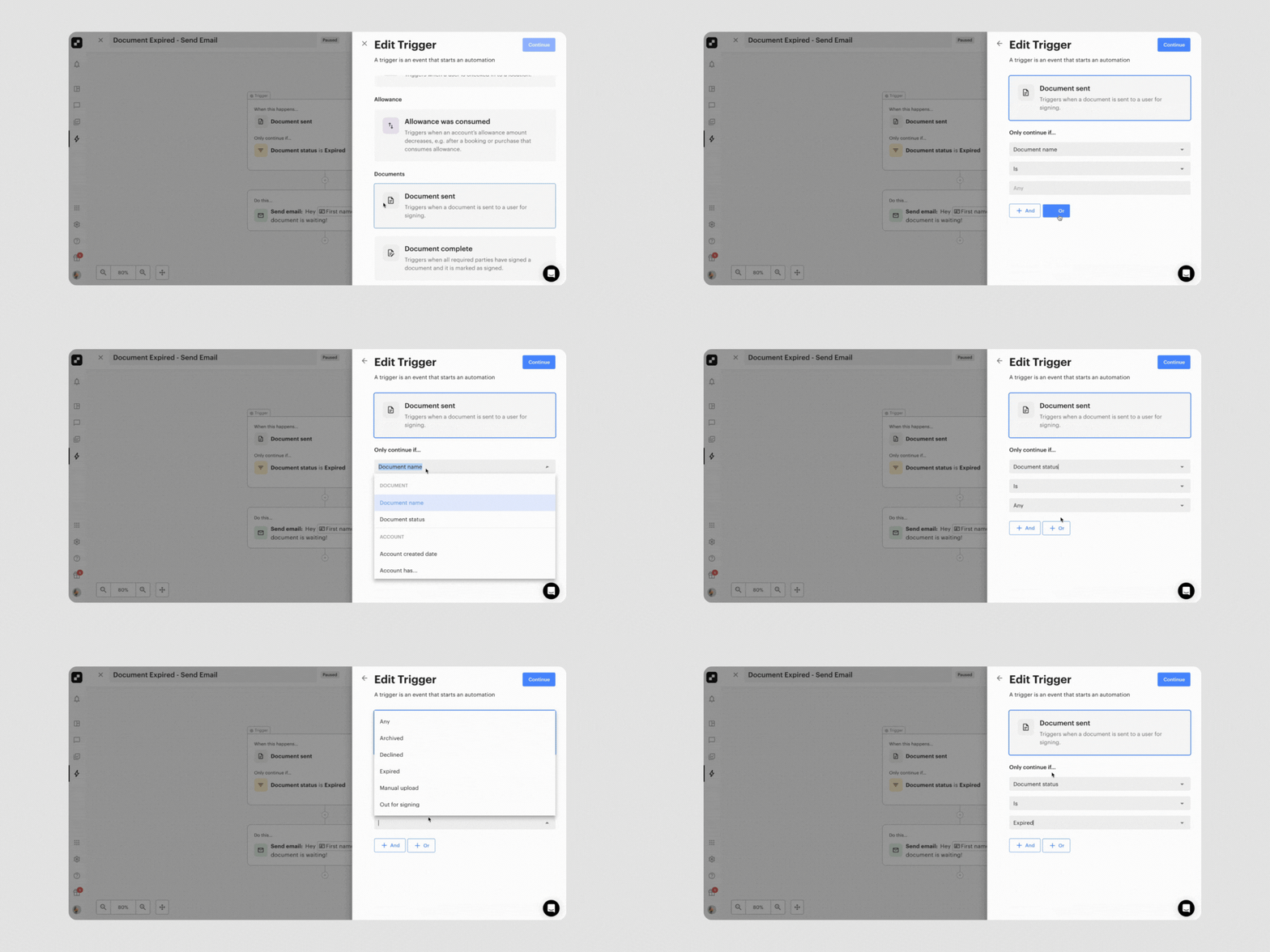
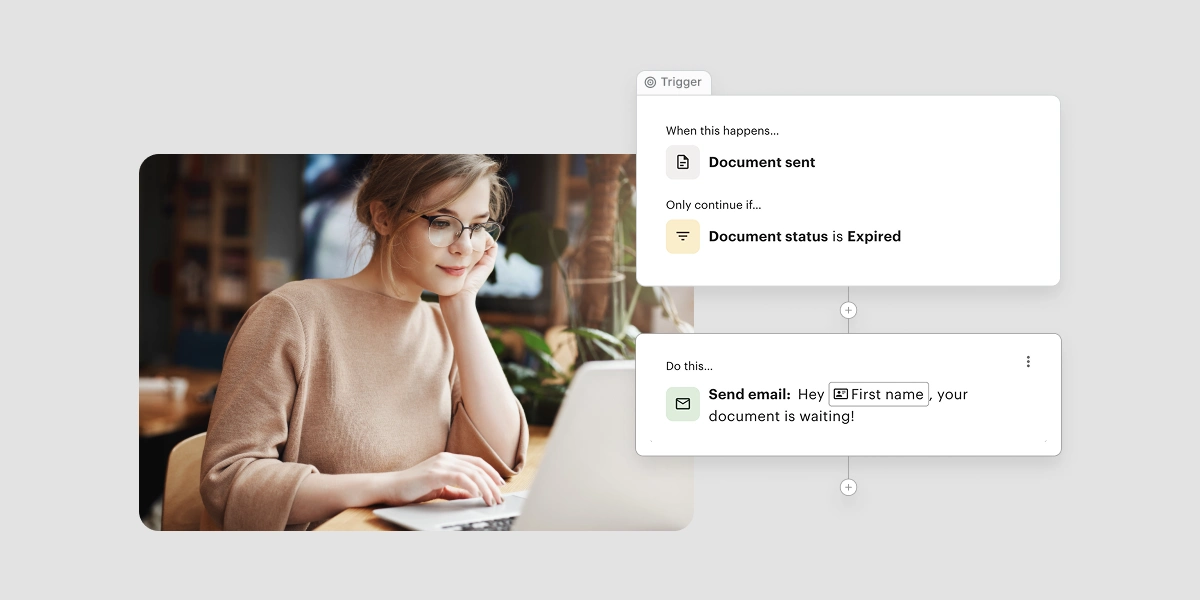
You can now take your document automation even further. Two new triggers (Document sent and Document signed) and two new variables (Document name and Document status) make it possible to automate more of your document sending and signing process directly within Optix Automations.
These updates let you take specific actions when a document is sent or fully signed, and personalize automation notes using dynamic document details. The result: less manual follow-up, more consistent processes, and a smoother onboarding experience for new members.
With these new triggers and variables, you can create a fully automated document signing process, saving time and ensuring nothing slips through the cracks.
Learn more about using the ‘Document Sent / Complete’ automation triggers →
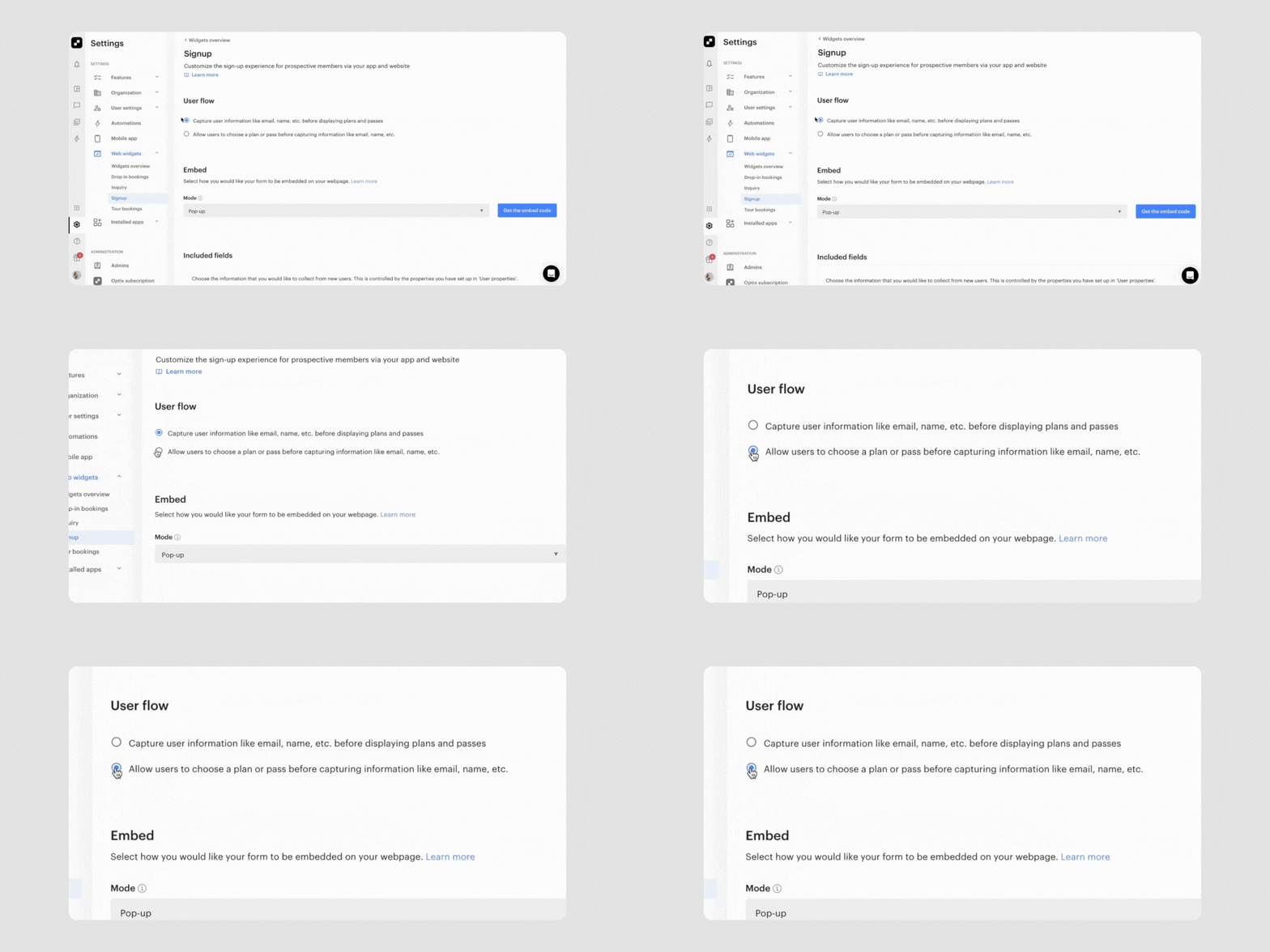
You can now customize the order of steps in your Signup Web Widget to better match your onboarding flow. As an admin, you can choose to show the ‘Select plan or pass’ step first, before users do anything else.
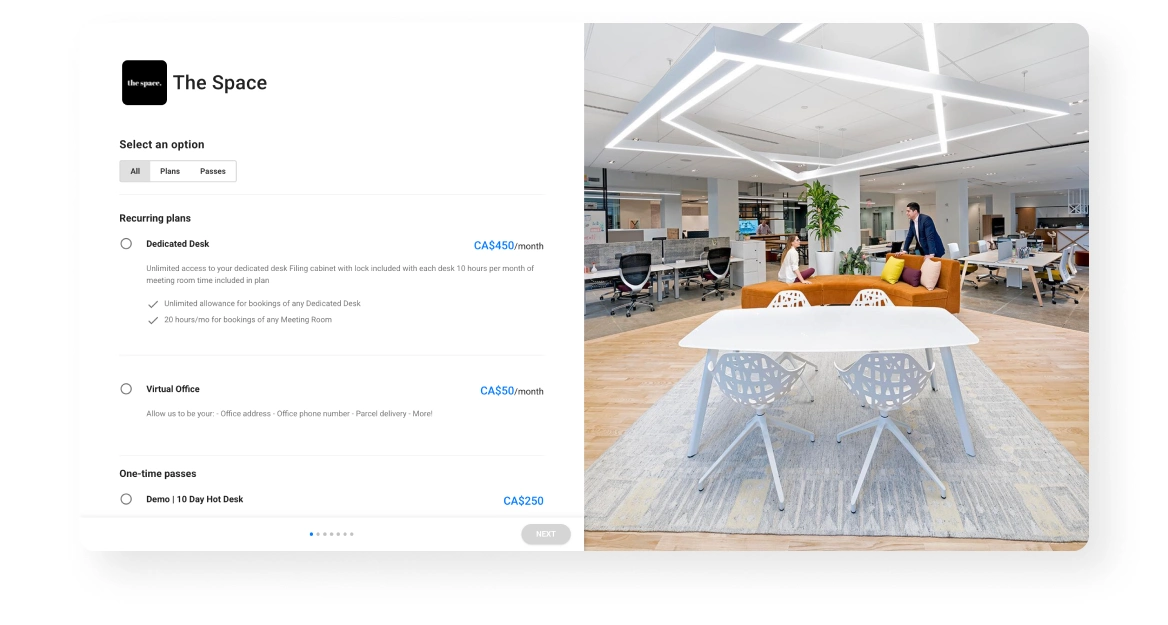
This new option gives you more flexibility to optimize your signup experience and can help increase conversion rates, bringing more members into your space directly through the widget. By highlighting your plans or passes upfront, you can capture interest earlier and make it easier for new users to find the right fit.
Learn how to enable leads to sign up for a Plan or Pass on your website →
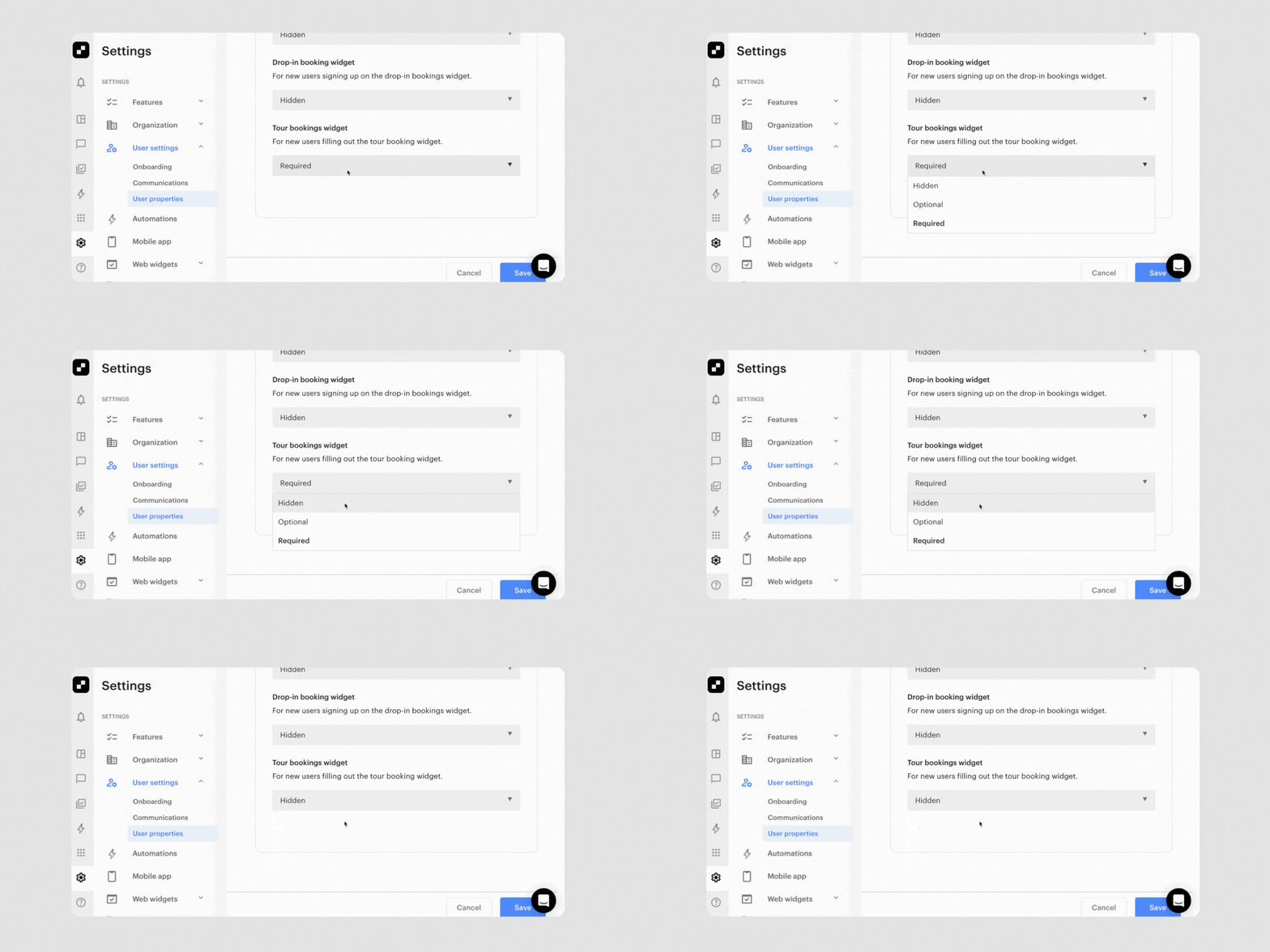
Admins now have more control over what information is collected through the Tour booking Web Widget. You can decide whether the Company and Phone fields are visible, hidden, or required, giving you the flexibility to tailor the tour booking experience to your community and improve conversion rates.
This enhancement gives you more flexibility to customize your Tour widget, whether you want a streamlined experience that removes unnecessary steps or a more detailed form that captures key contact details from potential members.
Learn how to enable leads to book tours from your website →
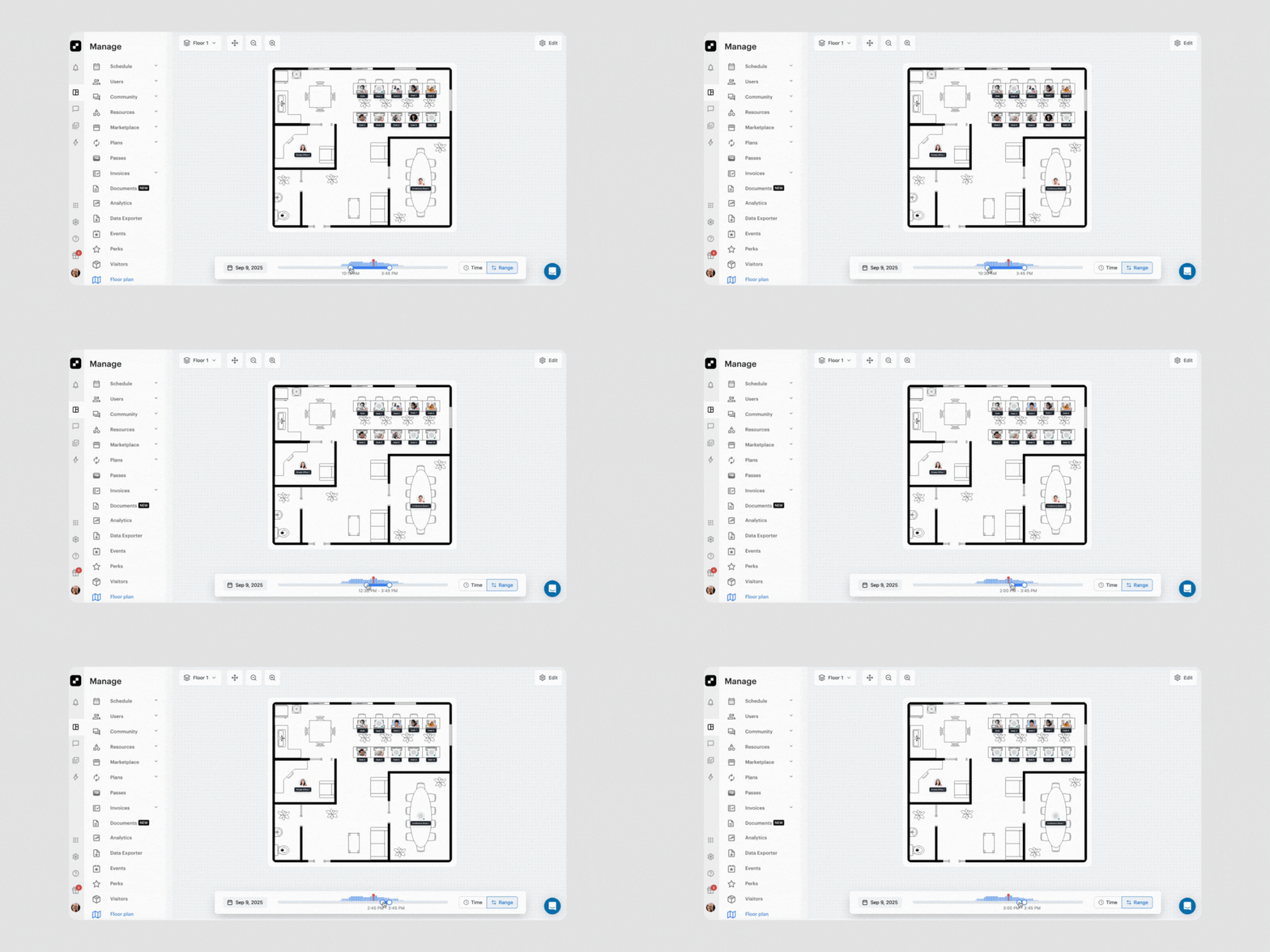
We’re thrilled to unveil Floor Plan, a powerful new way to visualize and manage your space inside Optix! This highly anticipated feature gives you an interactive map of your workplace, letting you see availability at a glance, make faster booking and assignment decisions, and deliver an even smoother experience for your members.
With Floor Plan, you can:
Floor Plan is currently in closed beta, and we’re actively gathering feedback to shape the general release. If you’d like access, reach out through the chat function in your Optix dashboard or connect with your Customer Success Manager.
We can’t wait to bring you more features to help improve your member experience and help you succeed with Optix.
Subscribe to our newsletter to be the first to know about new features.