The Top 10 Optix Features of 2025
The features you loved the most in 2025.
January 5, 2026

With 2025 now in the rearview, the Optix team is proud to look back on a year shaped by your feedback and our shared commitment to continuously improving the Optix platform.
We introduced Inbox+, a purpose-built communication suite for coworking teams. We gave you Conditional Resource Pricing to take control of your revenue. We launched Document Signing to streamline your agreements. And we built Floor Plan from the ground up to give you a completely new way to visualize and manage your space.
Some of these features came directly from your requests. Others came from our team identifying new ways to help you work smarter. All of them were built with the same goal: making it easier to run your space, your way.
Here are the 10 Optix features you loved the most from 2025, in chronological order of release.
Communication has always been central to running a great coworking space, and in 2025, Optix introduced a purpose-built tool to make it better. Inbox+ brought a completely redesigned messaging experience to the Optix dashboard, built specifically for the way coworking teams and members communicate.
With Inbox+, you can message multiple members at once with group messaging, loop in the right people with @mentions, share photos and files directly in any conversation, and even attach Optix items like plan templates, invoices, and resources to a message.
Inbox+ was the first of several communication-focused updates this year, and it set the foundation for how teams collaborate inside Optix.
Check out this blog to learn more about the Inbox+ beta!
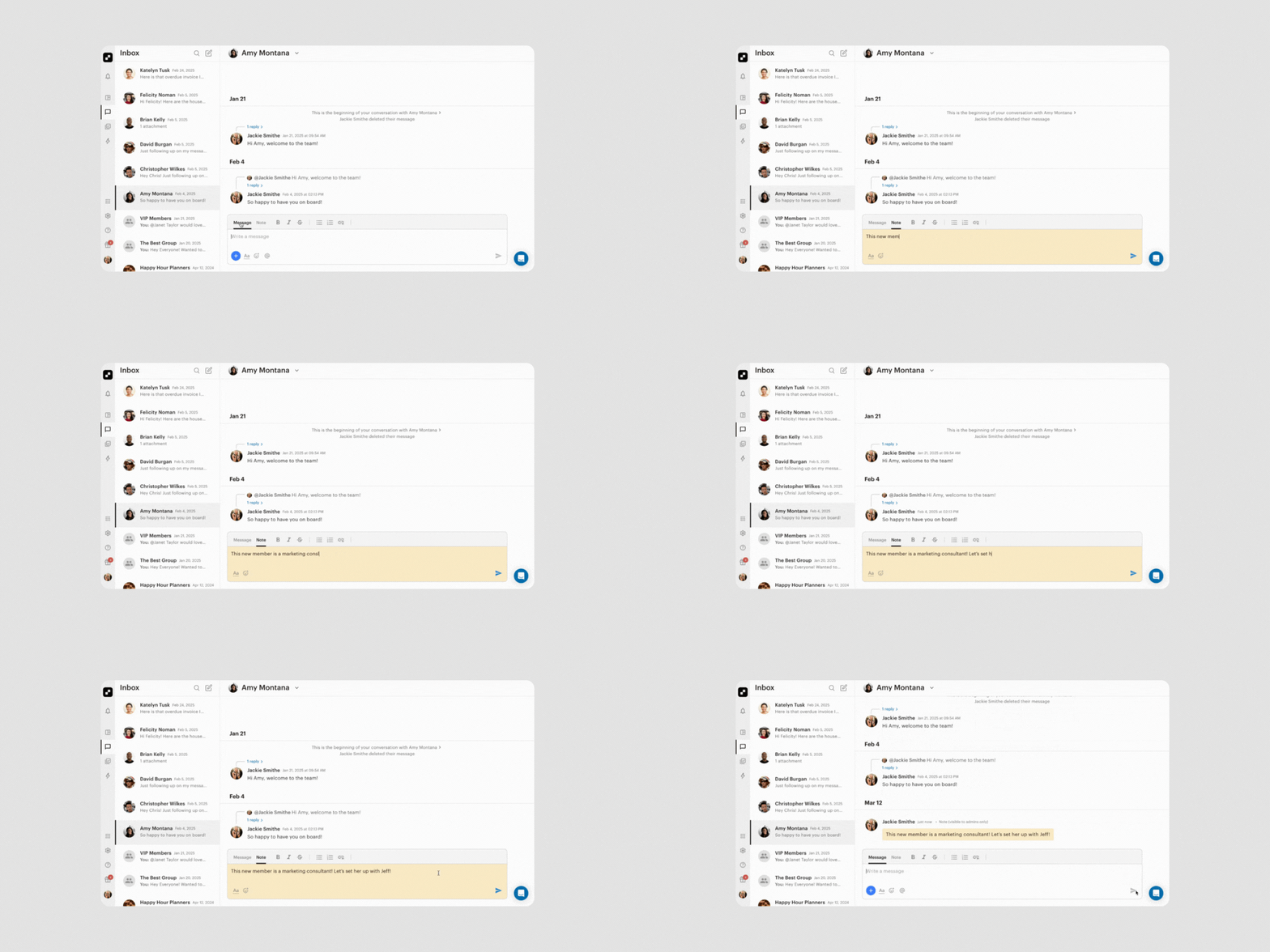
Building on the Inbox+ foundation, internal Admin Notes gave your team a way to coordinate behind the scenes without leaving a conversation thread. Private notes within Inbox+ conversations made it easier to stay aligned, track member requests, and hand off follow-ups to other admins.
Whether it was flagging a billing question for review or noting that a tour was scheduled for later in the week, Admin Notes helped keep everyone in the loop without cluttering the member-facing conversation. No more missed context or switching between tools.
With group messaging, @mentions, file sharing, and now Admin Notes, Inbox+ became the go-to place to communicate and collaborate in Optix throughout 2025.
Check out this FAQ to learn more about internal admin notes
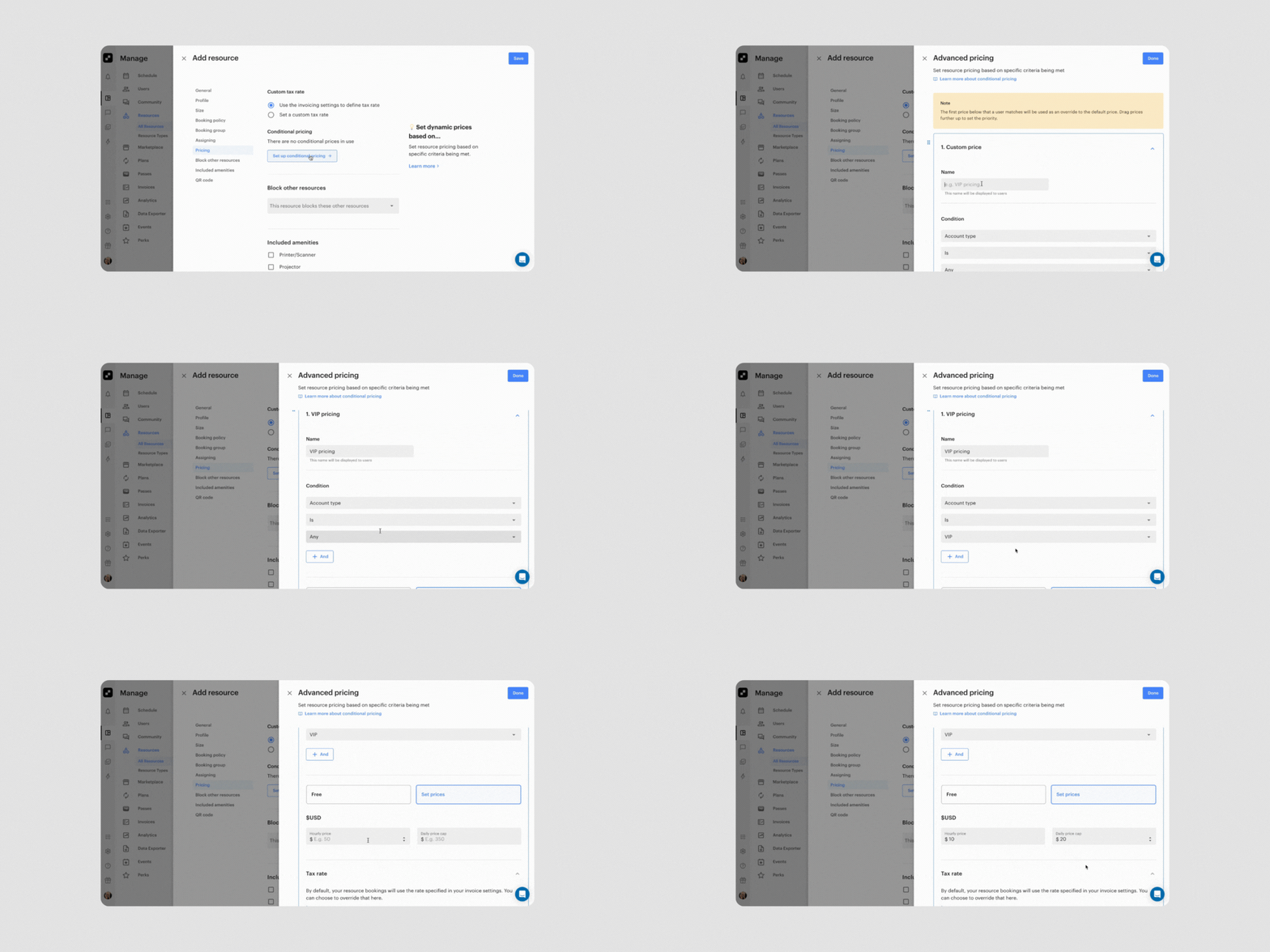
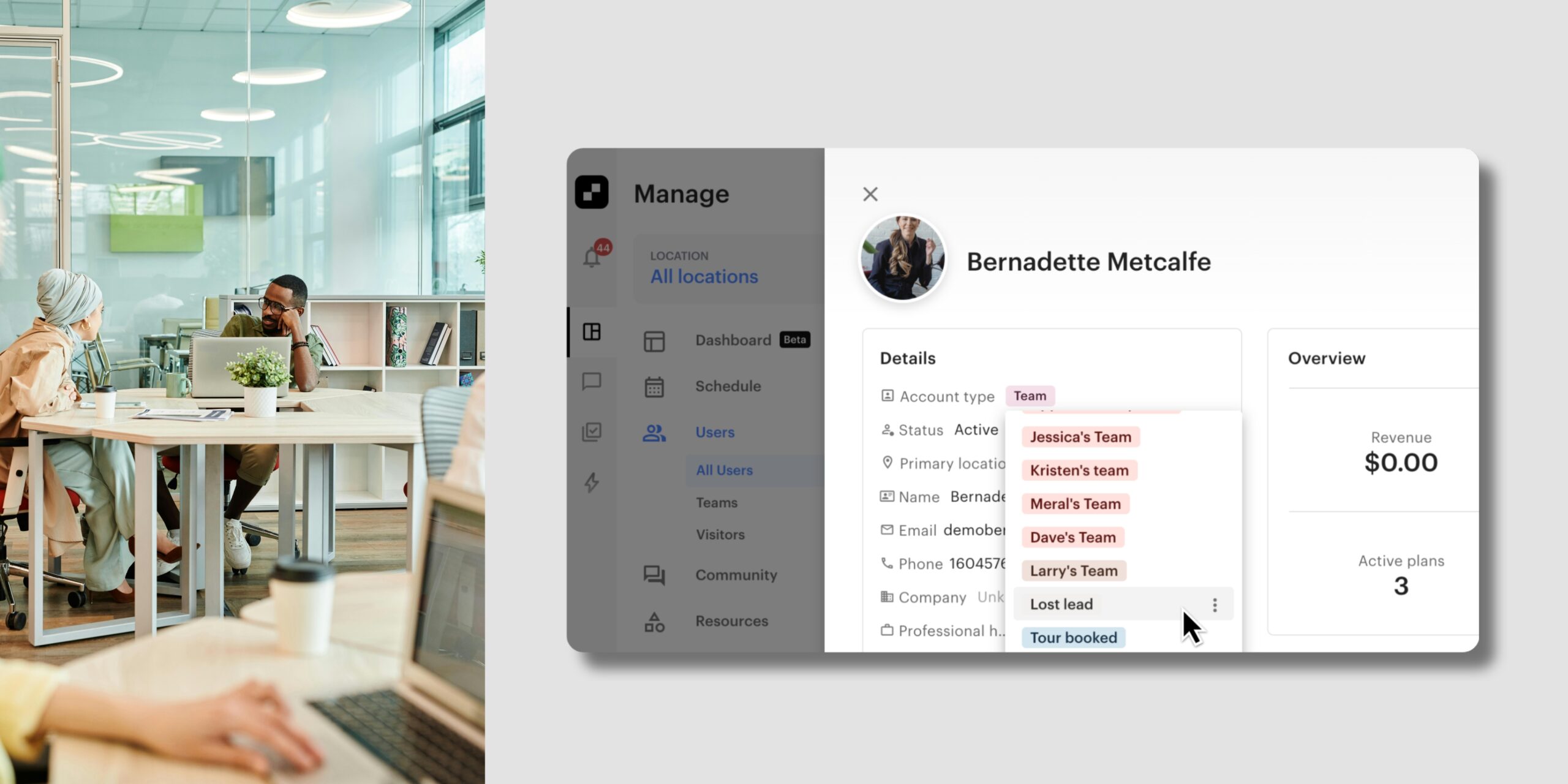
One of the most highly requested features of the year, Conditional Resource Pricing gave you the ability to set custom prices for your resources based on specific conditions. Hot desks, podcast studios, meeting rooms, and more can now be priced differently depending on criteria you define.
Want to offer discounted rates on slower days? Done. Want to charge a premium for weekend bookings or reward long-term members with VIP pricing? You can do that too. This update moved Optix away from one-size-fits-all pricing and gave you much more flexibility in how you manage revenue.
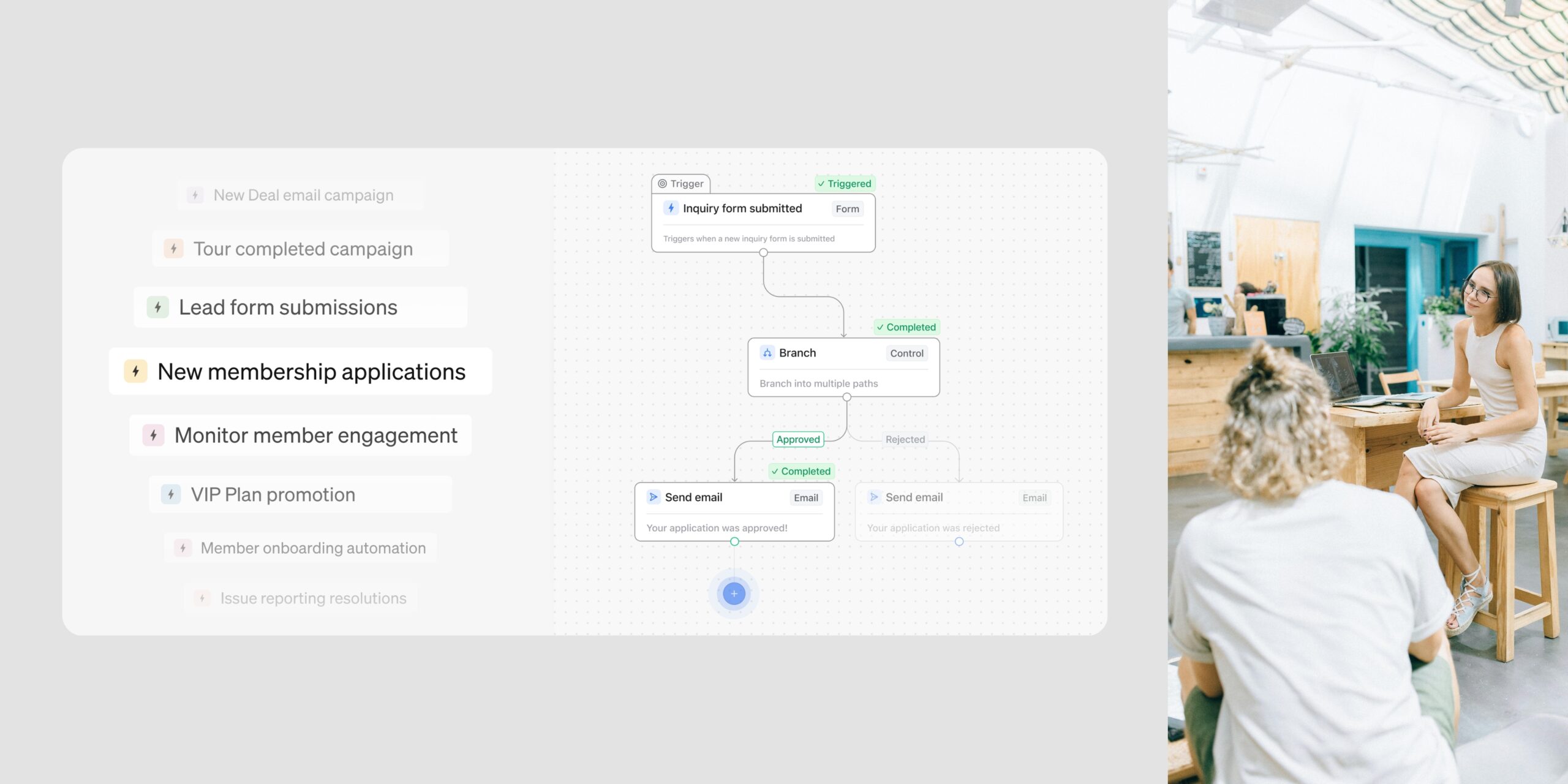
Best of all, these pricing conditions use the same logic as Automations, so the possibilities are broad and easy to set up.
Learn more about Conditional Resource Pricing
Rounding out the Inbox+ communication suite, Public Group Conversations brought a new way for your community to connect. Members can now join open group conversations without needing admin approval, whether it’s an interest-based group, a local event thread, or a casual networking space. Admins or members can create Public Groups directly in the app, helping drive engagement and making it easier for new members to feel at home.
Learn more about Public Group Conversations
Bulk add users to Public Group Conversations
Getting members into groups also became faster this year. You can now bulk add members to Public Group Conversations directly from the Users tab in your admin dashboard. Select your members, choose “Add to Group Conversation,” and either create a new group or add them to an existing one. It’s a quick way to get a community group up and running.
Check out this FAQ to learn how to bulk add users to Public Group Conversations
Document Storage and Document Signing arrived in Optix this year, giving every operator the ability to collect and track signed agreements directly within their dashboard.
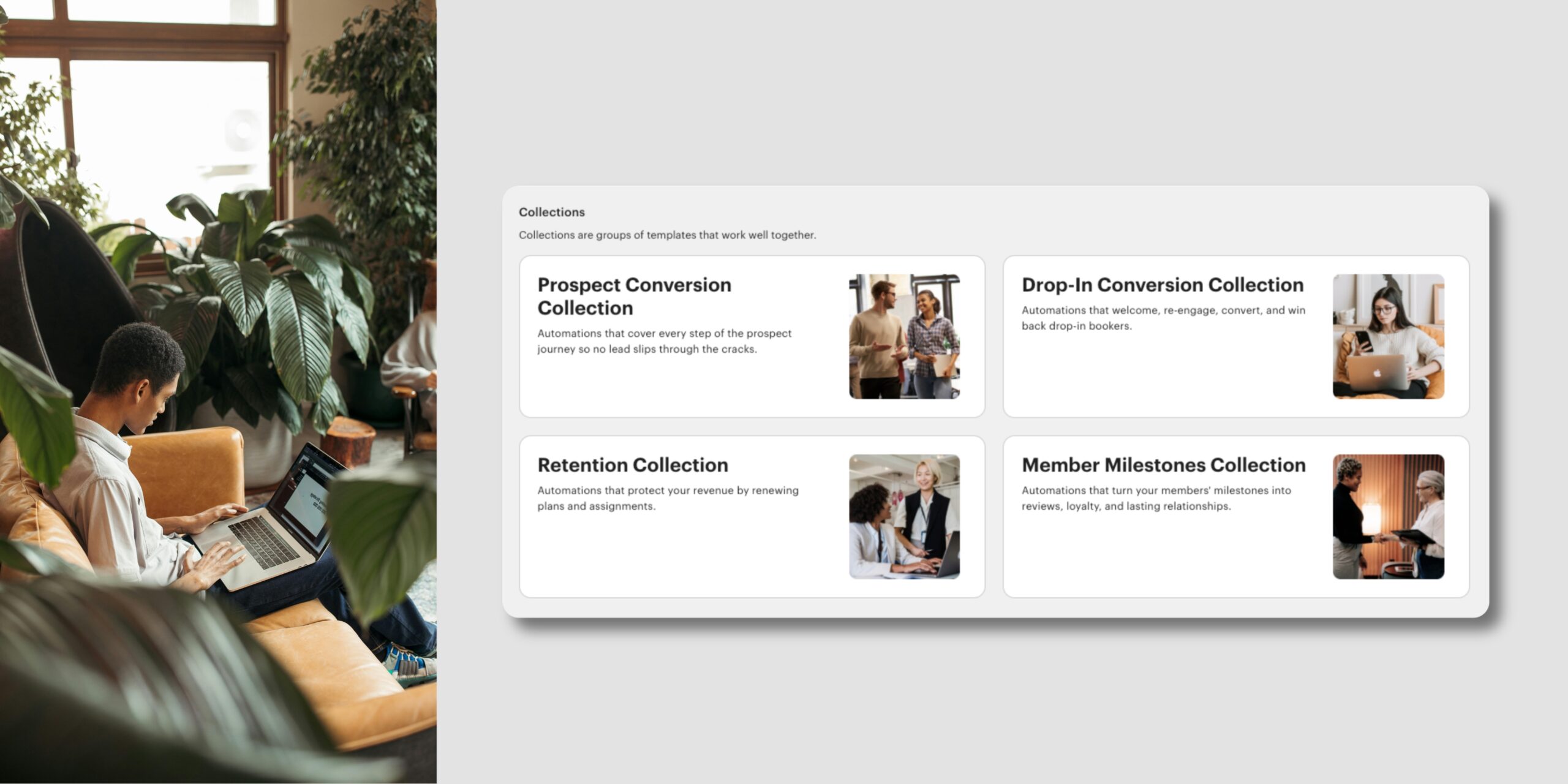
Whether you’re managing private office agreements, handling event space bookings, or onboarding new members, you can now manage the entire document process in one place. Pair it with Optix Automations, and the right document goes to the right person at the right time, helping reduce risk and streamline your operations.
This was one of the most anticipated additions of the year, and it removed the need for separate document management tools for many operators.
Check out the full Document Signing blog to learn all about this feature
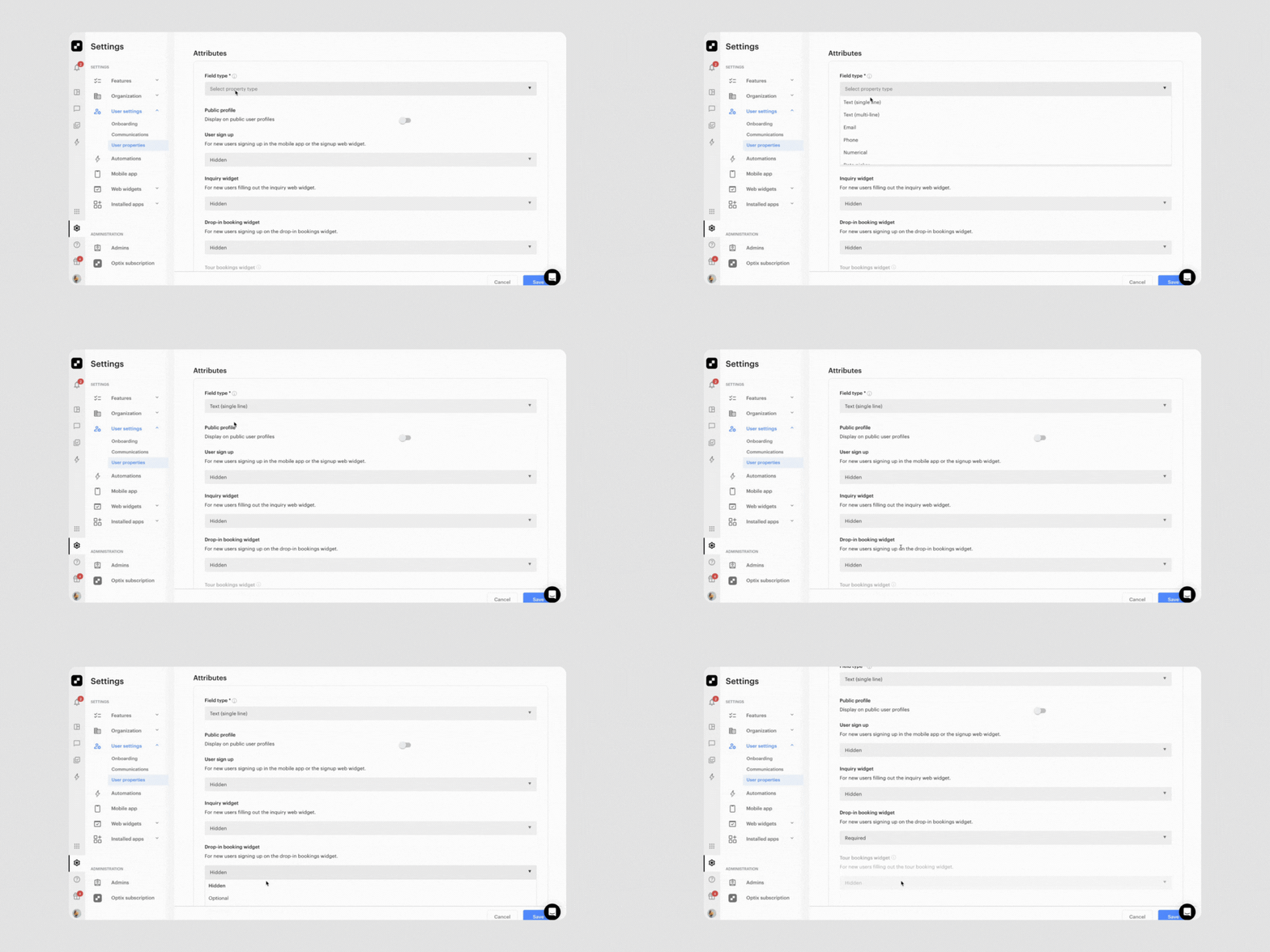
Capturing better lead information from your website became a lot easier this year. With custom properties now available in your Drop-in Booking and Tour Web Widgets, you can collect any information you want directly from the online booking flow and store it in Optix.
Whether you want to know a visitor’s occupation, preferred day of the week, or how they heard about your space, that data is saved to the member’s profile automatically. It’s visible to your team and never re-requested from returning members. The result: better lead quality and less manual follow-up for your team.
Learn more about custom properties in Web Widgets
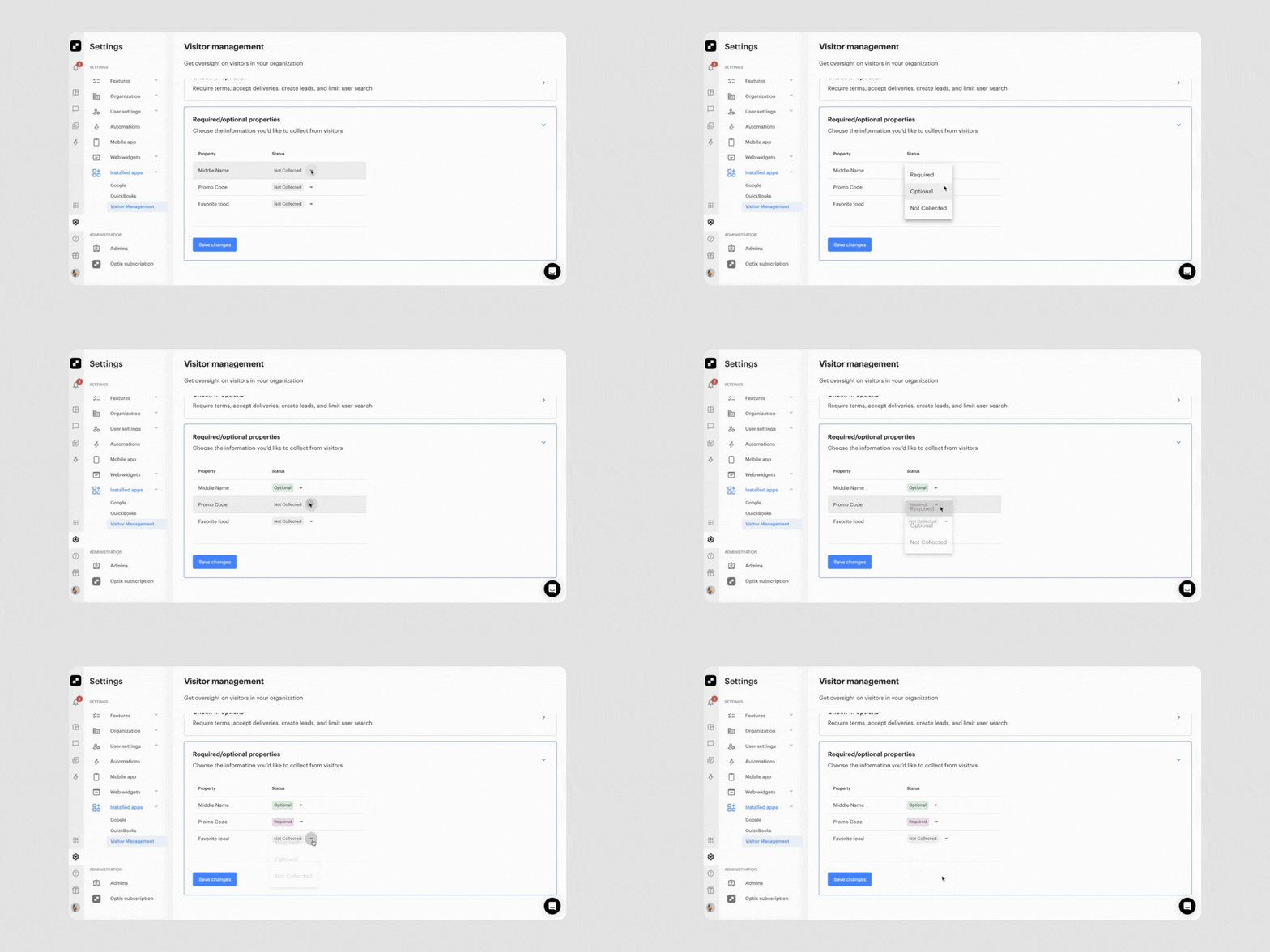
Customization also came to the Visitor Management app this year. You can now control exactly which fields visitors see and which ones they need to fill out when checking in at your space.
Want to speed up check-ins during busy events? You can skip the email field. Need company details for weekday business visits? Make it required. Your visitors get through faster, and you get cleaner, more relevant data to work with.
You can then use this information to tailor follow-up messages based on how someone checked in, what they were visiting for, and other details you’ve collected, turning every visitor interaction into a potential business opportunity.
Learn more about the Visitor Management app
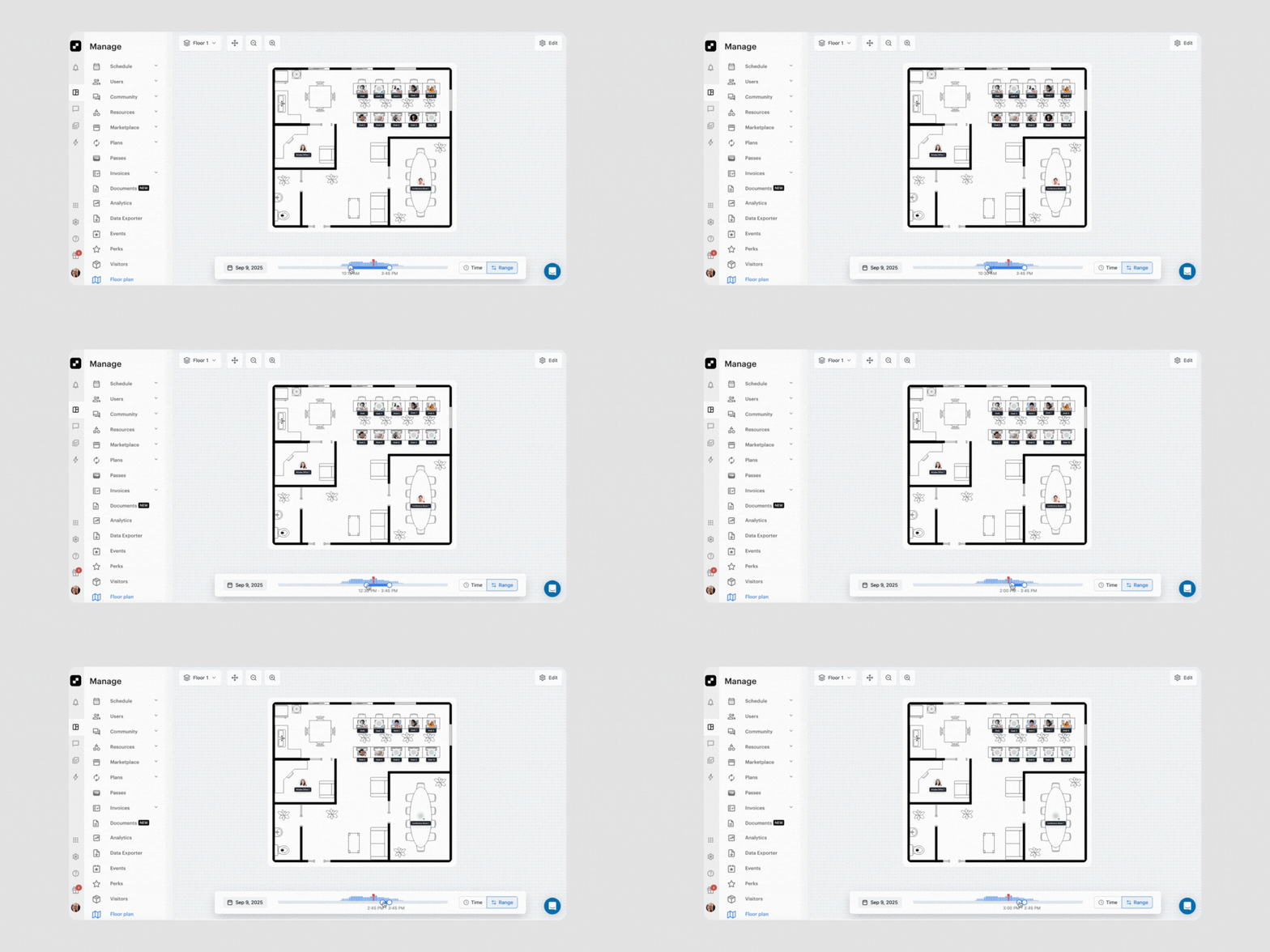
One of the most highly anticipated features of 2025, Floor Plan introduced an interactive map for visualizing and managing your space directly inside Optix.
With Floor Plan, you can build interactive maps by uploading your layout and placing desks, offices, and resources as clickable pins. You can see availability in real time using the time slider, create bookings and long-term assignments directly from the map view, and manage multiple locations with support for different time zones.
Floor Plan is currently in closed beta as the team gathers feedback ahead of a broader release. If you’d like access, reach out through the chat function in your Optix dashboard or connect with your Customer Success Manager.
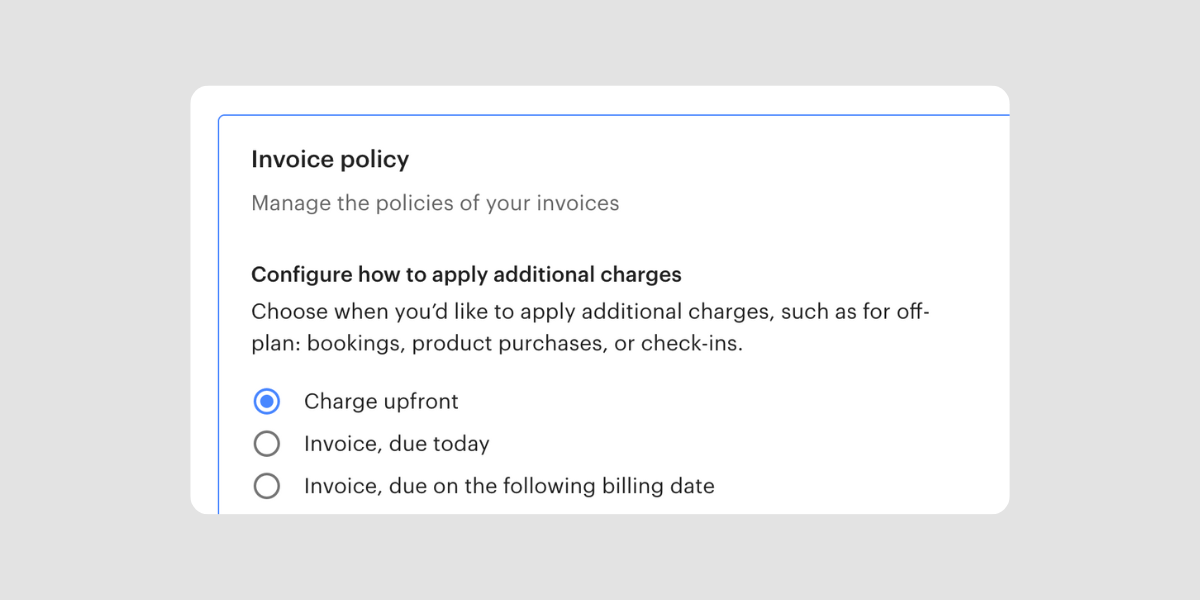
This year, Optix introduced the option to require upfront payment for every booking, plan, or purchase made in the mobile app. When enabled, Optix will attempt to charge the member as soon as they create a booking. If the payment doesn’t go through, the action won’t complete, meaning bookings and purchases are only confirmed after a successful charge.
This helps prevent unpaid or “reserved-but-not-paid” bookings, reduces admin follow-up on failed payments, and creates clearer expectations for members at checkout.
Learn how to require users to pay upfront
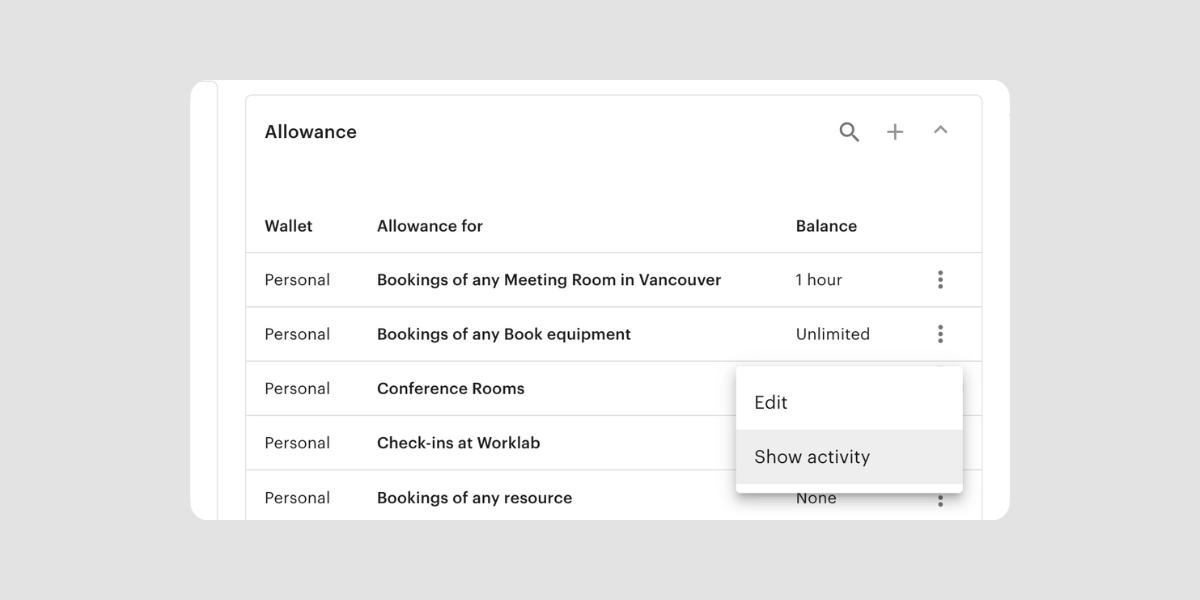
Rounding out the year, Allowance Activity gave operators a clear answer to one of the most common member questions: “Where did my allowance go?”.
You can now drill into any allowance to view a full timeline of how it was added, consumed, adjusted, or expired. View a clear event log covering plan cycle renewals, bookings, admin adjustments, and expiries. Set a date range to review past usage and see upcoming forecasted allowance changes.
This gives you a single source of truth for allowance usage, making it easier to reconcile questions, resolve disputes, and proactively share usage details with members.
Thank you to all of our clients for your continued support, feedback, and partnership throughout 2025. So many of these features exist because you told us they mattered, and we’re grateful for every conversation that helped shape the product this year.
We’re already hard at work on what’s next, and we can’t wait to share what 2026 has in store for Optix. Stay tuned.
Subscribe to our newsletter to be the first to know about new features.