TL;DR
- Operators usually start looking past Nexudus for one of three reasons: it takes more configuration than they have time for, the pricing basis scales per location, or they need a member app their own brand sits on.
- This guide ranks seven platforms: Optix, OfficeRnD Flex, Archie, Spacebring, Cobot, Yardi Kube and Coworks.
- They differ most on three things: how much of the operation runs automatically, how good the member experience is on a phone, and how openly they publish what they cost.
- Optix, the Coworking Automation Platform, leads this guide’s ranking as the only automation-first option here, and operators using it save an average of 53% of their daily administrative time.
- Why do operators look for Nexudus alternatives?
- What is Nexudus and who is it right for?
- Is Nexudus overkill for a small coworking space?
- The best Nexudus alternatives in 2026
- Comparison at a glance
- Which platform fits your size of space?
- Why do operators switch to Optix?
- How do you switch from Nexudus?
- How do you choose a Nexudus alternative?
Why do operators look for Nexudus alternatives?
Nexudus is the most established platform in this category and the lowest rated of the three with a meaningful review base: it holds 4.2 out of 5 from 47 G2 reviews as of September 2026, with 32 five-star ratings alongside three at one star. Reviewers are consistent about what they like and what they do not. Flexibility and breadth of features come up most often. So does the learning curve.
That split is the whole reason this page exists. Nexudus gives you an enormous number of levers, and every lever is something to set up, maintain and explain to whoever covers the front desk next month.
Three specific things push operators to look elsewhere. The first is configuration time: the platform expects you to build your setup, and several operators reach for outside help to do it. The second is the pricing basis, which is charged per month per location by active-user band, so a second or third site changes the bill in a way a flat plan does not. The third is the member experience, because operators who want the app their members open every day to carry their own brand rather than a vendor’s tend to find that sits outside the core product.
None of that makes Nexudus a bad platform. It makes it a demanding one, and demanding is a poor fit for an operator running one or two sites without dedicated admin cover.
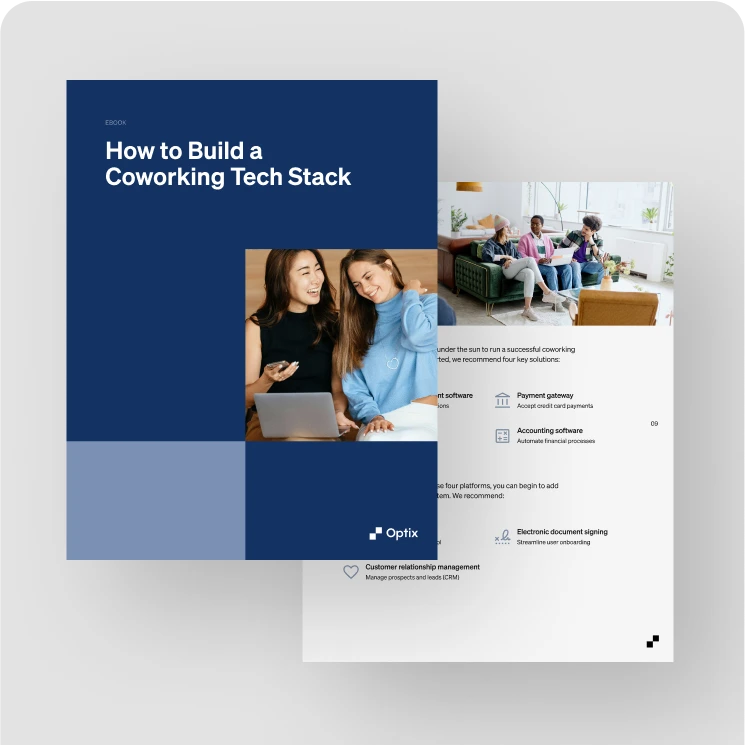
How to Build a Coworking Tech Stack
What is Nexudus and who is it right for?
Nexudus is a white-label coworking and flex-space platform that has been running since 2012. Its own listing describes more than 3,000 spaces in over 90 countries and more than 60 native integrations, and the product covers members, bookings, billing, access, CRM, floor plans, reports and a members’ app. G2 lists it under Space Management. It is offered in six languages, which matters more than it sounds if you operate across borders.
Its pricing works per month per location, banded by active users per location, with a currency switcher for dollars, euros and pounds. The published entry point on G2 is $150 per month, its own site withholds the figure behind a form, and spaces above 500 active users are pointed at the sales team. There is a 21-day trial capped at one location.
If you run several thousand members across many countries and want to configure everything yourself, Nexudus is still the most configurable platform in this category, and moving away from it would cost you control you may actually use. The operators who leave are usually the ones who never needed that much control in the first place.
Is Nexudus overkill for a small coworking space?
It can be, and the deciding factor is not the price. It is whether you have someone to configure and maintain it. Nexudus is deep and highly configurable, which is exactly what you want across 3,000 spaces in 90 countries, and it is the thing single-site operators most often name when they start looking elsewhere. The platform expects you to set it up; it does not arrive set up.
For one location the question worth asking is how much of the week the software gives back rather than how much it costs a month. Operators running Optix save an average of 53% of their daily administrative time, because onboarding, invoice chasing, booking confirmations and tour follow-ups run from an automation builder rather than from someone’s to-do list. That is the difference a small team feels first.
If you want the cheapest entry point for a space under 50 members, Cobot at $81 per month for 10 members is the lowest published figure here. If you want the least ongoing admin, look at how much each platform automates before you compare monthly prices. Those are two different questions and they do not have the same answer.
The best Nexudus alternatives in 2026
We ranked these platforms on how much of a coworking operation each one runs without staff stepping in, how good the experience is for members on their phone, how well it holds up across several locations, and what it costs at a stated billing basis, using each vendor’s own pricing page first and its G2 and Capterra listings as of September 2026.
- Optix
- Office RnD Flex
- Archie
- Spacebring
- Cobot
- Yardi Kube
- Coworks
Let’s look at each of these platforms in more detail and what makes them a good alternative below.
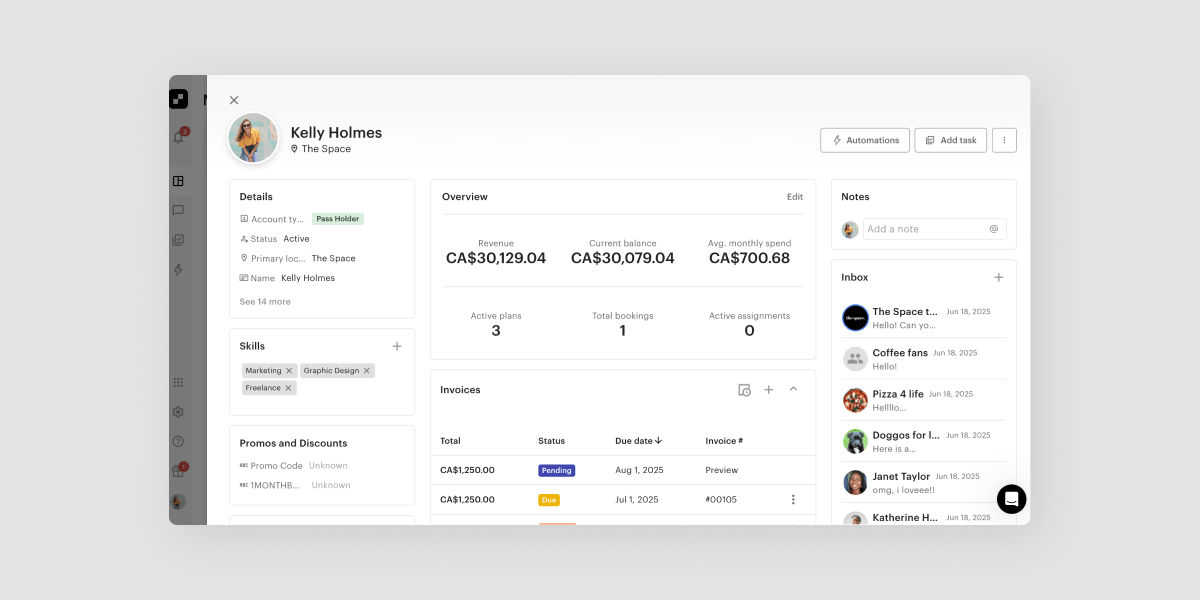
1. Optix
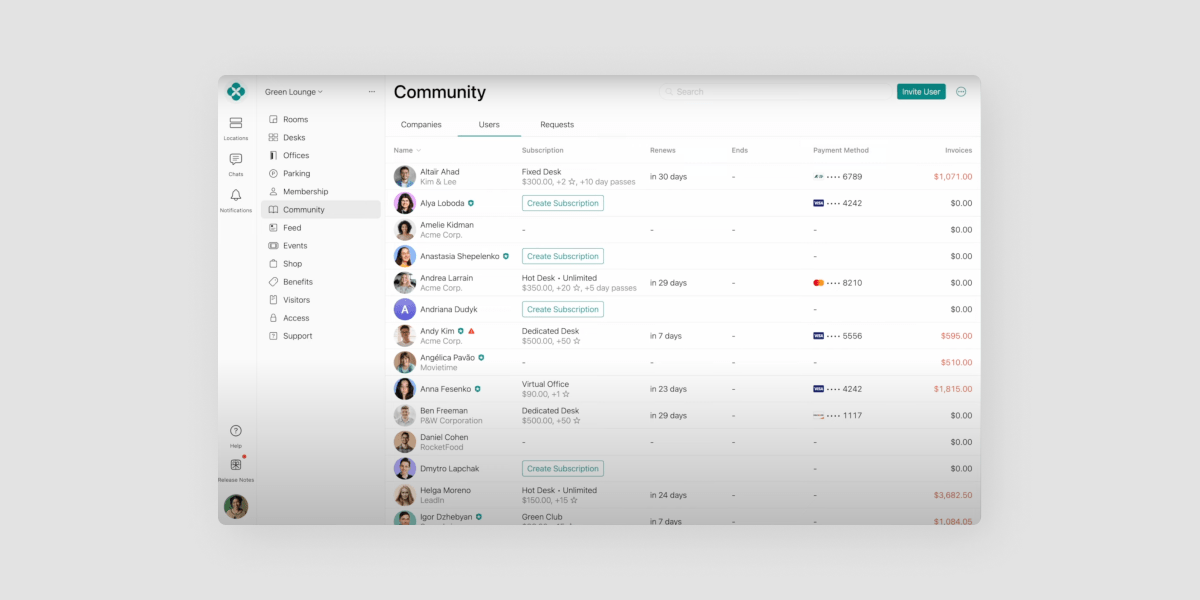
Optix suits operators who want the day-to-day to run itself and the member experience to carry their own brand, costs $197 per month billed yearly or $229 billed monthly for 50 active users at one location, and keeps the fully white-labeled app as a paid add-on until the top plan.
Key features
- A built-in automation builder covering onboarding, offboarding, invoice reminders, booking reminders and tour follow-ups
- A white-labeled iOS and Android app published under your own brand
- Unlimited locations managed from one dashboard with a single member app across all of them
- Door access through Kisi, Salto and IronWiFi, so entry follows a member’s plan, booking or check-in
- CRM, invoicing, analytics and native Stripe payments included on every plan
How much does it cost?
Essentials is $197 per month billed yearly or $229 billed monthly, for 50 active users and one location. Pro is $299 billed yearly or $349 monthly. Grow is $498 billed yearly or $579 monthly. Scale is custom. The white-labeled app and the Automations+ add-on are each $85 per month per location billed yearly, or $99 billed monthly.
Pros and cons
Optix rates 4.7 out of 5 from 31 G2 reviews. It is the only platform here built automation-first, and operators using it save an average of 53% of their daily administrative time. Against that, the branded app is an add-on rather than an inclusion below the top plan, and the review base is smaller than Archie’s, so there is less third-party reading to do before you commit.
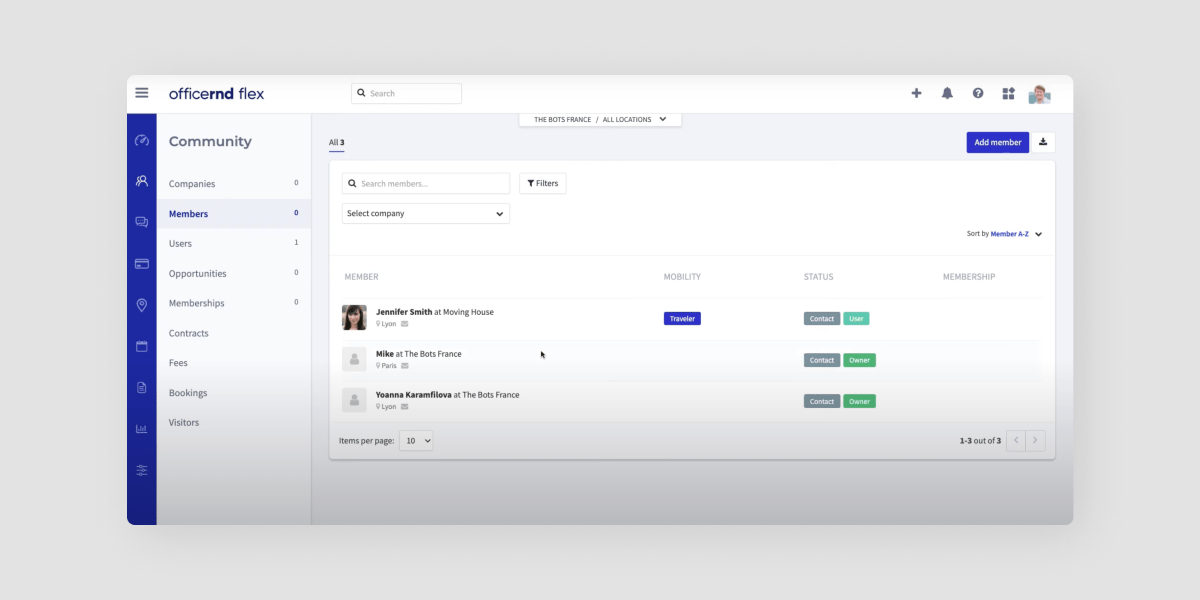
2. OfficeRnD Flex
OfficeRnD Flex suits operators running flex space alongside a hybrid workplace programme who want a wide integration library, rates 4.6 out of 5 from 91 G2 reviews, and starts at $165 per month billed annually for 100 members at one location, with the branded member app and visitor management sold as add-ons.
Key features
- Meeting room bookings, contracts and memberships, automated billing and payments
- Visual floorplan management, plus its Data Hub and Growth Hub reporting
- A large integration library, including the Microsoft and Google workplace tools
- Separate products for flex space and for hybrid workplace management
How much does it cost?
Start is $165 per month billed annually or $185 billed monthly, covering 100 members and one location. Grow is $259 annually or $289 monthly and adds single sign-on, webhooks and API access, a test environment and additional locations. Scale is custom priced for multi-location operators. Annual billing saves up to 11%. Branded apps with push notifications, the AI Hub and the Visitor Hub are add-ons on the entry plan.
Source: OfficeRnD Flex pricing, checked 8 September 2026.
Pros and cons
The breadth is real and the reviews are strong on a base of 91, the deepest here after Archie. Two things to weigh. G2 places it alongside property-management platforms rather than coworking-only ones, and the product is split between flex and hybrid workplace lines, so a coworking-only operator pays attention to which half they are buying. And the entry plan covers one location, so a second site moves you to Grow or into a quote.
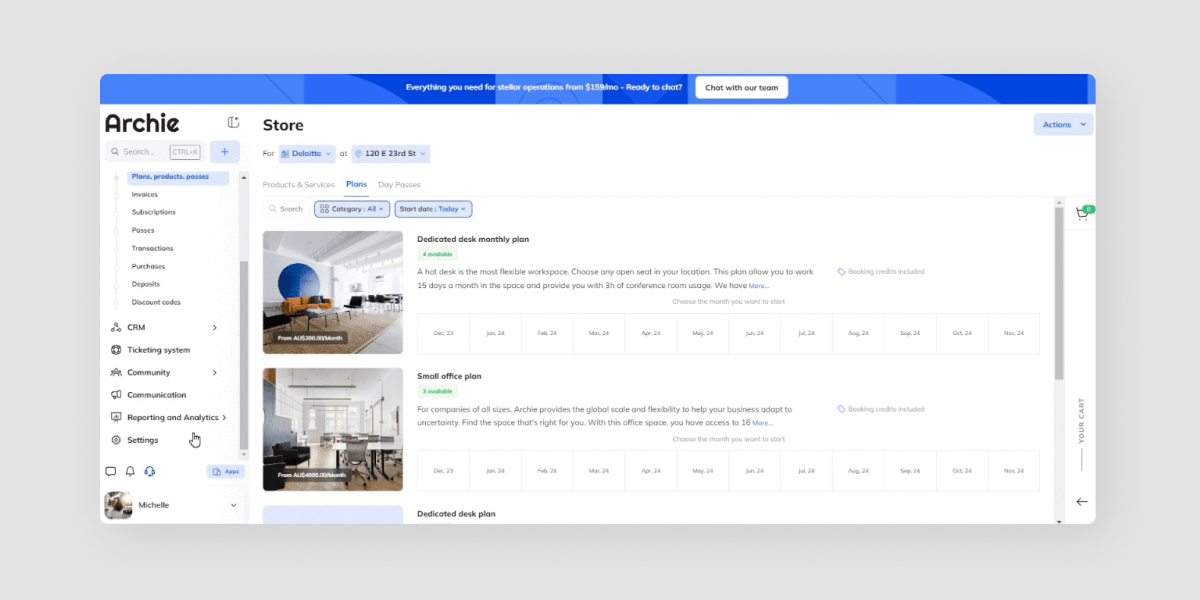
3. Archie
Archie suits operators who want visitor management and desk booking handled properly alongside coworking, holds the strongest review position here at 4.9 out of 5 from 245 G2 reviews, and sells its coworking, desk-booking and visitor products as separate lines, so the bill depends on how many of them you need.
Key features
- Coworking management with billing, bookings and member management
- Visitor management with badge printing and document signing
- Desk and room booking with interactive floor plans and occupancy analytics
- A member mobile app
How much does it cost?
Archie Coworking starts at $165 per month for 100 users. Its other lines are priced separately: Archie Desks and Rooms from $159 per month and Archie Visitors from $109 per month for one location. A free trial is available. If you want coworking and visitor management, price both lines.
Source: Archie pricing, checked 8 September 2026.
Pros and cons
The review base is the deepest in this comparison, roughly eight times the size of ours, and the ratings are excellent. The product’s centre of gravity sits in desk booking and visitor management for offices, which is why the pricing is organised by product line rather than by space, and that is the thing to check against how you actually operate.
4. Spacebring
Spacebring suits single-location operators who want a straightforward platform and strong member service, rates 4.8 out of 5 from 63 G2 reviews, and prices most capabilities as separate add-ons, so the headline figure is rarely the final one.
Key features
- Bookings, billing, memberships and member benefits
- Member mobile app, available as a priced add-on
- Visitors, floor plans, and API and webhook access, each priced separately
- eSignature charged per contract signing request
How much does it cost?
The Business plan is $184 per month on its own pricing page, covering 100 monthly active users and one location on a six-month minimum term, with 10% off for yearly billing. Extra capacity is $87 per 50 additional active users and $104 per additional location. The member app is $116 for the first location plus $87 per additional one, visitors $58 per location, floor plans and API access $29 each. Its pricing page is localised, so it may show euros or Canadian dollars depending on where you open it.
Source: Spacebring pricing, checked 8 September 2026.
Pros and cons
Reviewers rate it highly and consistently mention value for a small space, which fits: for one location with a hundred members and no add-ons it is among the cheapest here. Add the member app, visitors and API access and the monthly figure roughly doubles, and the six-month minimum term is unusual in this group.
5. Cobot
Cobot suits traditional single-location spaces, mostly in Europe, that want billing and bookings done reliably without much configuration, starts at $81 per month for up to 10 members, and prices by member count, so the figure rises steeply as the space fills.
Key features
- Automated invoicing and payments
- Bookings, calendars and day passes
- A member mobile app for iOS and Android
- Events and visitor management
How much does it cost?
Its own pricing page does not render figures to a reader, but its G2 listing shows five editions banded by member count: $81 per month for up to 10 members, 100 for up to 15, and 439 for up to 100. Spaces above 180 members are quoted directly. A free trial is available.
Source: Cobot pricing, checked 8 September 2026.
Pros and cons
It is one of the oldest platforms in the category and reviewers describe it as intuitive. Two caveats. Its G2 listing carries five reviews, too few to read a rating from, so there is little third-party evidence either way. And the member-count bands mean the entry price and the price at a hundred members are very different conversations.
6. Yardi Kube
Yardi Kube suits enterprise operators and landlords already running the wider Yardi property suite, starts at $349 per month for unlimited members, and bundles coworking management with IT and Wi-Fi management, which is more platform than a single-site operator needs.
Key features
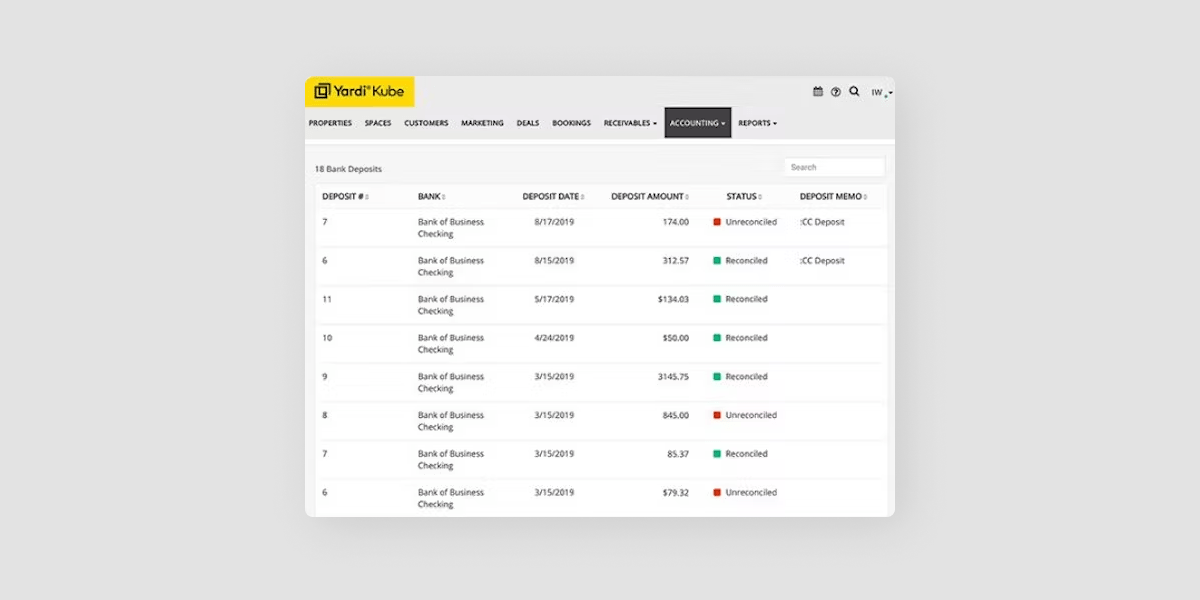
- Coworking space management with billing, bookings, contracts and interactive floor plans
- Integrated accounting and lease management, with a Yardi Voyager integration on the top plan
- IT and Wi-Fi network management, and a white-label member app, as add-ons
- Listing distribution through the Yardi network, including CoworkingCafe and Deskpass
How much does it cost?
Its own pricing page lists Start at $349 per month with unlimited members, covering implementation, meeting-room bookings, contracts, automated billing and reporting. Core and Pro are custom priced and add multi-location management, then the Voyager integration and visitor management. IT management, the white-label app and electronic signature are add-ons. Neither G2 nor Capterra shows any of this, so the vendor’s own page is the only current source.
Source: Yardi Kube pricing, checked 8 September 2026.
Pros and cons
Unlimited members at a flat $349 per month makes it one of the cheaper options here for a large single site, and for a landlord converting traditional space, having accounting, leases and coworking in one place is a genuine advantage no coworking-only platform matches. Its G2 listing carries six reviews, too few to read a rating from, and Capterra files it under IT Management rather than coworking, which tells you where its centre of gravity sits.
7. Coworks
Coworks suits community-led spaces, universities and incubators that care more about programming than about automation depth, costs $249 per month billed yearly for up to 250 members, and carries a single G2 review, so there is almost no independent reading available on it.
Key features
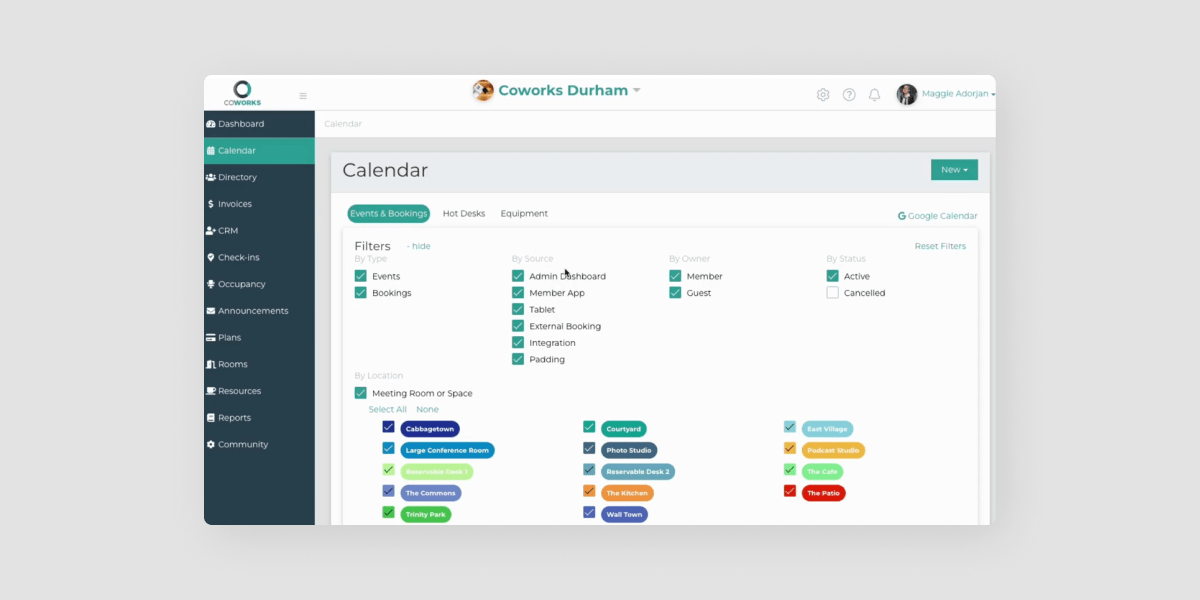
- Member mobile app, room and equipment booking, and event management
- Automated billing, day passes and membership signup forms
- Front-desk and meeting-room tablet apps
- White labeling and multiple campuses as paid add-ons
How much does it cost?
Its own pricing page lists Coworking Premium at $249 per month billed yearly, or $299 billed monthly, for up to 250 members. A lighter Hybrid Workspace plan is $149 billed yearly or $199 monthly for up to 150 members, and Enterprise is custom. Worth noting that neither G2 nor Capterra shows any of this, so the vendor’s own page is the only current source.
Source: Coworks pricing, checked 8 September 2026.
Pros and cons
The community and events side is well developed and the member cap is generous at the price. Its G2 listing has one review, too few to rate, and white labeling and multi-campus support are add-ons rather than inclusions, so an operator planning a second site should price that in early.
Comparison at a glance
| Platform | Starting price | Best for | Member app |
|---|---|---|---|
| Optix | $197/mo billed yearly 50 active users, 1 location |
Automating the day-to-day under your own brand | White-labeled, add-on below the top plan |
| OfficeRnD Flex | $165/mo billed annually 100 members, 1 location |
Flex space alongside a hybrid workplace programme | Yes |
| Archie | $165/mo 100 users, coworking line only |
Coworking plus visitor management | Yes |
| Spacebring | $184/mo 100 active users, 1 location, 6-month minimum |
One straightforward site | Paid add-on |
| Cobot | $81/mo up to 10 members |
Traditional single sites, mostly Europe | Yes, iOS and Android |
| Yardi Kube | $349/mo unlimited members, Start plan |
Landlords and enterprise inside the Yardi suite | Yes |
| Coworks | $249/mo billed yearly up to 250 members |
Community-led spaces, universities, incubators | Yes |
Multi-location and door access. Optix runs unlimited locations from one dashboard and connects Kisi, Salto and IronWiFi. Yardi Kube includes access management. Spacebring charges per extra location and Coworks sells multi-campus as an add-on. The rest handle both through integrations. Prices are each vendor’s own published entry point, checked 8 September 2026.
Try Optix Free for 14 Days
Which platform fits your size of space?
Entry pricing is banded differently across these platforms, so the cheapest headline is rarely the cheapest at your size. Here is where each one tends to fit on price.
| Size of space | Worth shortlisting | From |
|---|---|---|
| One location, under 50 members | Cobot Spacebring |
$81/mo, 10 members $184/mo, 100 users, 6-month term |
| One location, 50 to 150 members | Optix OfficeRnD Flex |
$197/mo yearly, 50 users $165/mo annually, 100 members |
| Two to five locations | Optix Nexudus |
Unlimited locations, one dashboard Per location, by active-user band |
| Portfolio or enterprise | Yardi Kube Coworks |
$349/mo, unlimited members $249/mo, 250 members |
Read this table on price alone. The cheapest platform at your size and the one that takes the least running are rarely the same, and for a small team the second question usually costs more than the first. Weigh it against how much of the operation each platform automates, covered above.
Why do operators switch to Optix?
Because the work stops arriving. Optix is built around an automation builder that covers the member journey end to end: a new member is onboarded, an overdue invoice is chased, a booking is confirmed, a tour is followed up, and none of it needs anyone to open the dashboard. Operators using Optix save an average of 53% of their daily administrative time, which in practice is the difference between working on the business and working in it.
The second reason is the member experience. The app members open every day is published under your brand, not ours, on iOS and Android, and it is the same app across every location you run. Door access follows the same logic: connect Kisi, Salto or IronWiFi and entry is granted by a member’s plan, booking or check-in rather than by someone at a desk.
The third is what happens when you grow. Locations are managed from one dashboard with no cap on how many you add, so going from two sites to six is a configuration change rather than a rebuild.
How do you switch from Nexudus?
Most operators are live within four to eight weeks. What moves that number is whether you are building a white-labeled app, how large the member base is, and how complicated the plan structure is.
What transfers is members, teams, custom member data, membership plans and, if you are on Stripe, stored cards. Members arrive on the plans they already had, with the same billing dates, so nobody is asked to re-enter anything.
The part operators worry about most is downtime, and there is not any that members see. Your current platform keeps running while the new one is built behind it, and members download the app on launch day. A dedicated migration specialist works the whole process with you at no extra cost, and chat, email and video support are included rather than sold as an onboarding package.
The honest caveat is that a migration is still a project. Somebody has to decide how plans map across, and that is a decision no vendor can make for you.
How do you choose a Nexudus alternative?
Five questions separate these platforms faster than any feature list.
What does it actually cost at your size, and on what basis? Ask for the figure at your member count and your number of locations, not the entry price. Three of the seven platforms here publish nothing, and two price per location, which changes the answer as you grow.
Which add-ons are add-ons? The member app is included on some platforms and charged on others. So are visitors, floor plans and API access. Price the configuration you will actually run.
How much runs without you? There is a real difference between automating recurring invoices and automating the member journey. Ask what happens, unattended, when someone joins, cancels, books or misses a payment.
Whose brand does the member see? If the app carries a vendor’s name, that is the relationship your members have.
Can you get your data out? Ask what a migration away looks like before you migrate in. A vendor who answers that easily is telling you something.
On AI, treat current claims carefully. Several platforms in this category now market AI features, and the substance varies. Optix offers a developer platform and API access from the Pro plan, Zapier support on every plan, and an AI-assisted inbox in beta, and we would rather describe those precisely than call the platform AI-powered.

Frequently asked questions
Cobot has the lowest entry price at $81 per month for up to 10 members, though it rises to $439 at 100 members. For a hundred-member space, Spacebring at $184 per month and Optix at $197 billed yearly are closer, and Optix includes the automation builder and multi-location management at that price.
Optix connects with Kisi, Salto and IronWiFi, so door access follows a member’s plan, booking or check-in without anyone issuing a fob. Most platforms here integrate with access hardware in some form, and Yardi Kube includes its own access management. Confirm which specific hardware is supported before you buy either.
Yes. Optix migrates members, teams, custom member data and membership plans, and stored cards transfer if you are on Stripe. Members keep their existing plans and billing dates. A dedicated migration specialist runs the process with you at no extra cost, and members stay on your current platform until launch day.
Optix manages an unlimited number of locations from one dashboard with a single branded member app across all of them. Nexudus prices per location, Spacebring charges $104 for each additional one, and Coworks treats multiple campuses as an add-on, so compare the cost of your second and third site, not just your first.
Sources
Ratings and review counts were checked on 2 September 2026. Pricing was taken from each vendor’s own pricing page on the same date and carries its billing basis above.