Virtual Mailbox Services for Coworking Spaces: 2025 Guide
Learn all about one of the hottest trends in coworking: virtual mail
October 7, 2025

TL;DR
Virtual mailboxes let coworking spaces manage physical mail digitally and offer members a professional address.
They drive extra revenue with minimal effort and open up upselling opportunities like virtual assistants or call services.
Automating notifications and mail handling with coworking software saves time and boosts efficiency.
Last updated: October 7, 2025
What if we told you that there was a membership offering that could generate 25% of your total monthly revenue for your coworking space with minimal effort involved?
It sounds like it’s too good to be true, but for many coworking space owners and operators, it is not only attainable – they’re doing it right now.
In this article, we are going to talk about one of the hottest trends in coworking this year and we predict many years to come: virtual mail.
And after talking to hundreds of coworking space operators in recent months, we are convinced that virtual mail just may be as great as it seems.
Virtual mail is a service offered by coworking spaces where coworking space operators receive physical mail to their space on behalf of members. This mail is then stored securely for pick-up or uploaded to a digital system where it can be viewed from anywhere, at any time.
Let’s say, for example, an entrepreneur is getting their business off the ground and wants a professional address to receive mail and use on his official documents. Rather than renting a space himself for thousands of dollars a month, he can become a virtual mail member for a low price of $20 a month and appear as legitimate as any other business out there.

Virtual mailboxes are one of the fastest growing offerings for coworking owners and operators in 2025, and based on our work with hundreds of coworking space clients, we expect this trend to continue. Here’s why.
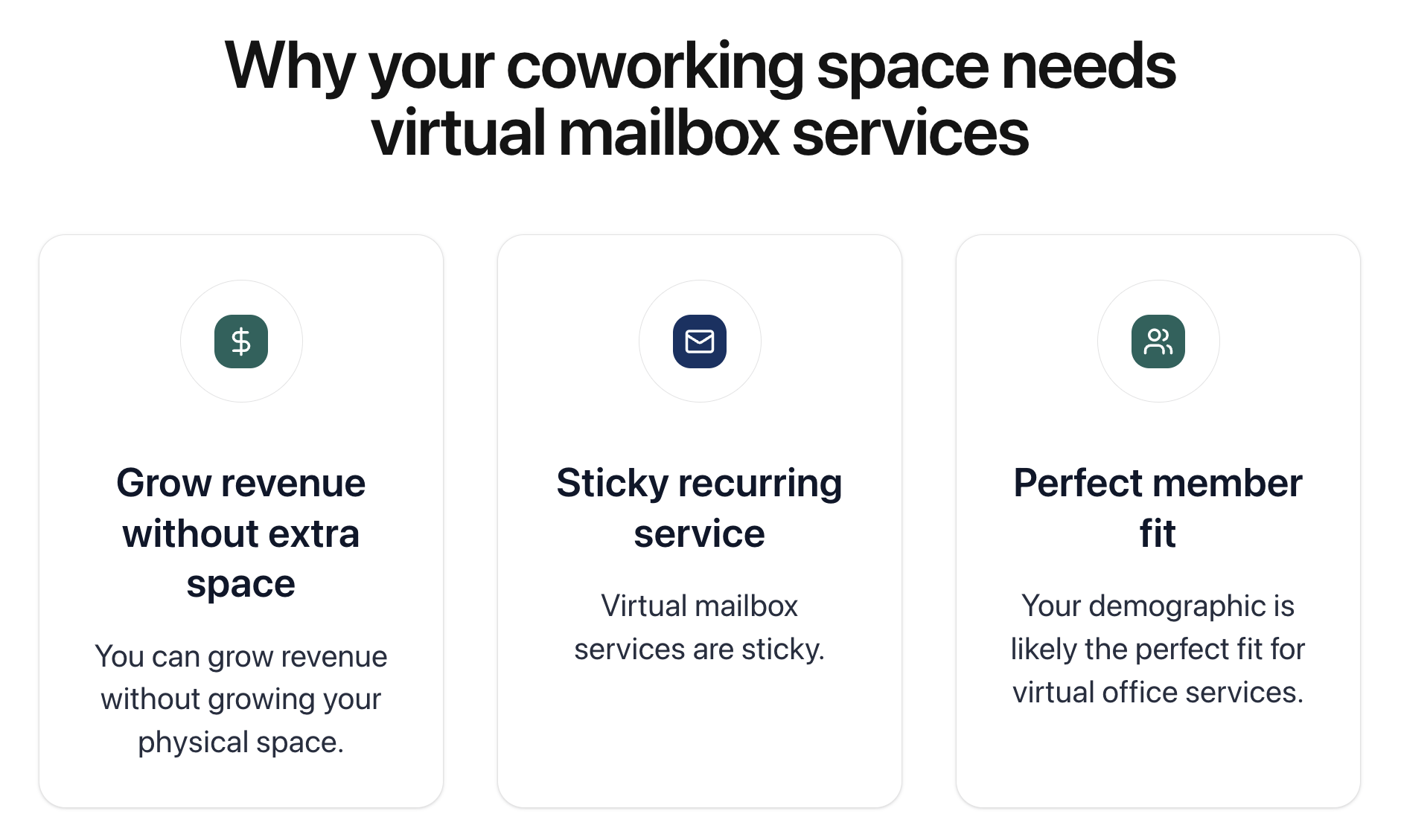
Virtual mailboxes and other virtual services are popular in coworking spaces because they enable you to grow your revenue without growing your square footage.
One of the disadvantages to the coworking business model is operators are limited in their ability to grow due to the capacity of their space. However, this doesn’t have to be the case.
Virtual services like a virtual mailbox or virtual assistant can help you grow *virtually* infinitely. You can offer a business address at a low cost of $39 a month and acquire hundreds of virtual members without needing to grow your physical space or team at all.
Pacific Workplaces once shared at a GWA conference that they are able to pay the rent at one of their locations just on virtual mailbox services alone. And as reported by a member of our Facebook community, the ROI of virtual mail is “almost not fair.”
Coworking spaces are a natural fit for virtual mailbox services because they are serving entrepreneurs and freelancers who are likely looking for these services.
Entrepreneurs who want to take their business to the next level but aren’t ready to invest in their own office may find taking meetings in a coworking space to be advantageous. These are the exact same people who would benefit from a professional address.
Coworking spaces are also in a good position to offer virtual mail services because they are staffed, physical locations that are easily accessible to the public and able to receive mail.
Changing addresses is a pain and something people avoid as much as possible. For that reason, virtual mailbox memberships tend to be pretty sticky. This means people are more likely to sign long-term contracts and stay around for more than a month or two.
It also means that you could increase the cost of your virtual mailbox services each year a nominal amount with minimal pushback from existing members.
Though it looks different from coworking space to coworking space, a virtual mailbox membership typically includes:
This would all be offered at a set price per month as well as a one-time set-up fee. The set-up fee accounts for the additional time that your team has to put into getting a new member set up in your system.
Some operators will choose to offer one of the services listed above on their own at a lower cost to create an upselling opportunity for higher tiered membership plans.
For example, in a recent Everything Coworking podcast, one operator said that she offers physical mail management services at a lower price point, but requires members to upgrade to the next membership tier to use the coworking space as their business address.
You could also create an upselling opportunity by charging per amount of mail received. For example, we have some clients who will charge different prices based on if someone wants to receive 5 packages, 15 packages, or 25 packages a month to the space.

It is not unusual for virtual mail to make up to 30% of your overall revenue in a coworking space. Jackie Latragna, CMO at Pacific Workplaces, shared in our webinar last year that virtual mail accounted for roughly 30% of their overall revenue.
We’ve heard similar numbers reported from operators. The revenue potential often depends on:
View this post on Instagram
A virtual mailbox includes physical mail management. Virtual coworking refers to a digital community connected to your coworking space.
Sometimes virtual mailbox services are included in a virtual coworking membership. Sometimes access to a digital community is included in a virtual mailbox membership. It’s up to you what makes the most sense for your business.
Other virtual services that could be offered in a coworking space include:
All virtual services involve some human resources, but the involvement is relatively minimal. William Edmondson from iPostal estimates that you can manage 100 virtual mailbox members in 30 minutes a day.
The short answer is: yes, every coworking space operator could benefit from offering virtual mail services. The cost to get started is low, the potential upside is high, and the market of people looking for a professional business address is nearly unlimited. According to Jerome, Founder at BLANKspaces, there is no reason why every coworking space operator today shouldn’t have virtual mail services.
2024 brought a lot of changes to how coworking spaces manage virtual mail, particularly in the United States. These changes are here to stay in 2025.
Coworking spaces operate as a Commercial Mail Receiving Agency (CMRA) with the USPS. Last year, the USPS changed the regulations so that all CMRAs first had to be registered in a new digital USPS portal, a process that has been cumbersome and frustrating for many.
As of 2024, CMRAs like coworking spaces are also required to upload all of their documents to a digital Customer Registration Database (CRD) for every virtual mailbox member they have. These regulations are important to understand before beginning to offer virtual mail services.
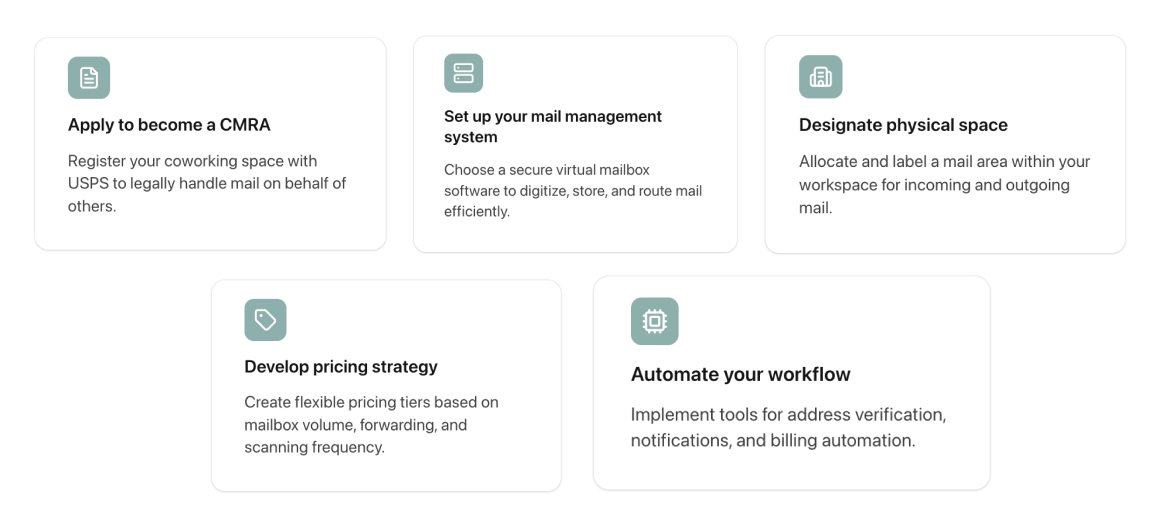
To start a virtual mailbox business, you’ll need to:
Let’s take a look at each point in more detail.
If you are located in the United States, then the first thing you’ll need to do is apply to become a CMRA. The process is simple, but not always easy given that it is a relatively new process with kinks still to be worked out (as mentioned above).
According to the USPS, the requirements to become a CMRA are as follows:
For more detailed information regarding applying to become a CMRA and completing all associated forms, PilotoMail has some good documentation you can refer to.
Managing virtual mail is not complex, but it does take some organization. You will need a predefined system that outlines how you manage mail including:
An important note on processes: your processes are likely to change as you acquire more members and have more mail to manage. As your virtual member client base builds, you may need to hire part-time help to assist with daily tasks.
Once you’ve mapped out your virtual mail process, you’ll need to make sure you have the space and material to manage mail. In the beginning, you’ll probably be fine with:
As your virtual mail system becomes more complex, these needs may evolve.
The last step before taking your virtual mailbox services to market is developing your pricing strategy. Virtual mailbox services can become incredibly lucrative. They do not require a lot of resources, they are relatively easy to maintain, and they are in-demand as entrepreneurship continues to grow.
The most common membership plan we see for virtual mailbox services is around $39-$49 a month and includes:
You can add a lot to this package for upselling opportunities. For example:
The opportunity for upselling and cross-selling virtual mailbox services is limitless. It will depend on the needs of your membership base and the demographic you’re targeting.
As you start to build out your virtual mail services, it’s in your best interest to figure out how you can automate as many parts of the process as possible.
For example, automatically notifying members when they receive a package can save your community manager time in manually notifying members each time they receive a package.
This is something you can do with the Visitor Management app in Optix. Automating as many parts of this process as possible can help save you time and run your mail program more efficiently. It’s really just the tip of the iceberg when it comes to automating your coworking space.
Looking for a coworking software that can help you manage your virtual mail program? With Optix, you can streamline a number of aspects of your virtual mail offering making it easier than ever to get started. Here’s how:
Together, these features help make it easier to keep track of your virtual mail services. Connect with a member of our team to learn more.
A virtual mailbox can help you generate more revenue with very little downside. It requires minimal effort to set up and can be managed in less than 30 minutes a day.
Introducing automation into your virtual mail systems and operations can help save you time, energy, and effort when it comes to your virtual mail system. This is where coworking space software like Optix comes in.
Optix can be used to automatically notify members that a package has arrived and to scan mail and share it directly with members. Learn more about automation and how Opix can help you automate your coworking business today.

Marketing Manager
A virtual mailbox is a service where physical mail is received at a coworking space, scanned, and uploaded to a digital system, allowing members to view and manage their mail remotely.
Members receive mail at your coworking space. Your staff scans and uploads the mail to a digital platform. Members are notified and can choose to view, pick up, forward, or have the mail shredded.
Virtual mail provides a scalable revenue stream without requiring additional physical space. Some operators generate up to 35% of their revenue from virtual mail alone.
Yes, it can be a low-overhead way to increase revenue and attract members seeking a professional address without needing physical office space.