Blog

How to use Coworking Software to Increase Revenue (Without Extra Staff)

Discover how coworking software automation helps you increase revenue, improve member retention, and scale your space without hiring more staff.
By The Optix Team
September 2, 2025
How to use coworking software to increase revenue (without adding extra staff)

TL;DR

  • Automating coworking operations like billing, bookings, and member communication lets you increase revenue without extra staff.
  • With coworking software automation, you can sell add-ons, allowances, day passes, and event tickets quickly and easily.
  • Automated member experiences keep members engaged, supported, and more likely to stay, while giving humans their time back.


For many coworking operators (especially small spaces just starting out), their biggest challenge often lies in finding ways to increase revenue without extra staff

Hiring more people is expensive, and payroll quickly becomes one of the largest costs for a coworking business. Yet without support, staff can get bogged down in manual work, leaving little time to focus on growth or member experience.

This is where coworking software changes the game. By automating repetitive tasks, streamlining daily operations, and even creating new revenue streams, automation acts as a force multiplier for your business. But what exactly does it look like in practice? And how can you get started right now?

In this article, we’ll explore how automation can be used across all parts of the coworking user journey to help you unlock new opportunities for growth.

Can automation make it easier to scale a coworking space?

As a coworking space grows, so does the complexity of running it. More members mean more invoices to process, more bookings to manage, and more leads to follow up on. The natural instinct might be to hire additional staff to handle the workload. 

But staffing is one of the highest costs for coworking operators, often accounting for upwards of 25–30% of total expenses and adding people too early can erode profitability.

This is where automation becomes the force multiplier. With the right coworking software, operators can set up workflows that run in the background, handling repetitive tasks with accuracy and consistency. Instead of choosing between hiring more staff or burning out the team you have, automation enables you to do more with the same resources.

Meet Adam

Koworks making every person a coworking community member
KoWorks community, Australia

Take Adam Hyman, founder of KoWorks coworking space in Sydney, Australia. Despite the scale of running three coworking locations, Adam manages his entire operation with just one person. 

He knew headcount was a major expense for coworking spaces, and he wanted to be able to scale sustainably. By leveraging Optix Automations, Adam has been able to automate many of the repetitive tasks he once relied on community managers for, allowing Adam to grow his business profitably without a large payroll.

Grow your space profitably without growing your staff


woman working in a coworking space

How does automation reduce costs and save time for coworking operators?

For many coworking operators, the day-to-day workload is filled with repetitive administrative tasks. Over time, these tasks limit your ability to focus on what really matters, building community and driving revenue.

The solution is to lean into automation. By setting up automated workflows, operators can ensure these essential processes run smoothly in the background, freeing staff to focus on higher-value initiatives.

People standing around a table sharing snacks and talking with each other
Suite Genius, Canada

What daily operations can you automate in a coworking space?

  • Lead follow-up: send personalized emails or messages to prospective members instantly after they inquire or tour your space.
  • Member management and communication: automatically update access and allowances when a member joins, upgrades, or cancels.
  • Room/desk booking: allow members to self-serve reservations through an app, with automated confirmations and reminders.
  • Up-selling and cross-selling: automatically encourage members to upgrade their plan or purchase more memberships based on actions they take

How does automation reduce admin load for coworking operators and their team?

When operational processes run automatically, your team spends less time chasing paperwork, sending reminders, or manually updating systems. Instead, they can focus on revenue-driving tasks like hosting events, developing partnerships, and improving the member experience.

In short, doing the things that humans should be doing, rather than the work that is better suited for technology systems.

How Optix Automations can help you run a lean team

With Optix Automations, operators can build workflows that keep operations humming without staff involvement. Examples include:

  • Sending automated reminders for tours, invoices, or ongoing events
  • Granting additional allowances when members run out of credits
  • Updating access rights when someone’s membership status changes

Automation in action:

A new member could sign up online, automatically receive a welcome message, gain access to the app and doors, and have their monthly allowances applied—all without staff lifting a finger. That’s the power of automation in action.

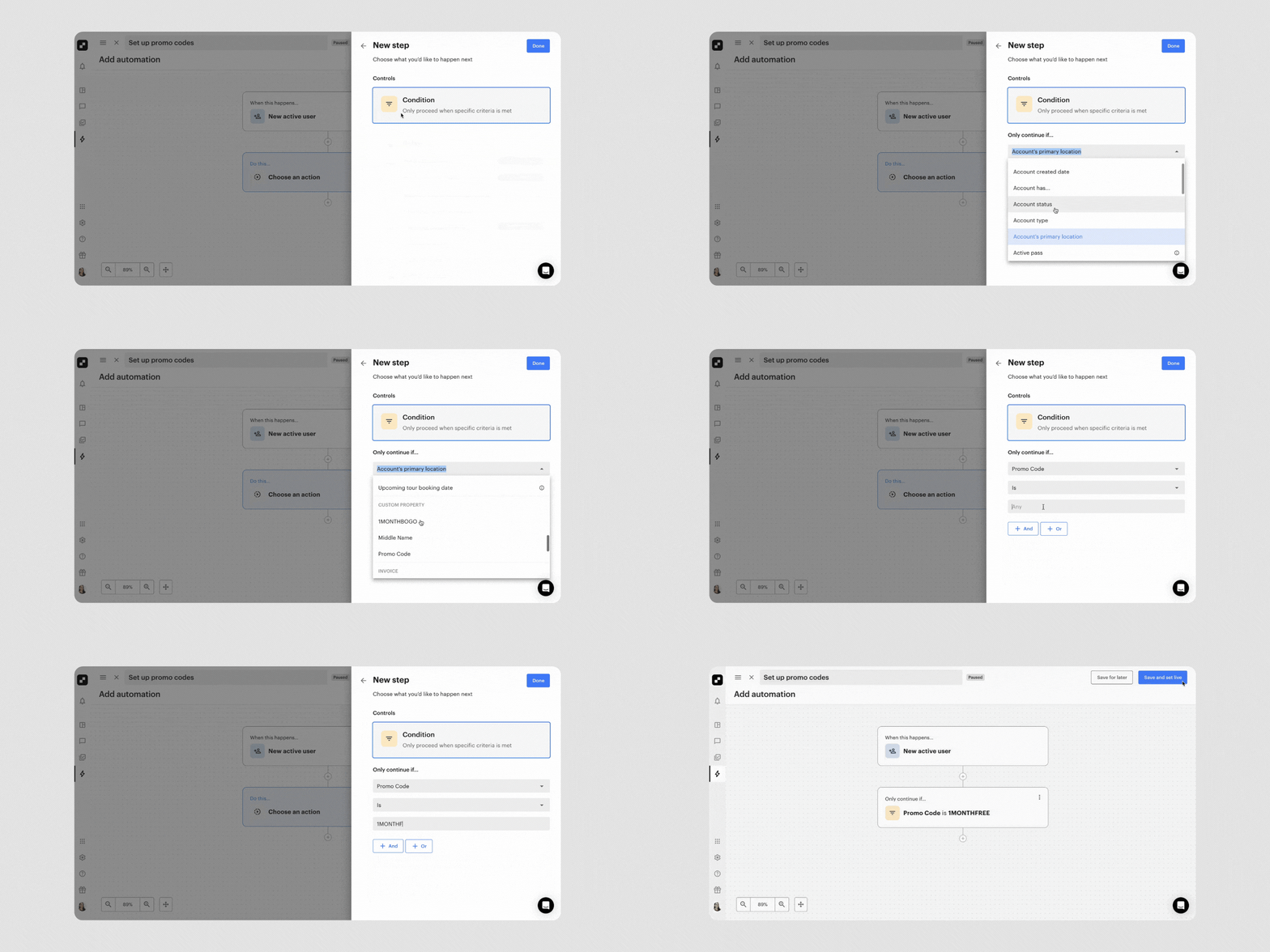
Set up promo codes in your coworking space
Adding a promo code in Optix Automations

How does automating billing and payments improve cash flow in a coworking space?

Cash flow is the lifeblood of any coworking business. Yet many operators struggle with late or missed payments, creating revenue gaps and unnecessary stress. According to Deskmag’s Global Coworking Survey, around 40% of coworking spaces cite delayed payments as a top financial challenge. Every unpaid invoice drains staff time chasing down members instead of focusing on growth.

This is where automating coworking financial processes makes all the difference. By automating the financial side of operations, you can transform billing from a headache into a predictable, reliable process.

How can automation make coworking financial processes more efficient?

  • Recurring invoices: automatically generate and send invoices each billing cycle, without staff intervention
  • Autopay: ensure payments are collected on time by securely charging members’ saved payment methods
  • Automated reminders: reduce follow-up time by sending gentle nudges before and after payments are due
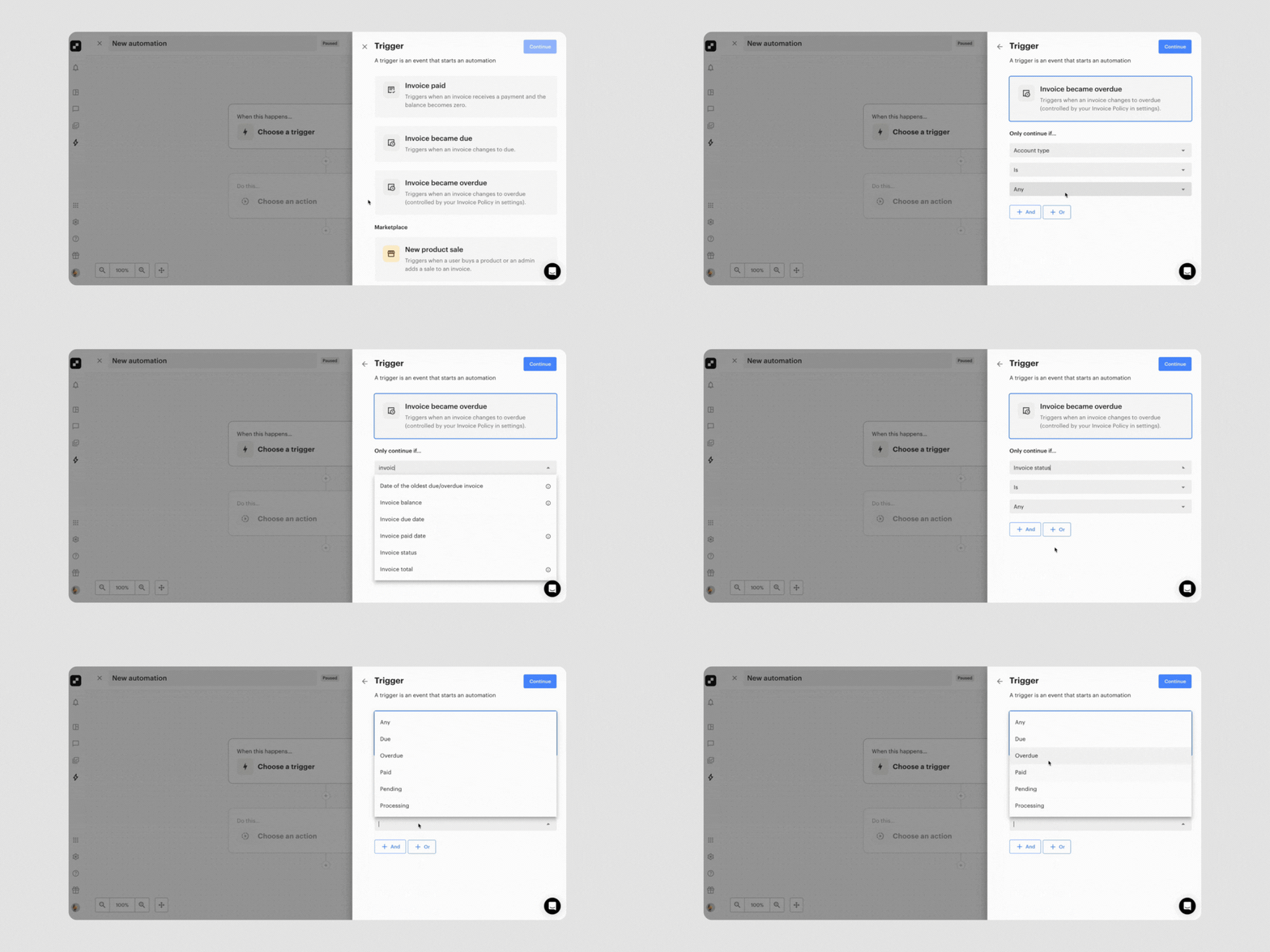
GIF showing the new Invoicing automation triggers and actions
Adding a late fee to an overdue invoice automatically in Optix

How Optix streamlines billing

With Optix, billing is seamless for both operators and members:

  • Invoices are created and sent automatically each month
  • Payment processors like Stripe and PayPal are fully integrated for fast, secure transactions
  • Members can manage their billing details and payment preferences directly in the branded app
  • Invoice follow-ups can be automatically sent after an overdue payment
  • An overdue invoice fee can be automatically added to a member’s account

This eliminates the manual back-and-forth, reduces errors, and ensures a steady flow of revenue each month.

How can coworking spaces use automation to unlock new revenue streams?

For many coworking operators, revenue is tied to desks and offices. But to truly increase coworking revenue, spaces need to think beyond square footage. 

Digital offerings like day passes, meeting room credits, events, and add-ons allow you to monetize your community in flexible, scalable ways. The challenge is managing these extras without overwhelming your team.

That’s where automation comes in. By automating the sales, tracking, and billing of these services, you can introduce new revenue streams without adding administrative complexity.

Elevate Coworking in Wilmington, North Carolina
Elevate Coworking, US

1. Upsell when a booking is made

Upsell services like printing, mail handling, or storage, with charges automatically added to invoices.

2. Invite a user to book again

At the end of a booking, automatically send a message to a member inviting them to book again to increase revenue per member.

3. Use promo codes to get new members in the door

Promote a promo code in your next marketing campaign, and automatically add members to a workflow when they use a promo code.

4. Add invoice overage charges with overdue invoices

Ensure you capture revenue whenever members miss a payment, helping to tighten up your financial processes, while generating more revenue.

Why does automating the member experience help coworking businesses retain members?

Retention is one of the most powerful drivers of profitability. According to Bain & Company, a 5% increase in customer retention can boost profits by up to 95%. For coworking spaces, this means that keeping members engaged and satisfied is just as important as bringing in new ones. 

Automating parts of the member experience can help retain coworking members by:

  • Consistency and reliability
  • Personalization at scale
  • Reduced friction and faster service
  • Proactive engagement
  • Freeing staff to focus on community
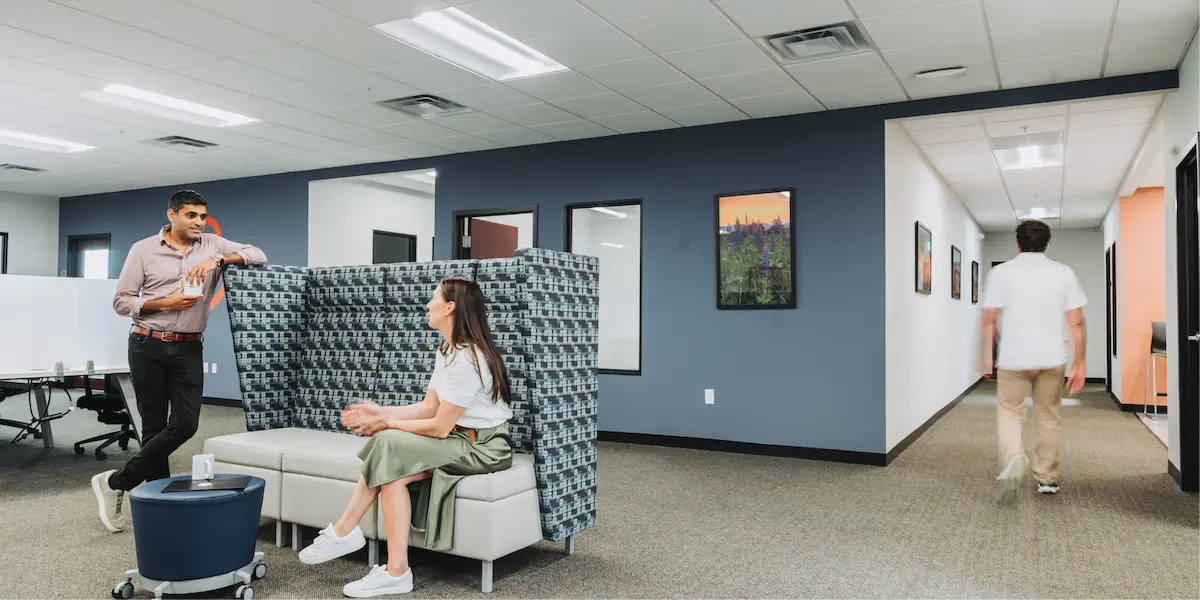
Man and woman having a discussion in a lounge area with high-backed seating, while another person walks down the hallway.
Workspace, US

How can automation enhance the member journey for coworking members?

  • Automated onboarding workflows: send welcome emails, grant app access, and issue door codes automatically when a new member joins
  • Push notifications: keep members informed with reminders for upcoming events, promotions, or community announcements.
  • Automated allowance top-ups: automatically apply meeting room credits or service allowances each billing cycle, and charge for overages when members exceed their plan.

Meet ECOMsquare

Steve Krueger, founder at ECOMsquare, was able to build a thriving community-driven space while managing it completely remotely. By using Optix to automate repetitive tasks, the team has created a system where members feel supported and connected, without requiring constant manual oversight.

Automation ensures that every member interaction feels seamless and intentional, strengthening the community while keeping operations lean.

5 steps to use coworking software to increase revenue without extra staff

Let’s put together everything we’ve talked about so far to give you a 7-step framework to using coworking software to increase revenue.

1. Automate lead nurturing and conversions

Use Optix Automations to instantly follow up with new leads. For example, when someone signs up for a trial, trigger a personalized welcome email or offer a discount code. This reduces drop-off and increases conversions—without your team needing to manually chase leads.

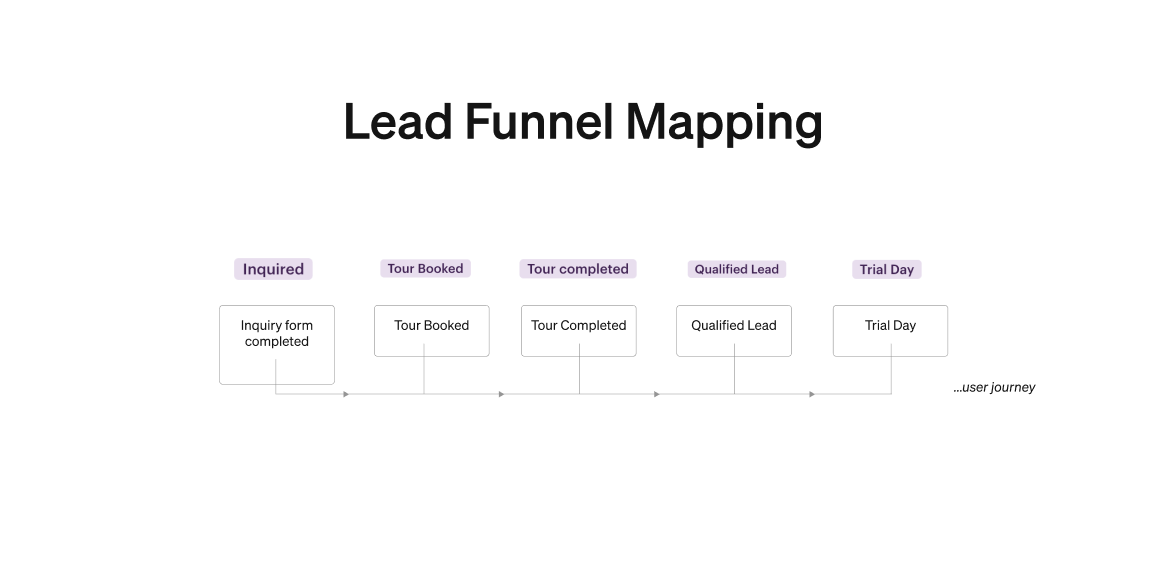
How to map a lead funnel in Optix
How to map your lead funnel in Optix

2. Optimize meeting room and desk bookings

With Optix’s booking system, you can set conditional resource pricing and encourage higher utilization of spaces at underutilized times. You can also incentivize members to book during slower times, which directly boosts revenue.

3. Streamline billing and reduce leakage

Automated invoicing and recurring payments ensure you capture all revenue on time. Optix also allows you to add invoice items automatically, so things like extra hours or consumables never slip through the cracks.

4. Boost retention with engagement automations

Revenue is as much about getting new members as it is about keeping members longer. Use Automations to trigger personalized messages when a member hasn’t checked in recently, celebrate milestones, or remind them of unused allowances. This keeps engagement high and churn low.

5. Scale operations with fewer manual tasks

Tasks that once required staff, like onboarding new members, granting access, or sending reminders can be automated in Optix. This allows your current team to handle more members without burnout, effectively scaling revenue per staff member.

Scaling sustainably with automation

Growing a coworking space doesn’t have to mean growing your payroll. By weaving automation into every aspect of your business, operations, billing, revenue generation, and member engagement, you can increase revenue, streamline workflows, and deliver a premium experience without the overhead of hiring more staff.

With Optix, you get an all-in-one platform purpose-built for automation. From automated invoicing to action-oriented workflows, Optix helps operators do more with less—making it possible to run lean and still thrive.

Discover how Optix Automations can help your coworking space grow profitably without growing your staff.

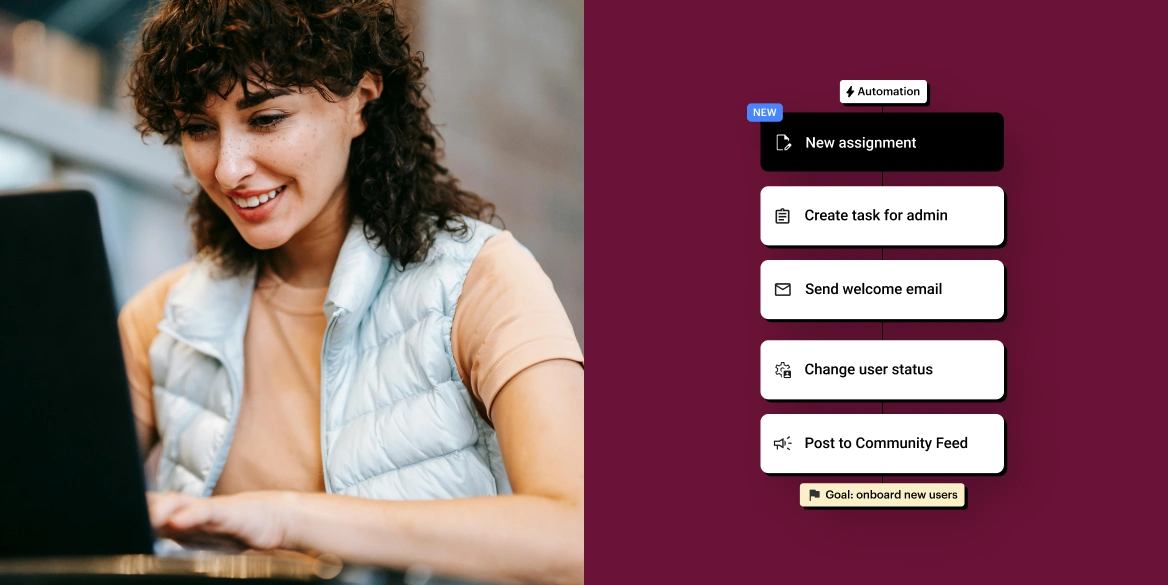
Grow your space profitably without growing your staff


woman working in a coworking space

Frequently asked questions

By automating tasks like invoicing, room booking, lead follow-up, and member engagement, coworking software reduces manual admin and opens new revenue streams, allowing your space to grow profitably with a lean team.

Common automations include membership management, billing and payments, meeting room booking, access control, lead nurturing, and member onboarding. These workflows save time, reduce errors, and enhance the member experience.

Yes. Automated coworking billing software generates recurring invoices, enables autopay, and sends payment reminders. This ensures reliable cash flow and reduces revenue leakage from missed or late payments.

Absolutely. Automated onboarding workflows, event notifications, allowance top-ups, and personalized re-engagement messages all help members feel supported and connected—without requiring extra staff involvement.

Optix Automations allows coworking spaces to streamline operations, billing, and access while unlocking new revenue streams. Operators can set up workflows for everything from allowances to follow-ups, creating a seamless and scalable member experience.