Blog

A Complete Guide to Access Control Systems for Coworking Spaces [2025]

How access control systems transform coworking spaces by improving security, efficiency, and member experience
By The Optix Team
September 8, 2025
A complete guide to access control systems in coworking spaces

TL;DR

  • Traditional keys don’t often work for coworking—modern access control systems provide secure, flexible, and automated entry for members and guests.
  • Automated access control streamlines onboarding, permissions, and daily operations, while enhancing member experience and trust.
  • With Optix, coworking spaces benefit from the best Kisi integration on the market and can use Automations to connect access events with personalized communications.


Imagine a member arriving at your coworking space late in the evening to finish a project. With traditional keys or staff-dependent entry, this could mean waiting around…or worse, not being able to get in at all. 

But with a modern access control system, that member can tap their phone or scan a fob and walk right in. No delays, no security concerns, just a smooth experience that matches the flexibility coworking promises.

Effective access control systems in coworking spaces ensure security, convenience, and operational efficiency, creating an environment where both members and managers can thrive. In this article we’ll take a closer look at access control in coworking spaces including what it is, the benefits of it, and best practices for implementation in your coworking space.

What is access control for coworking spaces?

At its core, access control is about managing who can enter your space, when, and under what conditions. For coworking operators, access control systems create a secure access experience that’s flexible enough to fit member needs.

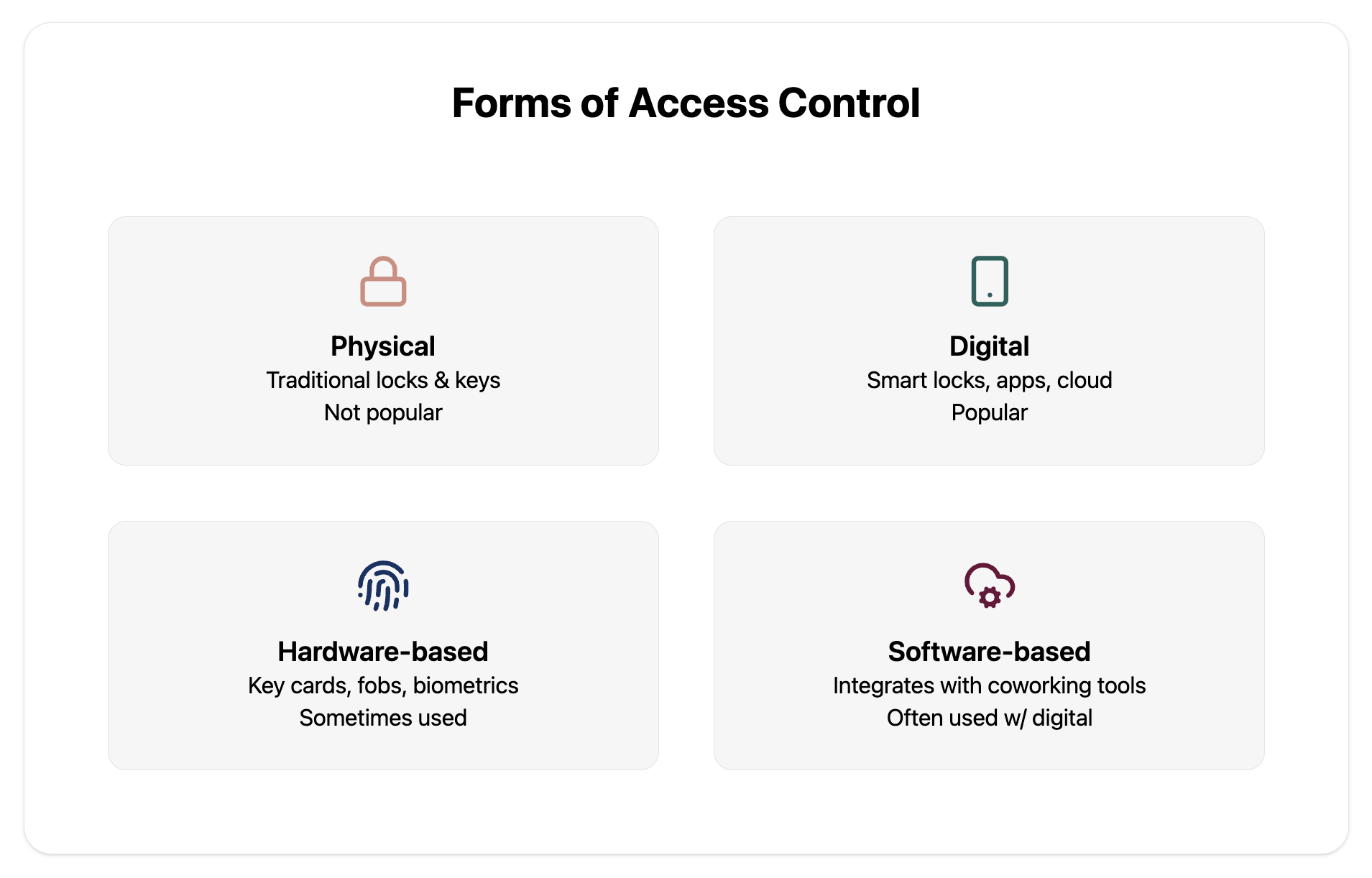
The most popular forms of access control in coworking spaces include:

  • Physical systems: traditional locks, keys, and mechanical barriers. Not usually popular for coworking spaces.
  • Digital systems: smart locks, mobile apps, or cloud-based solutions. One of the most popular options in coworking.
  • Hardware-based: key cards, fobs, or biometric readers that members use to unlock doors. Sometimes used in executive office suites.

Software-based: platforms that integrate with coworking management tools, automating permissions based on membership status or bookings. Often used in conjunction with digital systems.

Why traditional keys don’t work in coworking

Shared workspaces are always in flux—members come and go, plans change, and access needs to adapt quickly. Physical keys create challenges when used with the coworking business model:

  • Difficult to manage as membership grows
  • No way to track who entered and when
  • Costly and inconvenient to replace when keys are lost
  • Inflexible for 24/7 access or temporary permissions

These are the primary reasons why modern coworking spaces rely on digital and automated access control systems.

Why access control is critical for coworking spaces

In a coworking environment, dozens of people may pass through your doors each day, from members and staff to guests and deliveries. Without the right systems in place, keeping your space secure and efficient becomes a challenge. 

Access control is critical because it touches nearly every aspect of your operation.

Security and safety

Protecting your members, their belongings, and your space is non-negotiable. Access control ensures only authorized individuals can enter, reducing risks of theft or unauthorized use.

Kisi, a popular access control system for coworking spaces, talks at length about the security benefits of using an automated access system to understand exactly who is in your space and when, helping you protect yourself and your space.

Operational efficiency

Automated entry means fewer interruptions for staff and less time spent managing keys or check-ins. It streamlines daily operations and frees your team to focus on community-building instead of door management (one of the many benefits of implementing automated systems!). 

Flexibility

Coworking thrives on adaptability. Access control systems make it easy to offer:

  • 24/7 access for certain plans
  • Temporary passes for day users or guests
  • Tiered permissions based on membership plan or booking type

Member experience

Access control helps to create a coworking environment that’s safe, efficient, and member-focused. A smooth, keyless entry sets the tone for a positive workspace experience. Members feel empowered to come and go on their schedule without friction, building trust and loyalty.


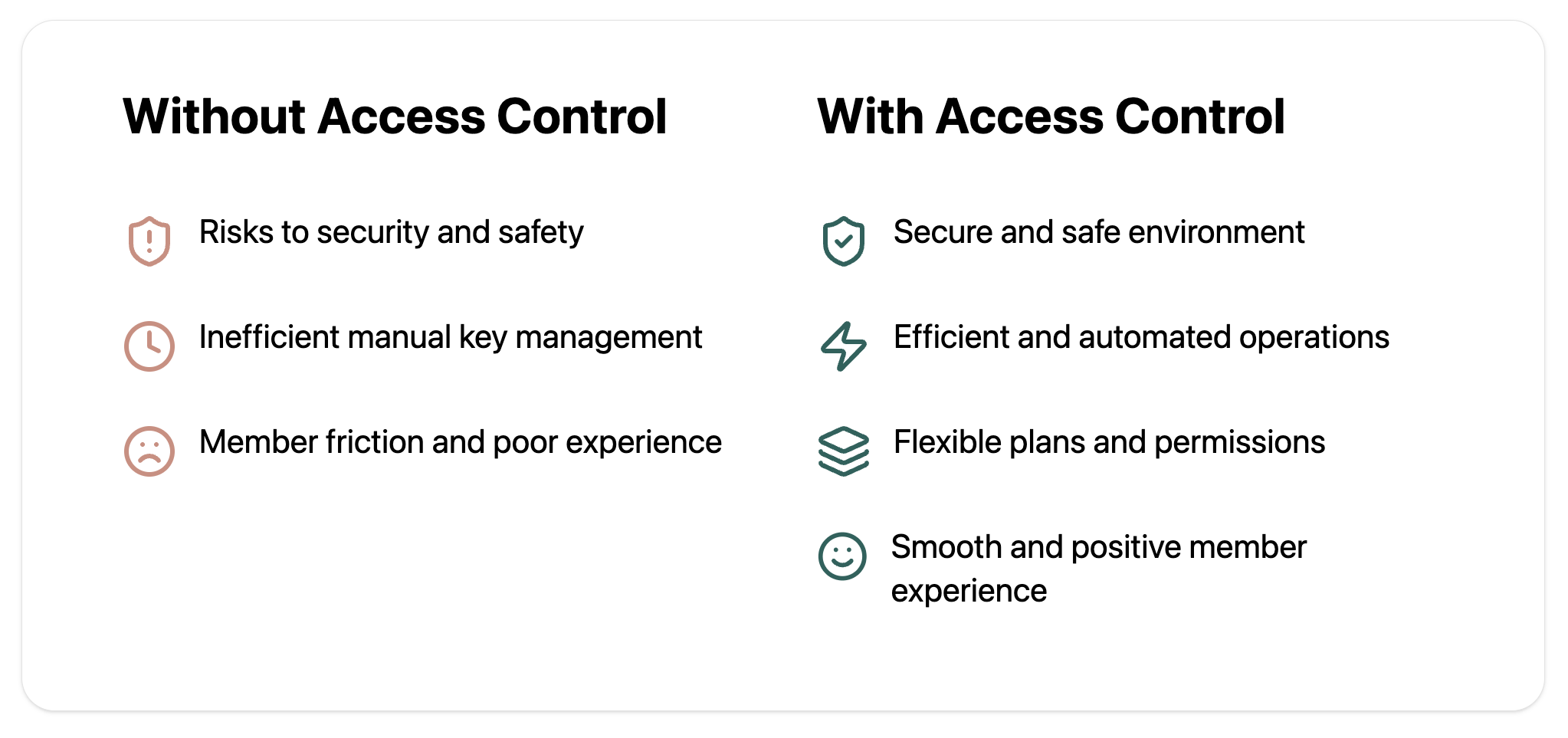
How access control systems improve coworking spaces

Types of access control systems for coworking spaces

Not all access control systems are created equal. The right solution for your coworking space depends on your budget, operational needs, and the kind of member experience you want to create. 

Below are the most common types of access control systems found in coworking spaces:

  • Key cards and fobs: members tap a physical card or fob against a reader to unlock doors
  • Mobile app-based access: uses smartphones (via Bluetooth, NFC, or cloud apps) for entry
  • Biometric systems: fingerprint or facial recognition scanners verify identity with high security
  • PIN codes and keypad systems: members enter a unique code to access the space
  • Hybrid solutions: combines multiple methods (ie. mobile access + keypad backup) for flexibility

Comparison table

System type Pros Cons
Key cards & fobs Familiar, easy to use, relatively low cost Can be lost, stolen, or shared; replacement adds overhead
Mobile app-based access Convenient, contactless, integrates with coworking software Requires smartphone & internet; depends on reliable app performance
Biometric systems High security, no cards/codes to lose, cannot be shared Higher upfront cost; may raise privacy concerns
PIN codes & keypads Simple, inexpensive, easy for temporary access Codes can be shared or forgotten; requires frequent updates
Hybrid solutions Flexible, offers backup in case one method fails More complex setup; higher costs depending on integration

The role of automation in access control

Manually updating who has access (and when) is time-consuming and prone to error. Automation solves this challenge by making access control self-sustaining.

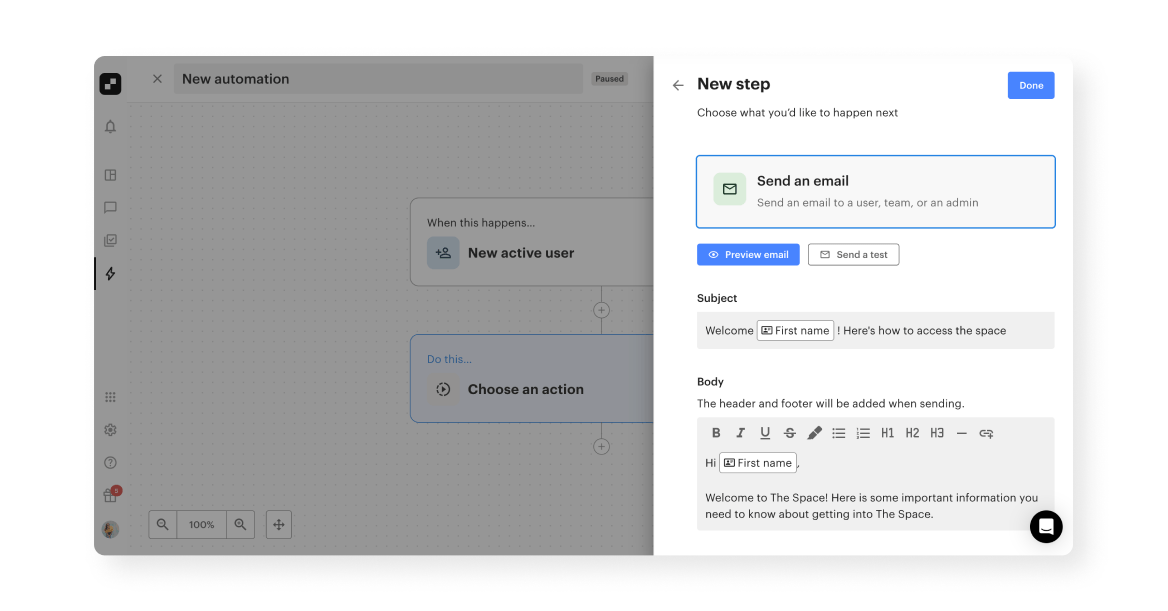
How to send access control automatically in Optix
Sending an email in Optix Automations

Here’s how automation adds value to access control:

  • Automated onboarding and offboarding: new members are granted access the moment they join. Departing members lose access instantly, eliminating gaps in security.
  • Dynamic access levels: permissions adjust automatically based on membership type, bookings, or allowances. For example: a hot desk user may only have daytime access, while a private office member enjoys 24/7 entry.
  • 24/7 operations: with automated access, members don’t need staff to unlock doors. This supports flexible schedules and increases value for members.
  • Error reduction: removes the risk of forgetting to revoke or update access permissions. 
  • Scalability: as your coworking community grows, automation ensures access control scales without extra administrative burden.

Optix Automations can help make your operations run even smoother, like with automated emails sent with access control instructions every time a new user signs up. Want to find out how?

Discover how Optix can help automate access control


Photo of a woman in a coworking space holding a clipboard

How access control integrates with coworking software

Access control is one of the most important integrations for coworking software. Here’s why.

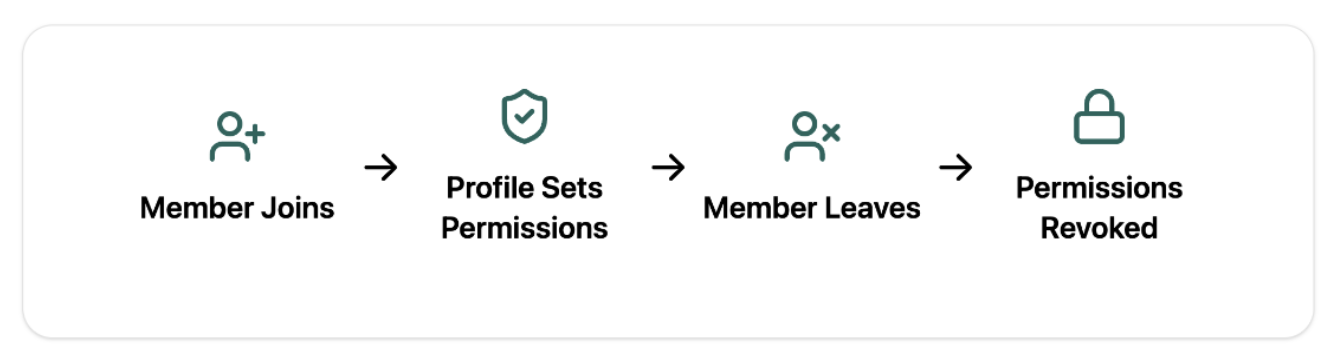
How access control integrates with coworking software
How access control systems integrate with coworking software

Syncing member data with access permissions

With coworking software, access control is directly tied to your member database. As soon as someone joins, their profile determines what doors they can open and when. If a membership expires or is canceled, permissions are revoked instantly.

Automating access for new sign-ups, cancellations, and expired memberships

Operators no longer need to manage keys or chase down access cards. Coworking software automates the entire process, ensuring new members have the right level of access on day one, and former members lose access the moment they leave. This keeps your community secure while saving your team valuable time. Hint: you can make this happen with Optix Automations!

Tracking usage patterns

Access data flows back into your coworking software, giving operators insight into who enters, when, and where. These patterns can inform staffing decisions, highlight peak usage hours, and even shape how you design or price memberships.

Mitchell Purdy, Founder at Suite Genius, uses Optix and Kisi to automate door access at his beautiful North Vancouver coworking space. Read all about his story and how he uses Optix and Kisi here.

Best practices for implementing access control in coworking spaces

Choosing the right access control system is just the beginning. Follow a few best practices to get the most out of your choice.

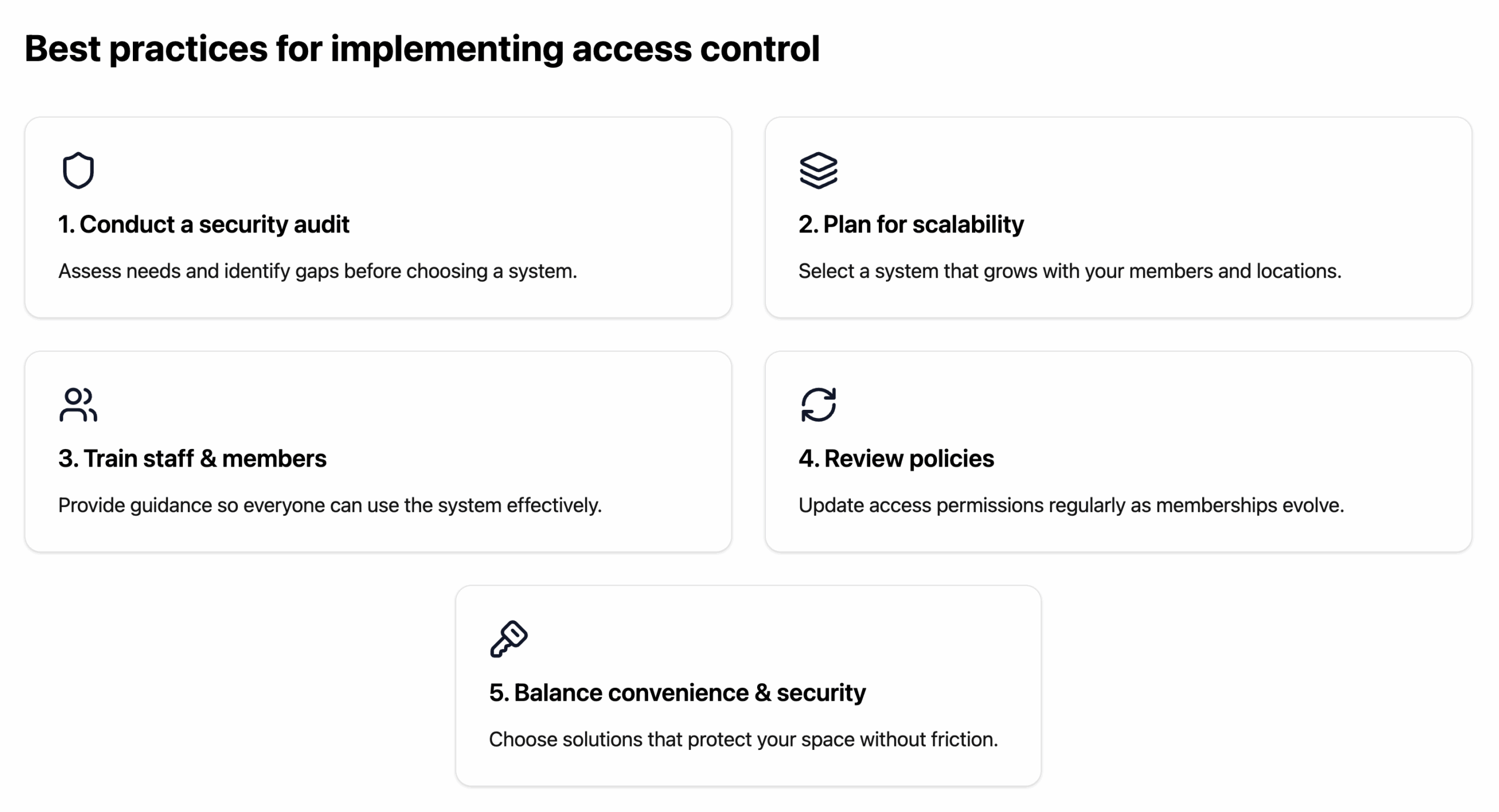
1. Conduct a security audit before choosing a system

Start by assessing your current security needs. 

  • Which areas require the highest level of control? 
  • Do you need 24/7 access, or just extended hours? 

A thorough audit helps you identify gaps and choose a system that fits your space, rather than forcing your operations to adapt later.

2. Consider scalability and future growth

Your coworking community won’t look the same a year from now. Choose a system that can grow with you, whether that means supporting multiple locations, adding new membership types, or integrating with other tools in your coworking tech stack.

3. Train staff and educate members

Even the most advanced system only works if people know how to use it. Provide training for your team so they can troubleshoot issues quickly, and educate members so they feel confident navigating keyless entry. 

Clear communication goes a long way toward adoption.

4. Regularly review and update access policies

Set aside time to revisit your access permissions and policies. As memberships change and new members join, your system should adapt. Regular reviews keep security tight and ensure members only have access where and when they should.

5. Balance between convenience and security

The best access control systems don’t make members choose between safety and ease of use. Aim for solutions that deliver both and are secure enough to protect your space, but simple and seamless enough to keep the member experience positive.

Best practices for implementing access control systems in a coworking space

Future trends in access control for coworking spaces

Access control technology continues to evolve, and so should how you operate your space. Here are a few key trends shaping the future:

  • Cloud-based access management: cloud solutions make it easier to manage access remotely, update permissions in real time, and scale across multiple locations
  • AI-driven access: AI can help identify unusual access patterns and alert operators before problems escalate, as referenced by Bernie Mehl, CEO at Kisi, in our webinar on Automation, AI, and the future of coworking technology
  • Touchless and health-conscious solutions: mobile-based entry, wave-to-unlock sensors, and facial recognition reduce the need for shared touchpoints
  • Deeper integrations with IoT and smart building tech: integrations with smart building technology make spaces more efficient and member experiences more seamless

These trends signal a shift in access control from a system to open doors to creating intelligent, connected environments. Learn more about it on our webinar on Automation, AI, and coworking technology below.

Get set up with access control in your coworking space today

Access control is all about creating a secure, seamless, and flexible coworking experience that keeps members front and center. The right system protects your community, saves staff time, and empowers members with the freedom to work on their own terms. 

With Optix,coworking operators get the industry’s best integration with Kisi, ensuring access permissions are always in sync with memberships. Plus, with Automations, you can go beyond entry management by triggering personalized communications—like welcome messages or reminders—tied directly to access events. 

The result is a coworking space that runs smoothly, securely, and with a member experience that truly stands out—see it in action by booking a demo with Optix today.

Frequently asked questions

The cost of an access control system for coworking spaces can range from a few hundred dollars for simple keypad solutions to several thousand for cloud-based or biometric setups. Pricing depends on features, integrations, and the number of entry points.

Yes, cloud-based access control systems are designed to scale across multiple coworking locations. Operators can manage permissions remotely, ensuring consistency and security across all sites.

Temporary access can be granted through time-limited PIN codes, QR codes, or guest passes issued via email or mobile app, ensuring security while keeping the process hassle-free.

Access control ensures only authorized individuals enter, protecting members, assets, and sensitive areas while reducing risks of theft or unauthorized use.