Introducing: Add-on Resources
Sell equipment, services, and extras as an add-on to any booking, automatically.
March 10, 2026
Running a podcast studio, a golf simulation center, or an event space means your bookings rarely stop at the room itself. There’s the engineer to schedule, cameras to reserve, AV equipment to coordinate. And until now, all of that has happened separately from the actual booking. A member secures the space, and your team manually handles the rest.
The overhead adds up. And when coordination is manual, revenue can too easily slip through the gaps.
Today, that changes. Introducing: Add-on Resources, a new capability in Optix that lets you sell equipment, services, and extras as an add-on to any bookable resource in your space.

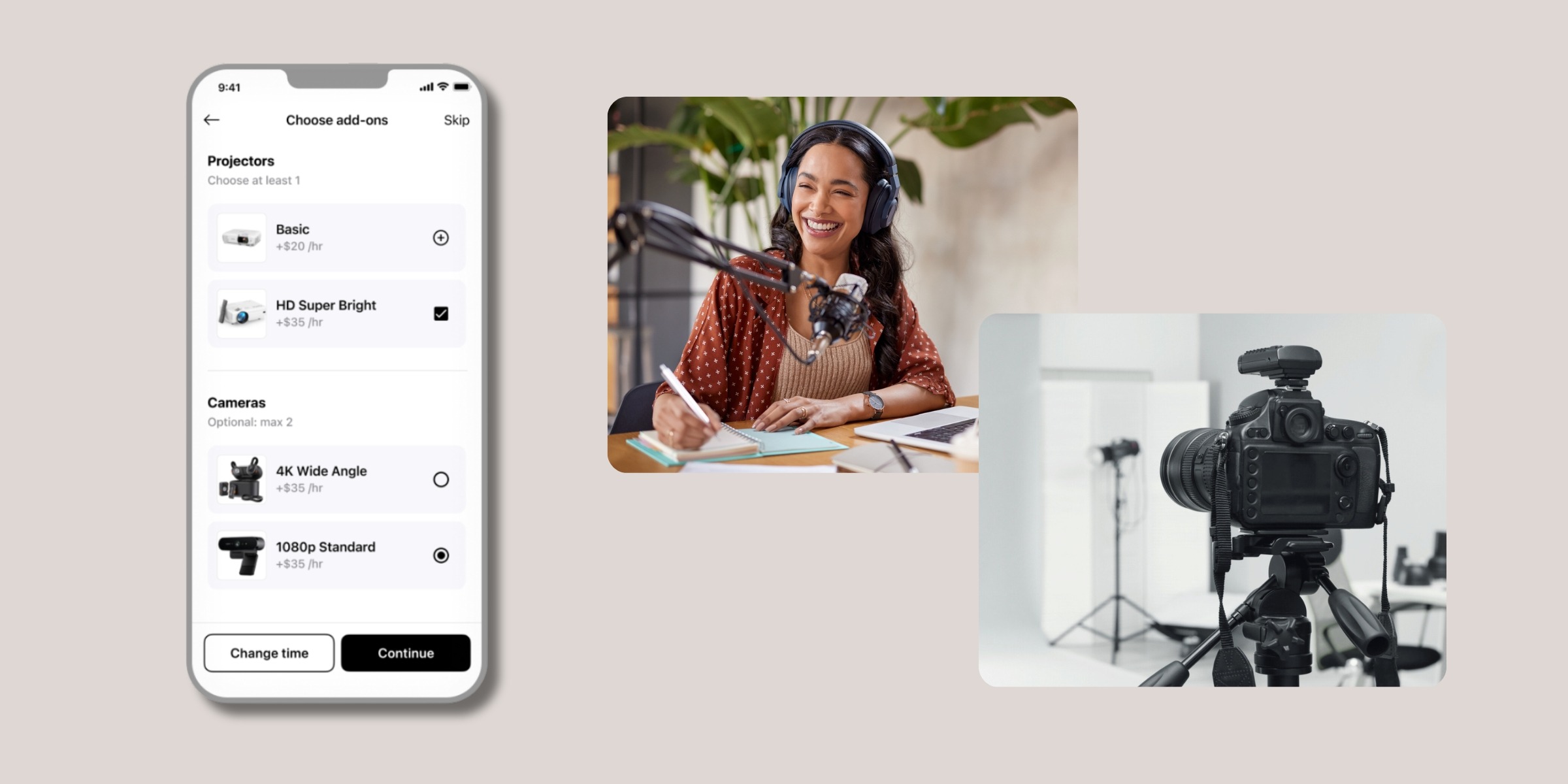
Add-on Resources let you attach additional bookable items directly to any resource in your space. Equipment, staffing, tools, extras. When a member books a resource that has add-ons configured, they see and select them as part of the same booking flow.
Everything is handled in one place. No separate requests, no manual coordination on your end, and no follow-up needed. Which means more upsell revenue in the door.
Capture revenue that was previously handled manually
For many venues, equipment and staffing add-ons represent a significant portion of total booking revenue. Revenue that has historically been tracked through manual processes, separate systems, or simply lost in the handoff. Add-on Resources brings all of that directly into Optix, so every chargeable item is captured automatically.
Give members full pricing transparency
Every add-on is priced individually and shown as an itemized breakdown at the booking confirmation screen in-app. Members see exactly what they are paying for before they confirm, with no surprises.
Remove the coordination overhead
Availability is checked automatically across every resource in a booking at the same time. The main space and every selected add-on are validated together. If something is not available for the selected time slot, it is flagged immediately, helping prevent double-booking without any manual checks.
Works seamlessly with Optix allowances
Each add-on is tracked as its own line item within the allowance system. Members can see exactly how their allowance is being applied, broken down per resource, directly in their booking details.
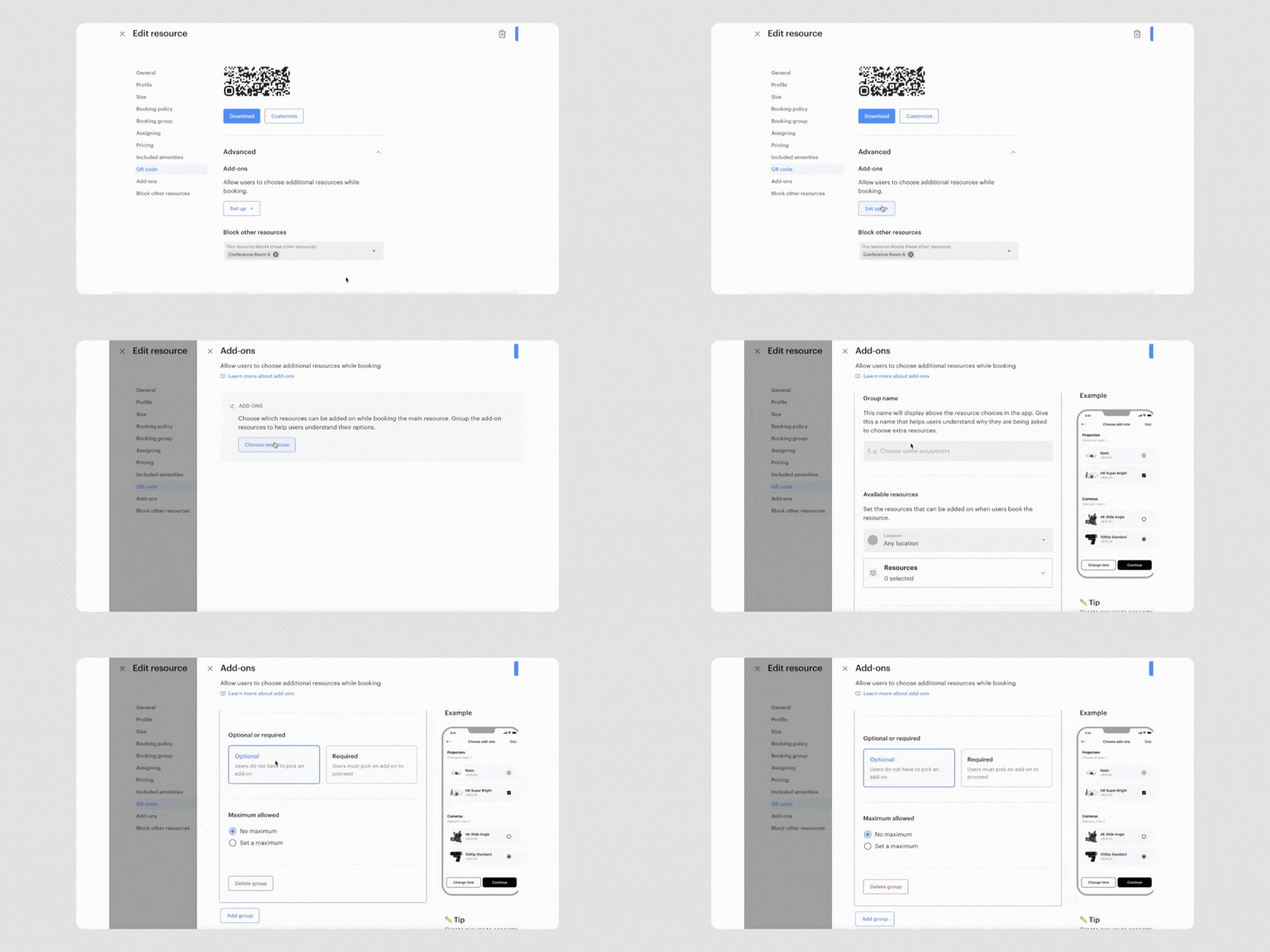
Add-on Resources give you precise control over how extras are structured and presented in the booking flow:
Add-on Resources are designed for venues where the booking is only part of the picture.
Podcast and recording studios
Configure a required sound engineer alongside optional camera and microphone packages. Members select exactly what their session needs, and the right resources are reserved as part of the same booking.
Golf simulation centres
Attach premium equipment packages or coaching add-ons directly to simulation bay bookings. Capture the full value of every session without manual follow-up.
Maker spaces
Pair workspace bookings with specialized tool and equipment rentals. Set quantities, require specific items, or offer a range of options, all within the same booking flow.
Event and production spaces
Build out flexible AV and equipment configurations for each space. Required and optional groups give event bookers a clear, guided selection experience without back-and-forth.
If your venue earns revenue from more than just the room itself, Add-on Resources are built for you.
Add-on Resources are available now for all Optix clients. Head to your admin dashboard to start configuring add-on groups for your resources.
Learn more about Add-on Resources →
Have questions about setting up Add-on Resources for your space? Reach out to our team at support@optixapp.com or via the chat function in your admin dashboard. We’re happy to help.