Introducing: Automations Branching
Give a single automation the power to make decisions. One trigger. Every path.
June 29, 2026
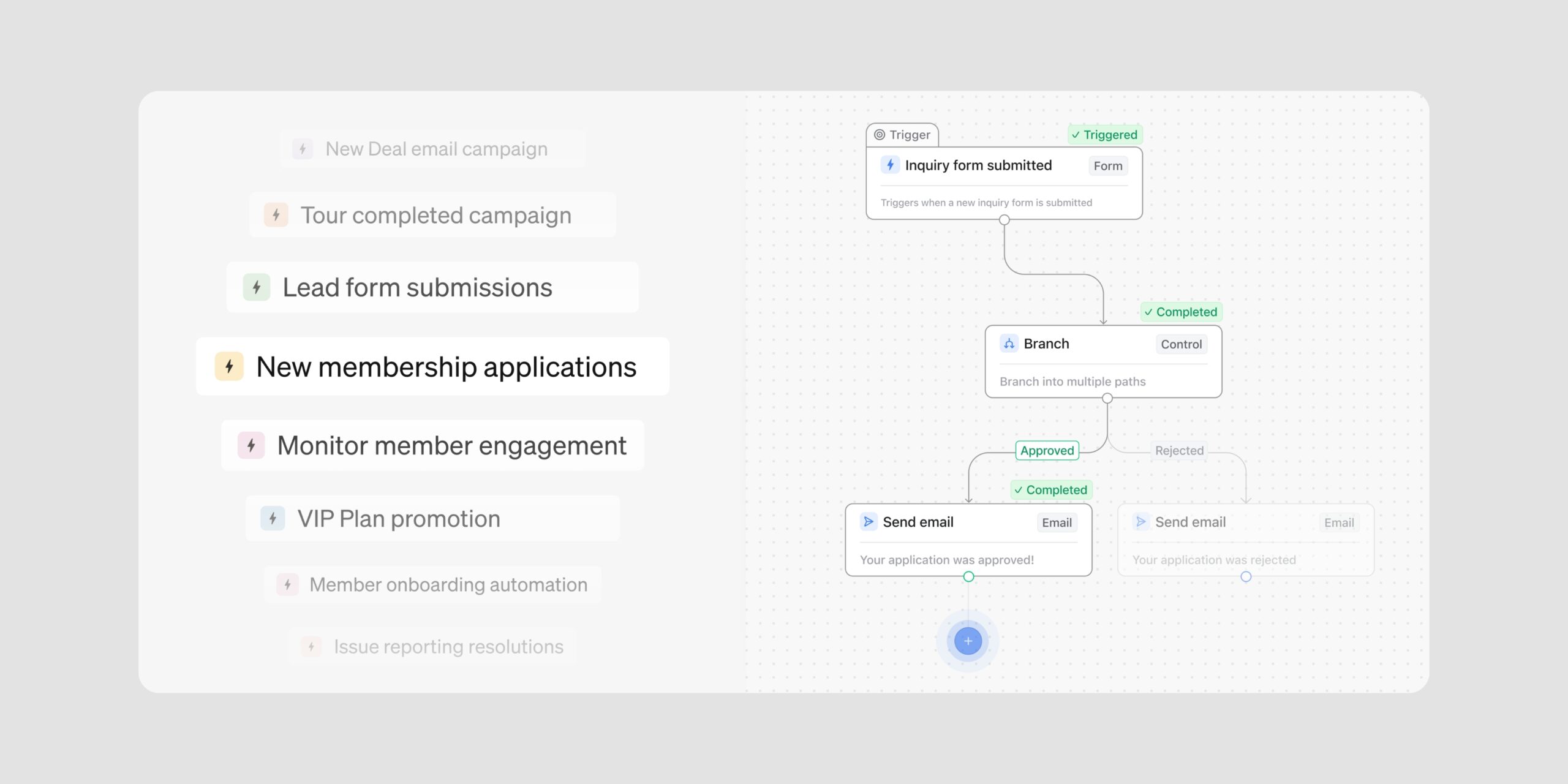
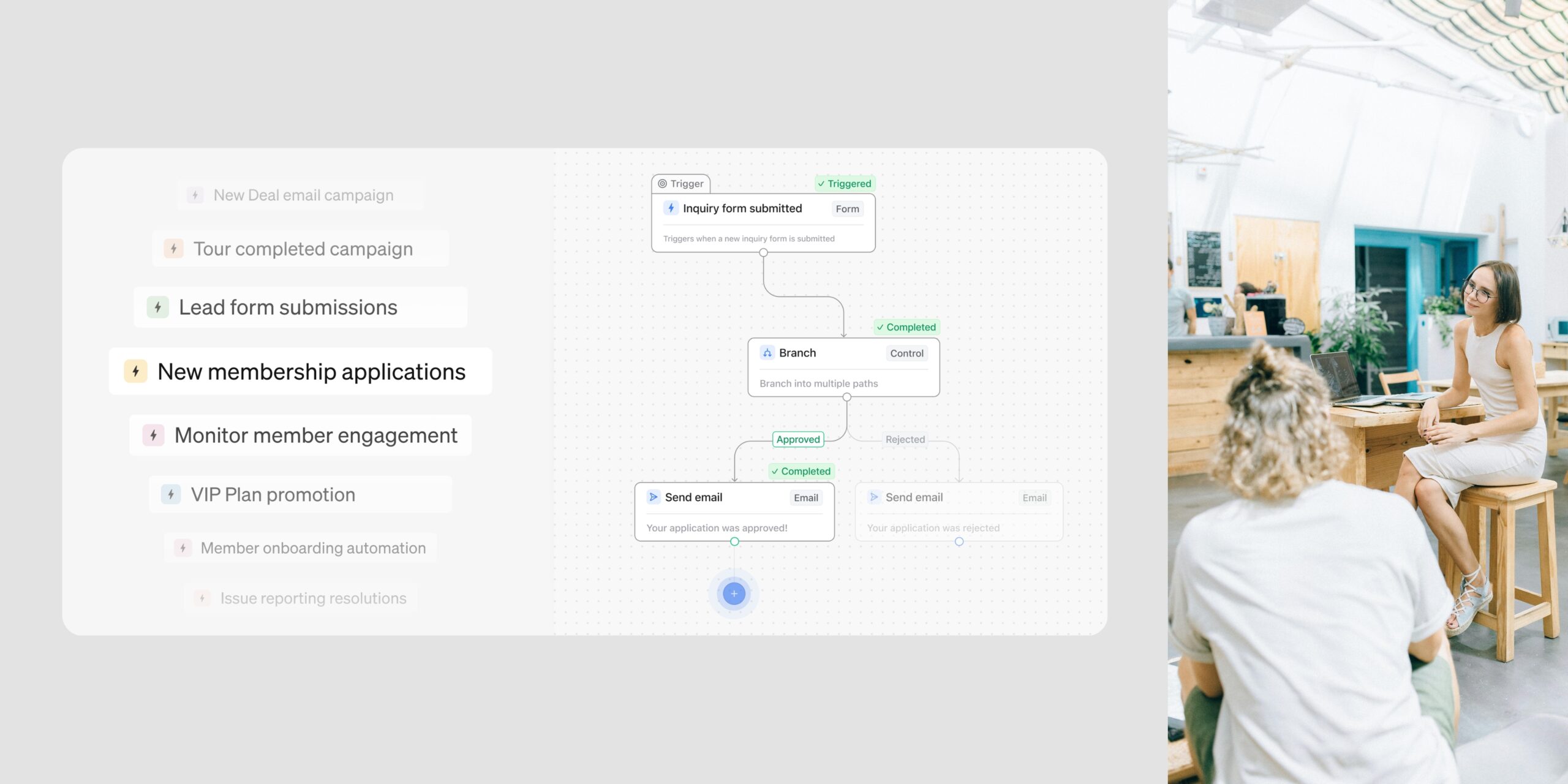
Automations Branching is here, and it gives a single automation the power to make decisions. One automation can now look at who’s enrolling and send each person down the right path, give every plan, booking, and application its own set of steps, then bring everyone back together for the steps they share.
That opens up a lot in a single move. One trigger can cover every variation of a workflow, in place of a stack of separate automations. Shared steps are built once and apply to every path, and because each branch ends in a Fallback, every member has somewhere to go, including the exceptions.
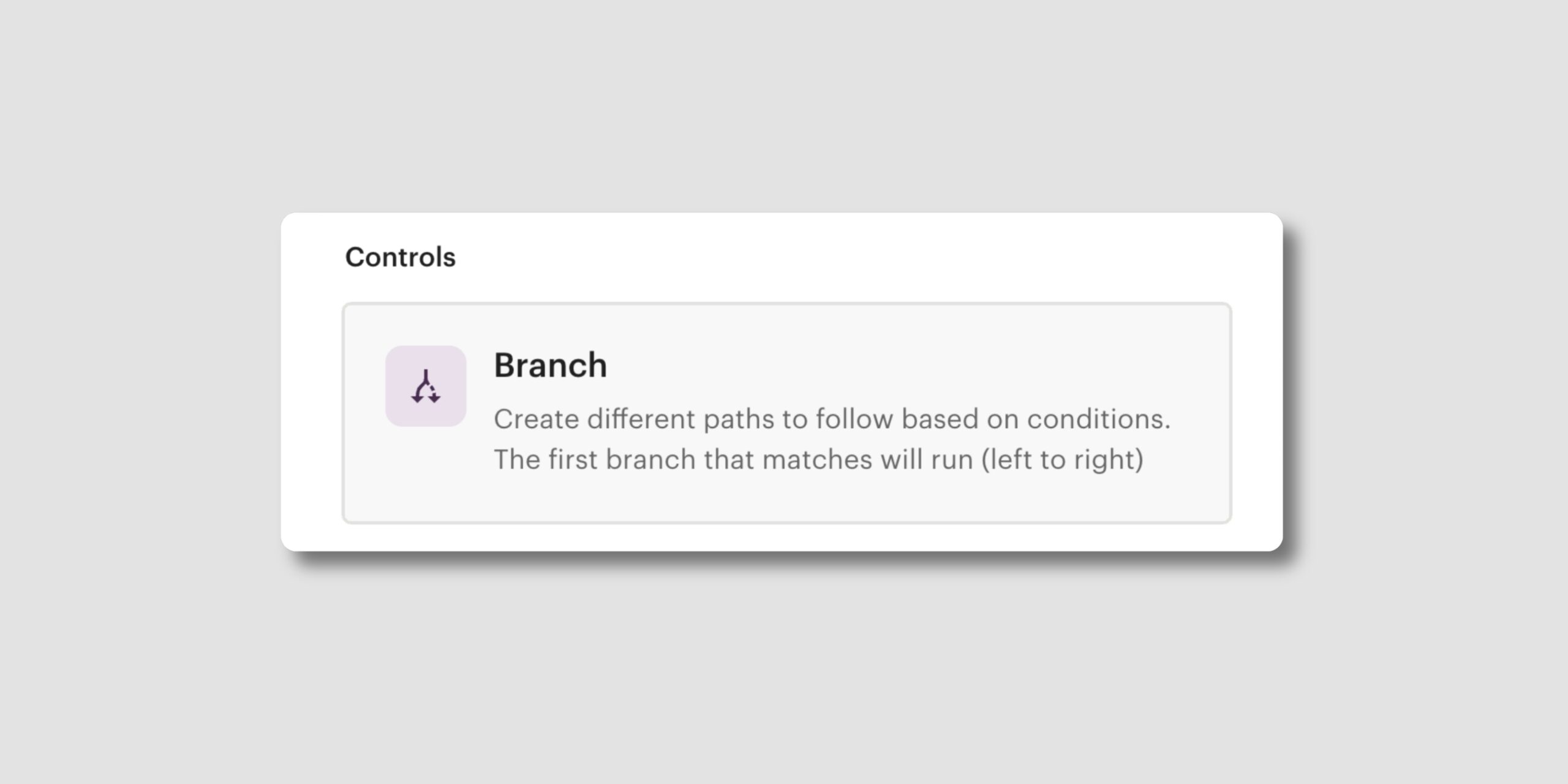
A branch is a step you add to an automation that opens more than one path. Instead of checking a single thing and continuing, it lets you say: if this is true, take this path; if that’s true, take a different one; and in all other cases, here’s what happens instead. You decide what to branch on, whether that’s a member’s plan or account type, an invoice, or a custom property you’ve set. A final Fallback path catches anyone who doesn’t match, so no member falls through the gaps.
Branching changes what a single automation can hold, and what that means for how you build and trust your workflows.
Build one automation where you used to build many
Branching holds every variation of a workflow in one automation, with a path for each member type, plan, or location, all from a single trigger. That collapses most multi-automation setups into far fewer, so you have one workspace to reason about instead of the same workflow scattered across a list no one remembers. It also keeps each person on one predictable path, rather than risking several automations firing at once.
Change a shared step once, not a dozen times
Because branches can converge back into shared steps, you build what everyone receives once and edit it in one place. Change it, and the update applies across every path at the same time, so you spend less time maintaining workflows and more time building new ones.
Set it up your way
Every widget can be added, removed, expanded/collapsed, and repositioned. Sections are collapsible and fully renameable. Each widget tracks its own independent date range, so you can monitor this week’s bookings alongside this month’s revenue without one overriding the other. Your layout saves automatically and carries across every session.
Plan for every outcome, including the exceptions
The Fallback path means you’re never designing only for the people who fit neatly. Everyone who doesn’t match a specific path still has somewhere to go, so you can map the clean cases and the edge cases in one automation and trust each person gets a deliberate experience.
Only the path that runs counts toward your actions
A branched automation can hold a lot of steps, but each person only travels one path, and only the actions in that path count toward your monthly automation actions. You can build richer workflows without watching your action count climb for paths most members never take.
Learn more about Automations Branching ->
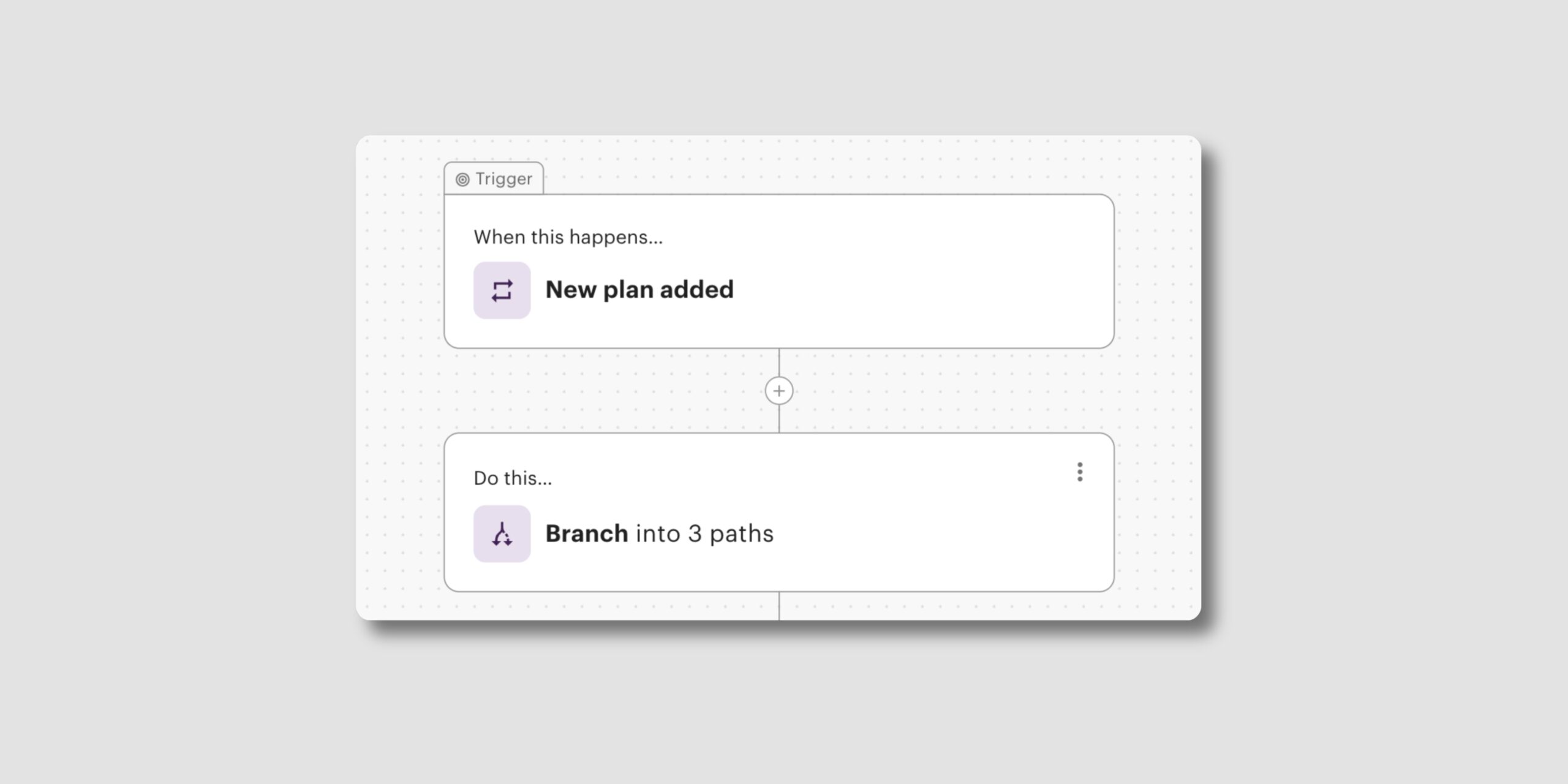
Branching gives you precise control over how a single automation routes each person:
Learn more about Automations Branching ->
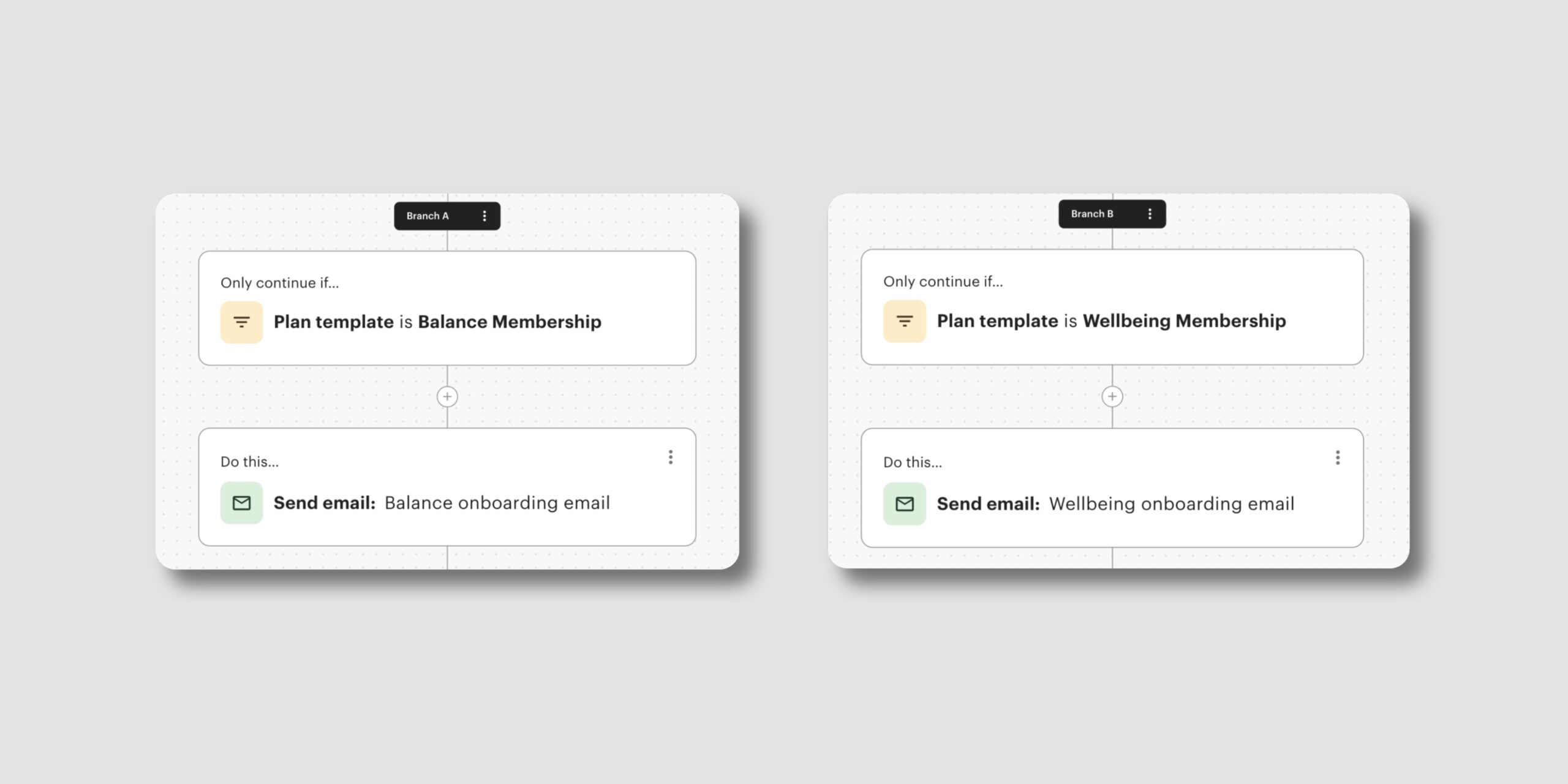
Branching is built for any operator whose workflows depend on who’s involved and what they need. A few of the clearest fits:
Application and approval workflows
If members are admitted rather than simply signed up, your intake has stages: documents to collect, approvals to clear, a review before anyone is in. One branched automation can carry the whole flow, then route to a welcome path or a decline path based on the decision.
Plan and member-type onboarding
What someone should receive when they join often depends on their plan or member type. Branching reads that at sign-up and gives each one its own onboarding path, while the steps they all share, like a welcome message or tour invite, stay in one place.
Booking-driven workflows
A new booking can mean very different things: a day pass, a recurring meeting room, an event space held for the afternoon. One automation off a single booking trigger sends each kind down its own path while sharing the confirmation steps every booking needs.
Document and signing workflows
A document you send out can come back in very different states. One automation off a document trigger can give each outcome its own path, whether the document is signed, still out for signing, expired, or declined, so each is met with the right response.
Multi-location operators
Running more than one space usually means near-identical workflows with small, location-specific differences. Branching captures those as paths inside one automation, so you maintain a single workflow across your portfolio instead of a copy per site.
Branching is available now for all Optix clients on an Automations+ subscription. Open any automation, add a branch between steps, and start routing each person down the right path.
Learn more about Automations Branching ->
Have questions? Reach out at support@optixapp.com or via the chat in your admin dashboard.