TL;DR
- The right coworking software integrations reduce manual work, eliminate errors, and give members a seamless digital experience.
- Members now expect coworking spaces to match the frictionless experiences of their favorite apps, while operators need integrations that save time, cut costs, and prepare their businesses to scale.
- Integrations connect your tools; automation makes them work for you. By combining both, operators can streamline billing, access, communication, and community engagement, unlocking efficiency and stronger member satisfaction.
Coworking members have high expectations for digital experiences. For operators, meeting these expectations while keeping operations efficient comes down to one thing—automation.
One of the key drivers of an automated coworking space? Seamless integrations. The integrations you connect to your coworking software expand its power, handling payments, syncing calendars, securing access, managing accounting, and keeping your community engaged. Without them, you’re stuck with manual processes and disconnected systems that eat up time and energy.
This article breaks down 7 essential coworking software integrations for 2025. We’ll cover the categories every space should consider so you can choose the right tools to automate your operations and deliver a top-notch member experience.
Why integrations matter for coworking software
Integrations matter because they connect all the moving parts of a coworking space—payments, access, scheduling, and more—into one easy-to-manage system. This not only saves operators time and reduces errors but also gives members the smooth, modern experience they now expect.
How integrations streamline operations and improve member experience
At the heart of every successful coworking space is efficiency. When your systems work together, your team can spend less time chasing down invoices or manually updating spreadsheets and more time focusing on your community. Integrations connect the dots:
- Your booking system syncs with your calendar, so reservations update automatically
- Payments flow into your accounting software, reducing manual entry and errors
- Access control integrates with your member database, ensuring only the right people can enter the space
For members, this behind-the-scenes magic shows up as convenience. The smoother the experience, the more likely members are to stay loyal and recommend your space to others.
If you’re creating an automated coworking space, or running your business solo like Adam from KoWorks, having the right integrations in place will be paramount.
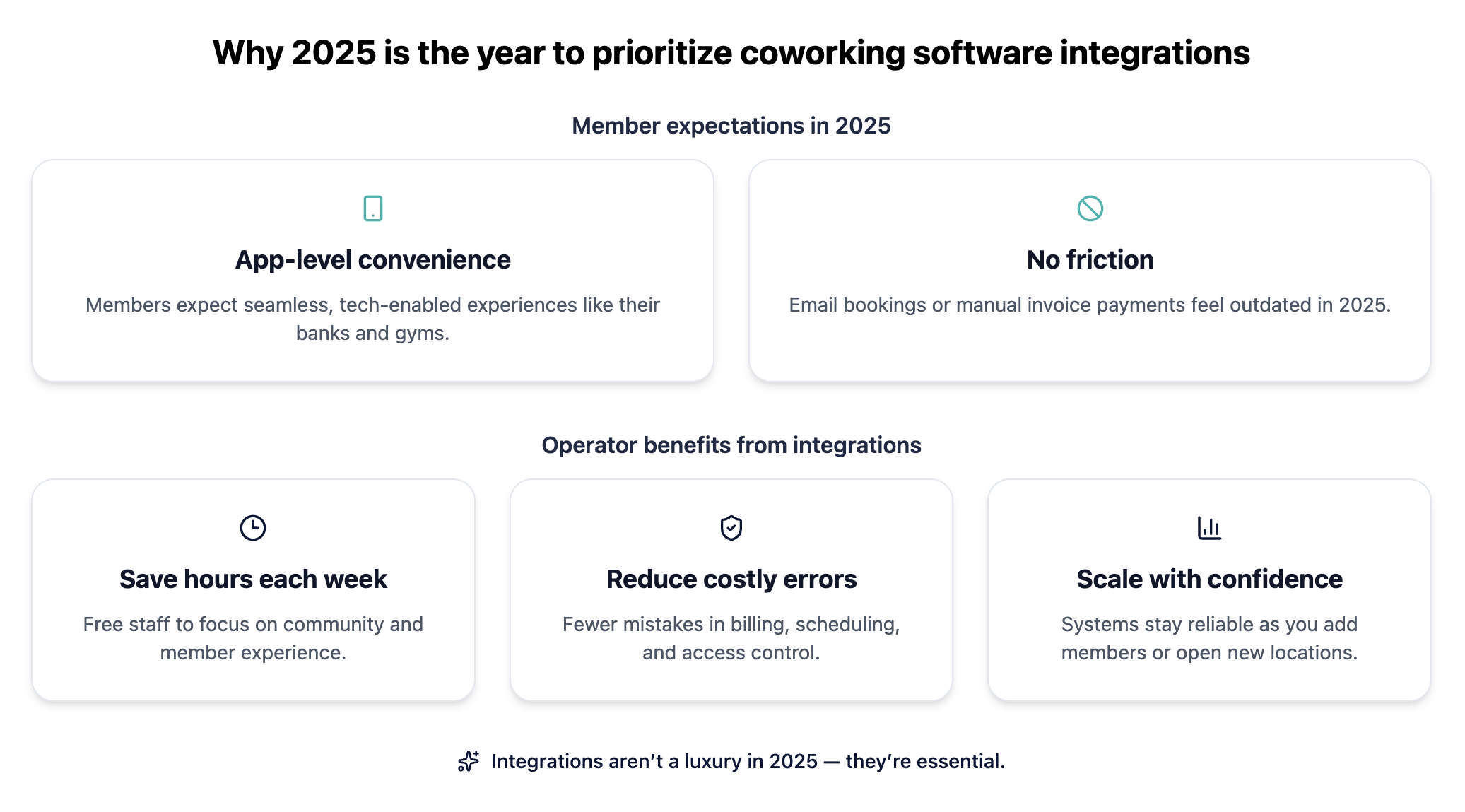
Why 2025 is the year to prioritize coworking software integrations
The coworking industry has grown up. In 2025, members expect the same level of tech-enabled convenience they get from their banks, gyms, and favorite apps. A clunky or disconnected experience, like asking them to email for bookings or pay invoices manually, can quickly feel outdated.
At the same time, operators are under more pressure to run lean, profitable businesses. Automating routine tasks through integrations:
- Saves hours each week, freeing staff to focus on community
- Reduces costly errors in billing, scheduling, or access control
- Prepares your systems to scale as you add members or new locations
The most important coworking software integrations in 2025
So what integrations are most important for operators to consider? Let’s take a look at the integrations that every operator needs for their coworking software in 2025.
1. Payments and billing integrations
One of the biggest time-savers for coworking operators is automating how money moves through the business. Payments and billing integrations ensure invoices go out on time, payments are collected automatically, and your financial data stays accurate.
This gives members a frictionless way to pay, whether they’re booking a meeting room or renewing a membership plan.
Stripe: simplify coworking payments
Stripe is one of the most popular payment processors for coworking spaces, and for good reason. It allows you to:
- Accept credit and debit cards securely, right inside your coworking software
- Automate recurring billing for memberships and services
- Offer members simple, one-click payment options
For operators, Stripe minimizes manual work and makes it easier to manage subscriptions, refunds, and financial reporting.
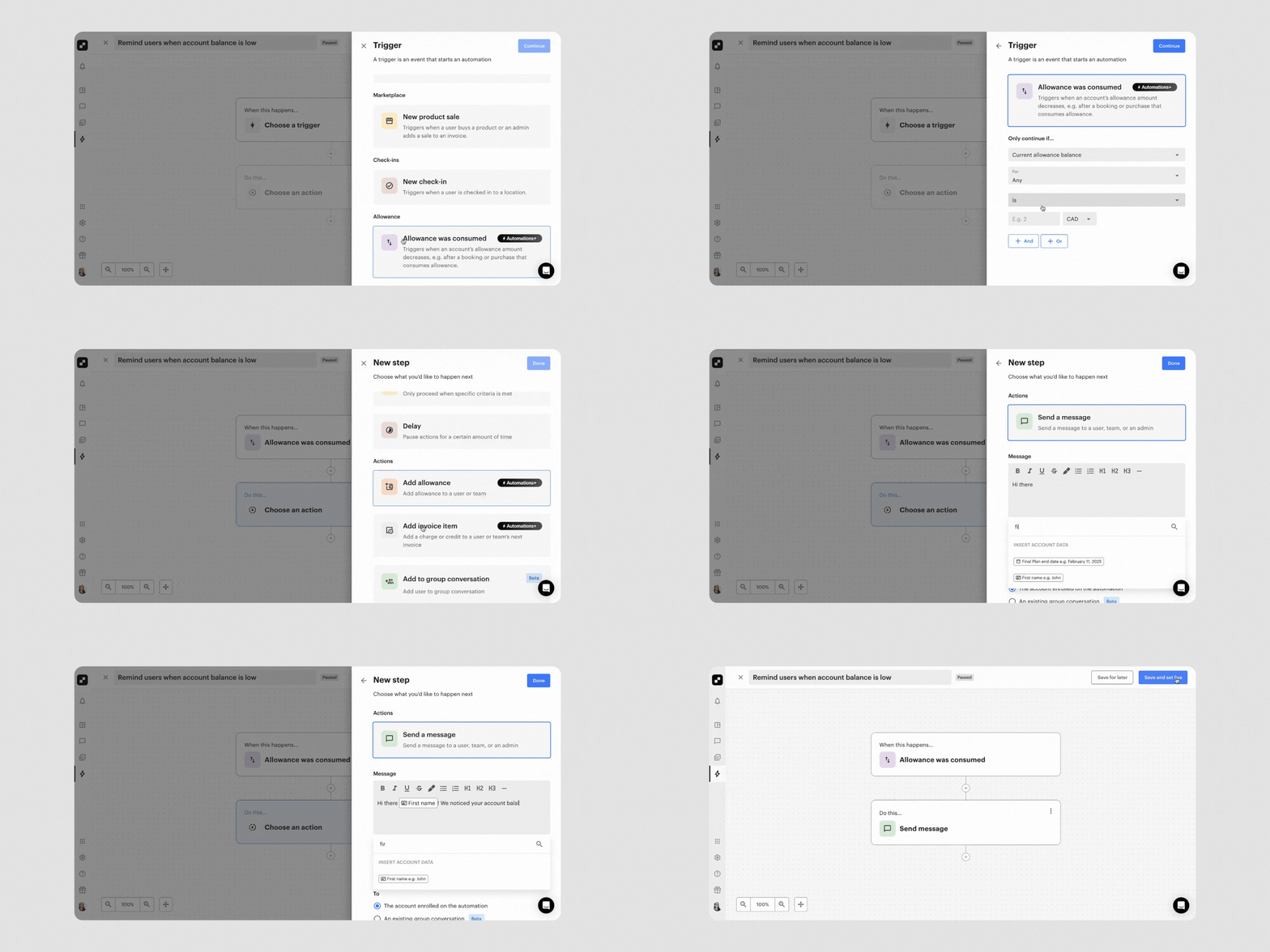
How Optix Automations can help: Optix Automations take payments and billing integrations even further by removing the manual steps that often slow operators down. Instead of chasing late invoices, you can set up automatic reminders that go out the moment a payment is overdue. Discounts, credits, or additional invoice items can be applied instantly when certain conditions are met with no need for staff intervention. The result is smoother cash flow for your business and a more effortless experience for your members.
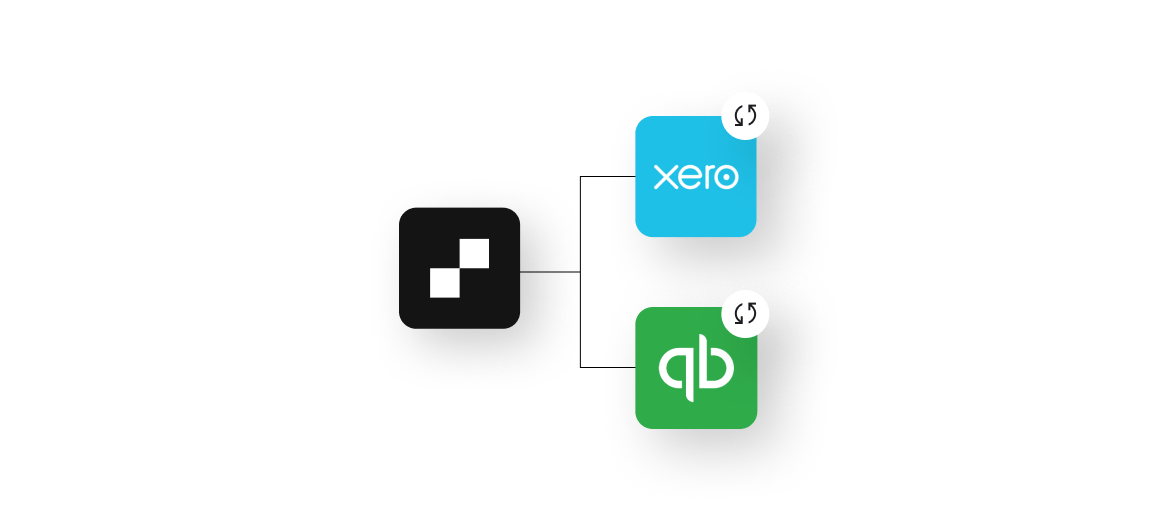
2. Accounting and invoicing integrations
Collecting payments is just the first step. Making sure your books are accurate and your revenue is tracked correctly is what keeps your business running smoothly.
Accounting and invoicing integrations connect your coworking software to the tools you already use for bookkeeping, so invoices sync automatically and you always have a clear picture of your financial health.
This reduces manual data entry, cuts down on errors, and frees up your team to focus on members instead of spreadsheets.
Xero: automate coworking invoices and revenue tracking
Xero is a favorite for coworking operators because it pairs simplicity with robust functionality. By integrating it with your coworking software, you can:
- Automatically generate and send invoices
- Sync revenue data directly into your accounts
- Reconcile transactions faster with built-in bank feeds
This means fewer headaches for your team and a more professional experience for your members.
QuickBooks: streamline bookkeeping for shared workspaces
QuickBooks remains one of the most widely used accounting platforms in the world. For coworking spaces, integrating QuickBooks helps you:
- Keep all billing data in one place
- Run detailed financial reports without manual imports
- Manage cash flow more effectively, especially as you scale locations
It’s a great fit for operators who want tried-and-true tools for everyday bookkeeping.
How Optix Automations can help: Optix Automations simplify accounting and invoicing by ensuring everything stays accurate and up to date without manual input. You can set automations to trigger invoices the moment a new membership begins, add late fees automatically if payments are overdue, or issue credits when allowances are consumed. This means more reliable reporting for you—and a smoother billing experience for your members.
3. Access control and Wi-Fi integrations
Managing who can enter your space is one of the most important aspects of running a coworking business. Access control and Wi-Fi integrations help you deliver a secure experience for members while cutting down on the manual work for your team.
With the right setup, doors unlock automatically for active members, Wi-Fi credentials are assigned without hassle, and you never have to worry about updating spreadsheets or handing out physical keys again.
Kisi: keyless coworking access control
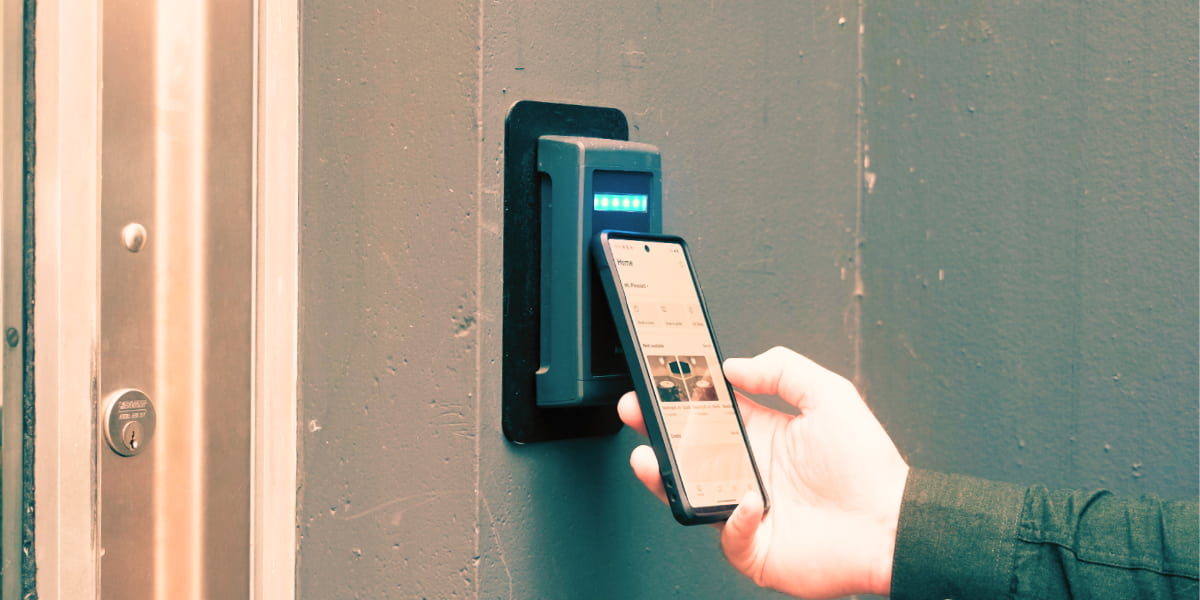
Kisi is a leading access control system designed for modern workplaces. When integrated with your coworking software, it allows you to:
- Grant or revoke access instantly based on membership status
- Provide members with mobile credentials for keyless entry
- Track entry data to improve security and space usage insights
This creates a frictionless experience for members while keeping your space secure.
Suite Genius, a Vancouver‑based coworking network, revamped their tech stack when opening a third location by integrating Optix with Kisi to automate access control and consolidate systems. This integration eliminated the need for multiple apps, replacing clunky workflows with a branded mobile app for everything—from booking to unlocking doors—creating a seamless experience for members.
Salto: secure entry management for flexible spaces
Salto is another trusted name in access control, especially for operators managing multiple rooms or locations. Benefits include:
- Flexible, scalable access solutions tailored to your building setup
- Options for both mobile credentials and smart keycards
- Centralized control so you can manage access across different areas of your space
Salto is particularly helpful if you want a balance of convenience and advanced security features.
IronWiFi: automate Wi-Fi access for members
Reliable internet is non-negotiable in coworking. With IronWiFi, you can:
- Automatically provision Wi-Fi access when a member joins
- Restrict access for non-members or expired accounts
- Monitor usage to ensure fair and secure bandwidth distribution
This integration ensures members are connected from day one, without your staff needing to manually hand out passwords or reset routers.
How Optix Automations can help: Optix Automations make access control easier by ensuring members always have the right information at the right time. For example, you can set up an automation that sends an email automatically when someone books a room or desk. That email can include details on how to enter the space—whether it’s instructions for using Kisi, Salto, or another access control system.
4. Scheduling and calendar integrations
Coworking spaces thrive when members can easily book rooms, desks, or other resources without friction. Scheduling and calendar integrations ensure that bookings are accurate, synced across platforms, and updated in real time. This prevents double-bookings, saves your staff from manually managing reservations, and gives members the confidence that their space will be ready when they need it.
Google Calendar: two-way sync for bookings
Google Calendar is one of the most widely used scheduling tools in the world. By integrating it with your coworking software, you can:
- Allow members to see their bookings directly in their personal calendars
- Sync changes in real time, avoiding mix-ups or outdated reservations
- Give staff and members a clear, centralized view of room availability
This creates a familiar, seamless scheduling experience that most members already know how to use.
How Optix Automations can help: Optix Automations enhance scheduling integrations by handling the communication and follow-up that often comes with bookings. For example, when a member reserves a room, you can set up an automation that immediately sends them a confirmation email with access details, Wi-Fi instructions, or even a reminder of your cancellation policy. You can also trigger reminder notifications before the booking starts or follow-up surveys afterward to gather feedback.
5. CRM, marketing, and sales automation integrations
Attracting new members and keeping your existing community engaged takes more than just great space design—it requires smart systems behind the scenes. CRM, marketing, and sales automation integrations help coworking operators stay on top of leads, nurture relationships, and run campaigns without adding hours of manual work.
When these tools connect to your coworking software, you create a single source of truth for your community data and free up your team to focus on personal touches instead of repetitive tasks.
BONUS: Do you need a CRM?
Not every coworking space needs a dedicated CRM. In fact, depending on the coworking software you choose, you may be able to do more than enough for your business using your coworking software. The advantage here is that you can save money, streamline your tech stack, and keep your member data in once centralized location.
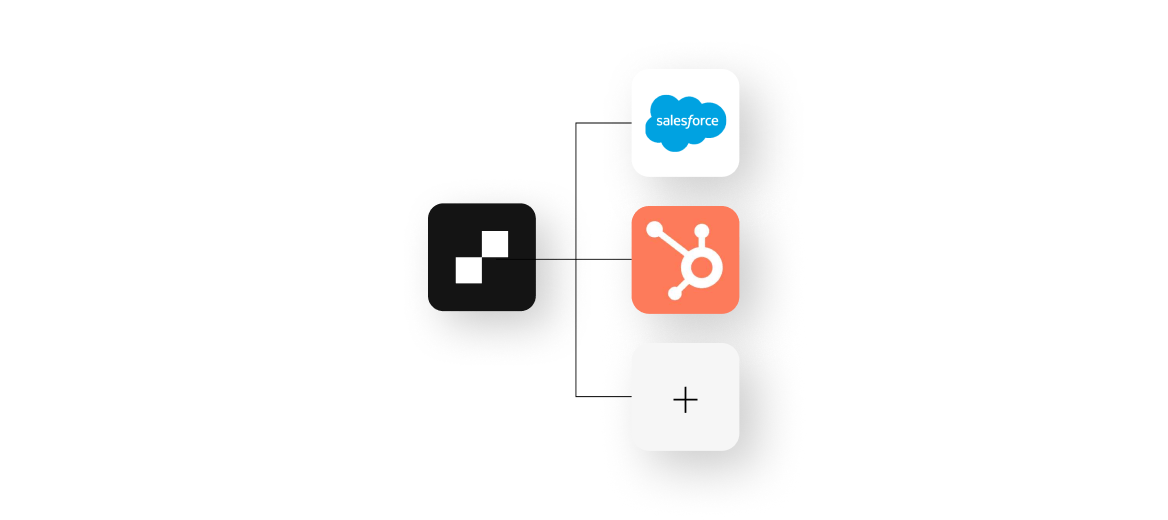
HubSpot, Salesforce, Mailchimp: grow and manage your coworking community
Every coworking space needs tools to manage the member journey, from first touchpoint to long-term retention. That’s where these platforms shine:
- HubSpot: Track leads, nurture prospects, and automate marketing campaigns
- Salesforce: A powerful CRM for larger operators who need advanced sales and reporting tools
- Mailchimp: Perfect for sending newsletters, onboarding campaigns, or event invites to your community
Together, these integrations give you the ability to capture leads, keep members informed, and ensure no opportunity slips through the cracks.
How Optix Automations can help: Optix Automations can act as a CRM by helping operators stay connected with prospects and nurture them into members. For example, you can set up automations that send a personalized email when someone signs up for a tour, follow up with a reminder the day before their visit, and then send a thank-you message afterward with next steps. These touchpoints ensure no lead slips through the cracks, while still keeping communication timely and personal.
6. Member support and feedback integrations
No matter how smooth your operations are, questions and issues will always come up. Having the right support and feedback tools integrated into your coworking software ensures members feel heard and supported while giving you insights to improve your space.
Instead of juggling emails or sticky notes, you can centralize support requests and automate feedback collection—making it easier to respond quickly and identify trends over time.
Zendesk: streamline support for coworking members
Zendesk helps coworking operators manage member requests more efficiently by turning them into trackable tickets. When connected to your coworking software, Zendesk allows you to:
- Receive support issues directly from your app or website
- Assign and track tickets so nothing slips through the cracks
- Build a knowledge base of common questions to empower self-service
For members, this means faster, more organized support whenever they need it.
How Optix Automations can help: Optix Automations can take your support and feedback processes even further by ensuring members always feel acknowledged and cared for. For example, you can set up an automation to send an immediate confirmation email when an issue is reported in Optix, letting the member know their issue is being handled.
7. Community and events integrations
A thriving coworking space isn’t just about desks, it’s about people. Events, workshops, and community updates are what turn a space into a network where members connect and collaborate. Community and events integrations help you spread the word, keep members engaged, and bring everyone together without relying on endless emails or manual updates.
Eventbrite: promote coworking events seamlessly
Eventbrite is one of the most popular event platforms, and when integrated with your coworking software, it makes event management simple. You can:
- Publish events directly to your coworking app or website
- Allow members to register and pay for tickets with ease
- Track attendance and engagement to see what types of events resonate most
This streamlines promotion and makes events feel like a natural extension of your coworking experience.
How Optix Automations can help: Optix Automations make it easier to keep your community engaged and ensure events run smoothly without adding extra work for your team. Ahead of the event, reminders can be delivered automatically so attendance stays high. Afterward, automations can send thank-you notes, share resources, or include a quick feedback survey to capture insights while the experience is fresh.
8. Developer tools and custom integrations
Every coworking space runs a little differently. While most operators can rely on ready-made integrations, sometimes you need a solution that’s unique to your business model, member experience, or tech stack. That’s where developer tools and APIs come in. They allow you to extend your coworking software beyond its out-of-the-box features and create custom workflows that fit your exact needs.
Optix Developer Platform & APIs: build integrations tailored to your coworking space
The Optix Developer Platform gives operators and developers the tools to connect coworking software with virtually any system. With APIs and webhooks, you can:
- Create custom integrations with niche tools your space already uses
- Build branded member experiences that go beyond standard functionality
- Automate specialized workflows, from unique onboarding processes to location-specific rules
Whether you’re running a single boutique space or managing multiple large locations, developer tools ensure your coworking software can evolve with your business—not the other way around.
Get started with Optix today
How Optix Automations makes your integrations work better
While integrations connect your coworking software with other tools, automations take things a step further by removing repetitive tasks altogether. Instead of relying on your team to remember every step, like sending a welcome email, applying a discount, or adding a late fee, automations make it happen instantly in the background.
With Automations, you can:
- Streamline onboarding by automatically sending welcome messages or granting access when a new member joins
- Simplify billing by applying discounts, adding invoice items, or sending reminders without manual effort
- Boost engagement by creating workflows that trigger when a member books a room, attends an event, or hits an allowance limit
- Scale with ease by ensuring processes stay consistent across multiple locations
The result is more time for your team to focus on members and strategy, and less time spent on administrative tasks. Integrations bring your tools together, but Automations make them work for you.
See why coworking operators choose Automations →
How to choose the right coworking software integrations
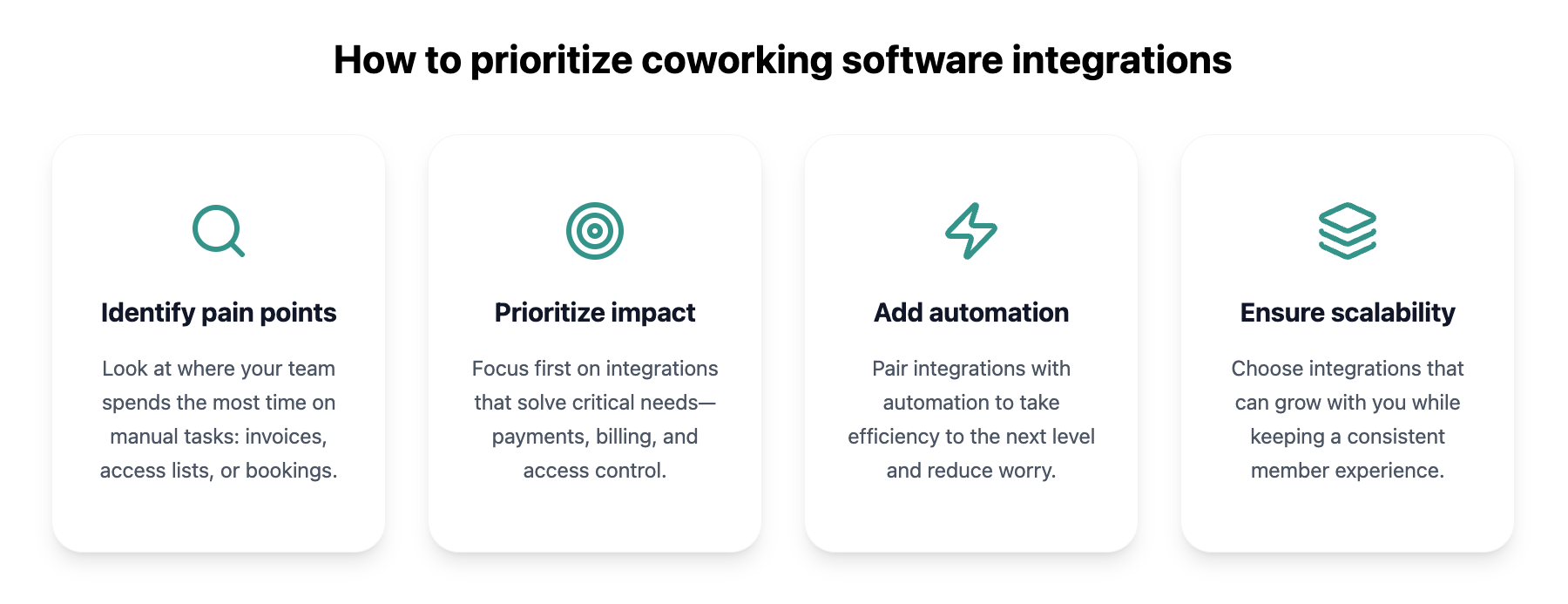
With so many options available, it can feel overwhelming to decide which integrations your coworking space actually needs. The key is to focus on the tools that will have the greatest impact on both your operations and your members’ day-to-day experience. Here’s how to approach it.
1. Identify your operational pain points
Start by looking at where your team spends the most time on manual tasks. Are you:
- Chasing down late invoices?
- Manually updating member access lists?
- Tracking bookings in spreadsheets?
- All of the above?
These pain points point directly to where integrations (and automation!) can deliver the most value.
2. Prioritize integrations with the biggest impact
Not all integrations are created equal. Focus first on those that solve critical needs—payments, billing, and access control—before moving on to “nice-to-haves.” Think about what will free up the most time for your staff and improve the experience members notice most.
3. Combine integrations with automation for maximum efficiency
Integrations are powerful on their own, but pairing them with automation can take efficiency to the next level. For example, an integration might sync your payment processor with your accounting tool, while automation in Optix can automatically apply discounts or late fees based on member behavior.
Together, they eliminate both the work and the worry.
4. Ensure scalability and a consistent member experience
Finally, choose integrations that can grow with you. If you plan to expand to multiple locations or offer new services, make sure your tools can handle that complexity. And always consider the member experience. Integrations should make it easier for them to book, pay, and engage with your space without adding extra steps.
What integrations will you add to your coworking tech stack in 2025?
To be successful in coworking means you need to deliver a smooth, tech-enabled experience that feels effortless for members and efficient for operators.
Integrations are a key part of that experience.
As you decide which integrations to adopt, remember:
- Start with the areas causing the most friction in your operations.
- Invest in integrations that have the biggest impact on both efficiency and member satisfaction.
- Pair integrations with automation to unlock even greater time savings.
- Choose solutions that will scale with your space as your community grows.
By approaching integrations strategically, you set your coworking space up not just to keep pace in 2025, but to thrive. The result is a business that runs smoothly behind the scenes and a member experience that stands out in a crowded market.

Get started with Optix today
Frequently asked questions
Coworking software integrations connect your coworking platform with other essential tools such as payment gateways, accounting systems, access control, and CRMs. They matter because they reduce manual work, keep data accurate, and give members a seamless experience, from booking a room to paying invoices.
The most important integrations in 2025 include those that handle payments and billing, accounting, access control, scheduling, CRM and marketing, support and feedback, and community and events. These categories ensure your operations run smoothly while enhancing the member experience.
Optix Automations go beyond integrations by eliminating repetitive tasks. Operators can use them to automatically send invoices, apply late fees, deliver access instructions after a booking, or follow up after an event, all of which save time and improve efficiency.
Yes, Optix Automations can act as a lightweight CRM by managing lead nurture workflows. For example, they can automatically send confirmations, reminders, and follow-ups when someone books a tour, ensuring that no lead is overlooked.
Integrations make the member journey more seamless by allowing members to book spaces instantly, unlock doors with their phone, pay invoices easily, and receive quick support. This creates a smooth, professional experience that keeps members engaged and satisfied.